October 7, 2026
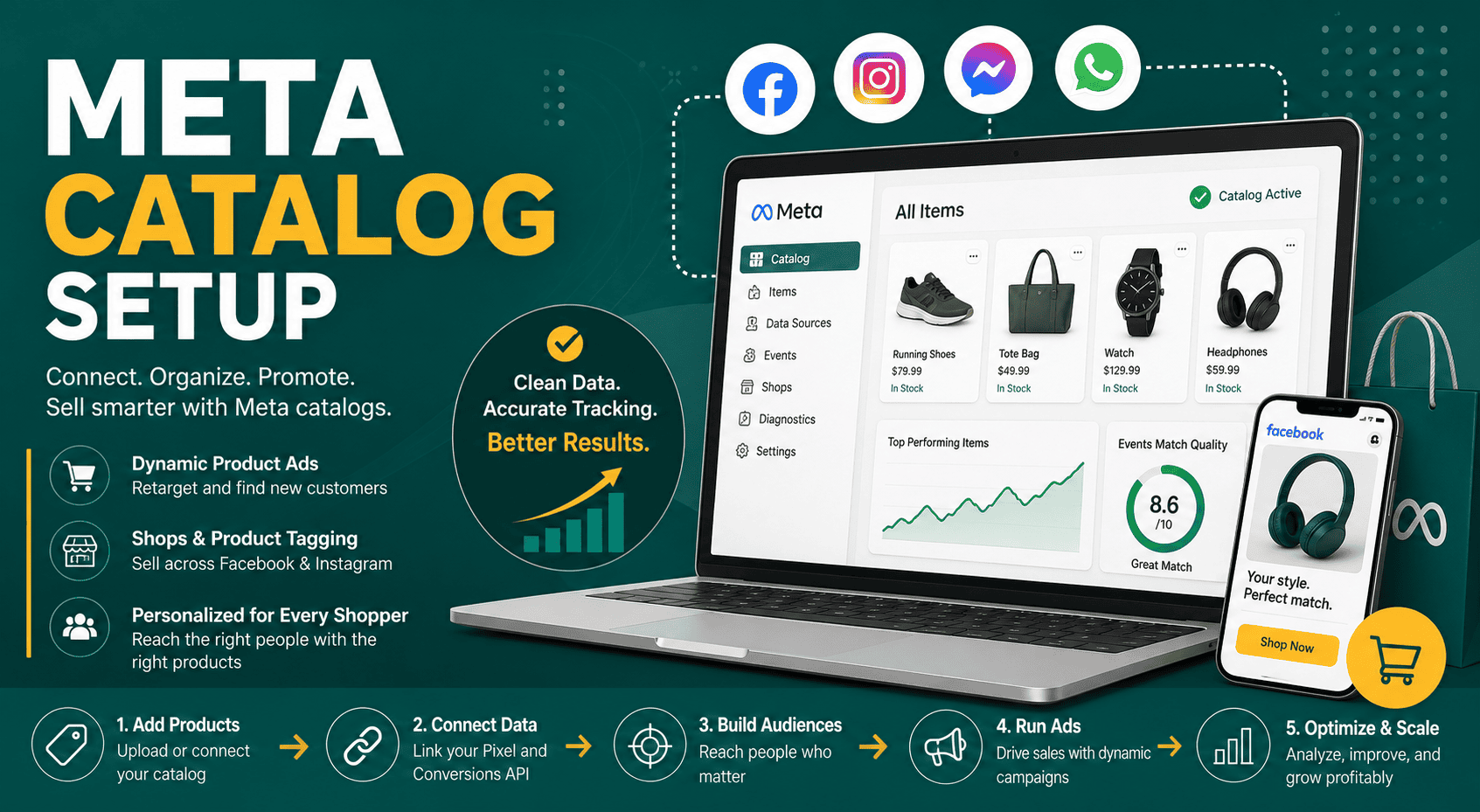
Meta Catalog Setup: Complete Guide for Facebook & Instagram
Meta Catalog Setup Meta catalog setup is the process o...
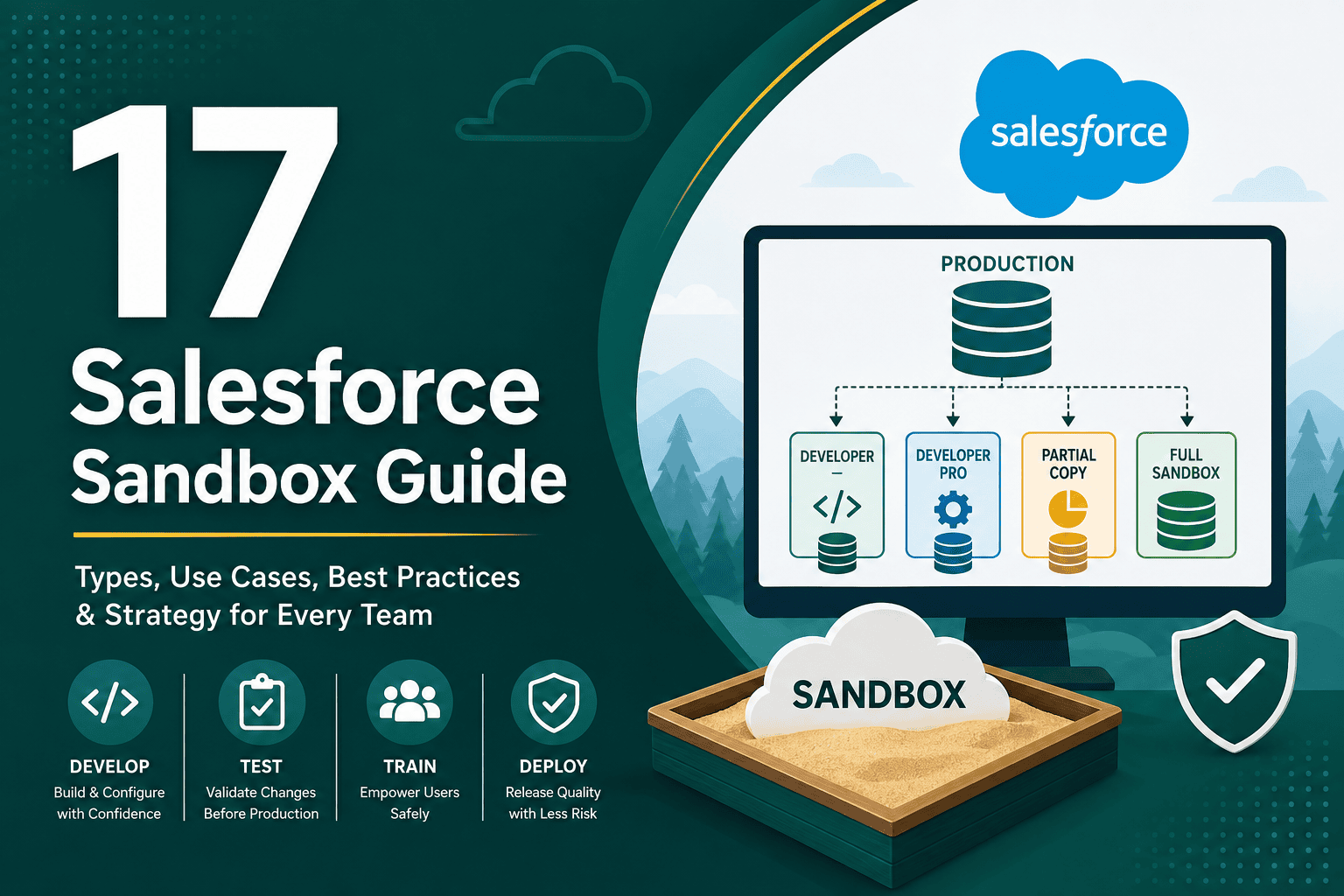
A Salesforce sandbox is a separate copy of your Salesforce environment used for development, testing, training, and experimentation without affecting live production data or business processes. This Salesforce sandbox guide explains what sandboxes are, the different sandbox types, when to use each one, best practices for managing them, and how to build a reliable sandbox strategy for your organization.
For teams that rely on Salesforce as a core CRM, sandboxes are essential. They allow administrators, developers, consultants, and business users to test changes safely before deploying them to production. If your organization is still evaluating the broader value of the platform, this overview of why businesses choose Salesforce CRM explains many of the platform strengths that make sandbox governance so important.
A Salesforce sandbox is a non-production environment that replicates some or all of your Salesforce production org. Depending on the sandbox type, it may include metadata, configuration, code, automation, and a sample or full copy of production data.
In simple terms, production is where real users work with real customer data, while a sandbox is where teams can safely build, test, and validate changes. Sandboxes are commonly used for:
Salesforce is often connected to critical sales, service, marketing, finance, and operational processes. Even a small configuration change can affect lead routing, opportunity management, reporting, approvals, or integrations. Sandboxes reduce risk by creating a controlled place to test before changes reach production.
Production data is valuable and sensitive. Testing directly in production can create duplicate records, trigger unwanted emails, break reports, or expose customer information to users who do not need it. A sandbox gives teams a safer environment for experimentation.
Sandbox testing helps identify errors before deployment. Admins and developers can validate business logic, automation paths, field dependencies, sharing rules, and integrations. This leads to cleaner releases and fewer emergency fixes.
Multiple teams often work on Salesforce at the same time. A structured sandbox approach helps developers, admins, testers, and business stakeholders collaborate without interfering with one another’s work.
Training users in production is risky. A sandbox lets sales reps, service agents, and managers practice real processes in a safe space where mistakes do not affect live records or reports.
Salesforce offers different sandbox types to support different use cases. The main sandbox types are Developer, Developer Pro, Partial Copy, and Full Sandbox. Each type has different storage limits, refresh intervals, and data-copying capabilities.
A Developer Sandbox is designed for individual development and configuration work. It copies your production metadata but does not include production data by default.
Best for:
Key characteristics:
A Developer Pro Sandbox is similar to a Developer Sandbox but provides more storage. It is useful when teams need a larger test data set or more room for development and quality assurance activities.
Best for:
Key characteristics:
A Partial Copy Sandbox includes your production metadata and a sample of production data based on a sandbox template. This makes it useful for testing business processes that require realistic data without copying the entire production database.
Best for:
Key characteristics:
A Full Sandbox is a complete copy of your production environment, including metadata, records, attachments, and files. It is the most production-like sandbox type and is typically used for performance testing, final release testing, data migration testing, and full user acceptance testing.
Best for:
Key characteristics:
The right sandbox depends on the type of work being performed. A Developer Sandbox is usually enough for small configuration or code changes, while a Full Sandbox is better for testing critical releases against production-like data.
| Sandbox Type | Includes Metadata | Includes Production Data | Common Use Case |
|---|---|---|---|
| Developer | Yes | No, except manually added test data | Individual development and configuration |
| Developer Pro | Yes | No, except manually added test data | Larger development and QA tasks |
| Partial Copy | Yes | Selected sample data | User acceptance testing and realistic process testing |
| Full | Yes | Yes, full production copy | Final release testing, migration testing, and performance testing |
Developers use sandboxes to build Apex classes, triggers, Lightning Web Components, integrations, and custom logic. Admins also use sandboxes to configure flows, validation rules, approval processes, and page layouts before moving them to production.
QA teams test whether new changes behave as expected. This includes positive testing, negative testing, regression testing, permission testing, and cross-object process validation.
User acceptance testing, often called UAT, allows business users to confirm that Salesforce changes meet real operational requirements. A Partial Copy or Full Sandbox is often best for UAT because users can test against realistic records and scenarios.
Training sandboxes are useful for onboarding new users or introducing new features. Users can create, update, and delete practice records without affecting actual customers, pipeline, cases, or dashboards.
If Salesforce connects to ERP, marketing automation, billing, support, data warehouse, or external applications, sandboxes help teams test those integrations safely. Integration testing should verify authentication, field mapping, error handling, sync timing, and data volume behavior.
Before importing or transforming large volumes of data, teams should test the migration process in a sandbox. This helps validate data quality, record ownership, duplicate rules, required fields, automation side effects, and reporting accuracy.
Creating a sandbox is usually handled by a Salesforce administrator or release manager with the correct permissions. The exact options available depend on your Salesforce edition and licenses.
After creation, Salesforce begins copying metadata and, depending on the sandbox type, data. The time required can vary from minutes to many hours depending on org size, sandbox type, and system load.
A sandbox template controls which objects and data are copied into a Partial Copy or Full Sandbox. Templates are especially useful for Partial Copy Sandboxes because they allow teams to define a representative data set rather than copying unnecessary records.
For example, a sales testing sandbox might include Accounts, Contacts, Leads, Opportunities, Products, Quotes, and related custom objects. A service testing sandbox might include Accounts, Contacts, Cases, Entitlements, Assets, and Knowledge-related objects.
Refreshing a sandbox replaces its existing contents with a new copy from production. This is useful when the sandbox needs up-to-date metadata or data, but it should be planned carefully because a refresh deletes work that exists only in the sandbox.
Before refreshing a sandbox, teams should:
Every sandbox should have a defined purpose. Avoid creating sandboxes without ownership or governance. A strong sandbox strategy may include separate environments for development, integration testing, UAT, staging, and training.
Use clear names that describe each sandbox’s purpose. Examples include:
Consistent naming helps teams understand where work should happen and reduces the chance of testing or deploying from the wrong environment.
Full and Partial Copy Sandboxes may contain sensitive customer, employee, financial, or operational data. Limit access to users who need it and consider masking or anonymizing sensitive fields where appropriate.
Data protection is especially important when consultants, contractors, developers, or external vendors need sandbox access. Use the principle of least privilege and review access regularly.
After a sandbox refresh, check email deliverability settings. You do not want test automations, workflows, flows, Apex jobs, or user actions sending real emails to customers or partners from a sandbox.
Sandboxes should not accidentally connect to live production systems unless intentionally designed for that purpose. After a refresh, verify connected apps, named credentials, remote site settings, middleware connections, API credentials, and endpoint URLs.
Developer sandboxes usually need manually created or imported test data. Use realistic test records that represent actual business scenarios, including edge cases. Good test data improves the quality of testing and reduces missed defects.
Not every sandbox will match production exactly. Document differences in data, integrations, users, permissions, feature settings, scheduled jobs, and connected applications. This makes troubleshooting easier and helps testers understand limitations.
Old test records, abandoned metadata, inactive users, and unfinished experiments can make a sandbox confusing. Periodically clean up sandboxes or refresh them from production to maintain reliability.
Do not let every sandbox deploy directly to production. Use a controlled release path, such as development to QA, QA to UAT, UAT to staging, and staging to production. This improves traceability and reduces deployment risk.
Maintain a record of what is being built, tested, approved, and deployed. Teams commonly use user stories, tickets, change sets, Salesforce DevOps Center, source control, or third-party DevOps tools to manage changes.
The ideal sandbox architecture depends on complexity, team size, release frequency, and compliance requirements. A small organization may only need one Developer Sandbox and one UAT sandbox. A larger enterprise may need multiple development sandboxes, integration environments, QA, UAT, staging, and training sandboxes.
A simple model works for smaller teams with limited customization:
A standard model works for growing organizations with regular releases:
An enterprise model works for complex Salesforce environments:
After changes are built and tested in a sandbox, they must be moved to production. Salesforce supports several deployment approaches.
Change sets are a native Salesforce deployment tool used to move metadata between connected orgs. They are suitable for many admin-driven changes but can be limited for complex development pipelines.
Salesforce CLI is commonly used by developers to retrieve, deploy, validate, and manage metadata. It is especially useful when combined with source control and automated pipelines.
Salesforce DevOps Center helps teams manage changes with a more modern, source-driven approach. It is designed to provide better visibility across work items, environments, and deployments.
Many organizations use third-party Salesforce DevOps platforms for advanced release management, version control, automated testing, rollback support, compliance controls, and deployment comparison.
Teams often test only ideal scenarios. Strong sandbox testing should include error conditions, missing data, permission restrictions, duplicate records, integration failures, and unusual business cases.
A refresh permanently replaces the existing sandbox. If metadata or data has not been moved or backed up, work may be lost. Always confirm before refreshing.
A sandbox connected to live production systems can create major data issues. Always review endpoints, credentials, scheduled jobs, and API connections after sandbox creation or refresh.
Testing as a system administrator is not enough. Business users may have different profiles, permission sets, sharing access, page layouts, and field-level security. Test with realistic user permissions.
An outdated sandbox may not reflect current production metadata or business processes. Refresh sandboxes as part of a planned release cycle so testing remains meaningful.
Use this checklist to improve sandbox security and reduce operational risk:
Before approving a change for production, confirm that testing covers the right scenarios:
Sandbox refresh frequency depends on the sandbox type, project timeline, and testing needs. Development sandboxes may be refreshed frequently, while Full Sandboxes typically have longer refresh intervals and require more planning.
As a general rule:
Each sandbox should have a clear owner. Ownership may sit with a Salesforce administrator, platform manager, release manager, technical lead, or DevOps team. The owner is responsible for access, refresh planning, environment readiness, documentation, and coordination.
In larger organizations, sandbox governance may be managed by a Salesforce Center of Excellence. This group defines standards for development, testing, releases, security, and platform architecture.
No. A sandbox is a separate non-production environment. Some sandboxes closely resemble production, especially Full Sandboxes, but they are still separate environments used for testing, development, and training.
Yes. Users can log in to sandboxes, usually with a modified username that includes the sandbox name. Access depends on whether the user exists in the sandbox and whether they are active.
It depends on the sandbox type. Developer and Developer Pro Sandboxes generally include metadata but not production data. Partial Copy Sandboxes include selected sample data. Full Sandboxes include a complete copy of production data.
Yes, sandboxes can be deleted if they are no longer needed. Before deleting one, confirm that all important metadata, data, and test results have been saved or moved elsewhere.
Some very small, low-risk changes may be made directly in production by experienced administrators, but it is generally safer to build and test changes in a sandbox first. For complex automation, code, integrations, permissions, or data changes, sandbox testing is strongly recommended.
A Partial Copy Sandbox is often a good fit for UAT because it includes representative production data. For highly complex or business-critical testing, a Full Sandbox may be better because it provides the most production-like environment.
A well-managed Salesforce sandbox strategy helps organizations develop faster, test more accurately, train users safely, and protect production from avoidable errors. The key is to choose the right sandbox type for each purpose, define clear ownership, protect sensitive data, and follow a structured release process.
Whether your team is making simple admin updates or managing enterprise-scale Salesforce development, sandboxes are a critical part of reliable platform management. By using the guidance in this Salesforce sandbox guide, you can reduce deployment risk, improve testing quality, and give your teams the confidence to innovate safely.