July 11, 2026
Why Salesforce? 10 Reasons Businesses Choose Salesforce CRM
The post outlines why businesses choose Salesforce CRM...
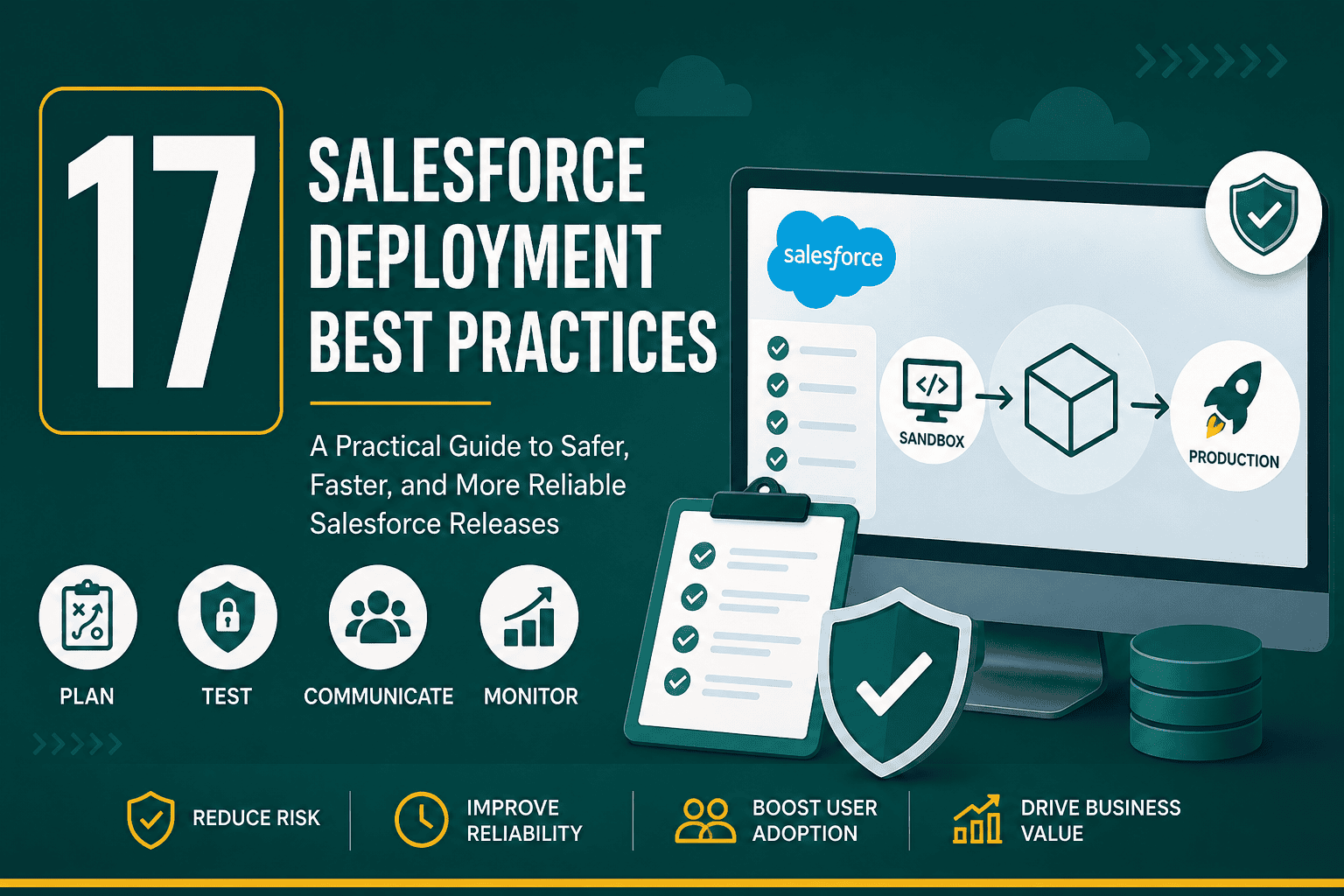
Salesforce deployment best practices help teams move changes from development to production safely, predictably, and with less business disruption. Whether you are deploying a new custom object, automation, integration, permission model, Lightning page, Flow, Apex class, or managed package, the goal is the same: deliver improvements without breaking critical sales, service, marketing, or reporting processes.
Salesforce is highly flexible, but that flexibility also creates risk when changes are rushed or poorly controlled. A small field update, validation rule, permission change, or automation conflict can affect users across the business. A strong deployment process gives your team structure, testing discipline, rollback planning, and communication so your CRM can evolve without unnecessary downtime or confusion.
This guide explains practical Salesforce deployment best practices for administrators, developers, consultants, RevOps teams, and business leaders who want a safer and more scalable release process.
A Salesforce deployment is the process of moving configuration, metadata, code, permissions, automation, or application changes from one Salesforce environment to another. Most commonly, teams build and test changes in a sandbox, then deploy approved changes to production.
Salesforce deployments can include:
Deployments can be simple or complex depending on the size of the change, the number of dependencies, the volume of users affected, and the importance of the business process being updated.
Without a controlled deployment process, Salesforce changes can create broken automations, missing permissions, inaccurate reports, integration failures, duplicate data, user confusion, and unexpected system errors. These issues can reduce trust in the CRM and make teams hesitant to adopt new features.
Following Salesforce deployment best practices helps you:
Deployment quality is not just a technical issue. It affects how sales teams manage opportunities, how support teams resolve cases, how managers read dashboards, and how leadership makes decisions from Salesforce data.
Every successful deployment starts before anyone clicks a deploy button. You need a clear plan that defines what is changing, why it is changing, who requested it, who approved it, what systems are affected, and how success will be measured.
A strong deployment plan should include:
Planning is especially important when Salesforce is part of a larger business system. If your CRM connects to your website, marketing automation, ecommerce platform, accounting system, or customer support tools, your deployment process should align with your overall business technology stack so changes do not create downstream issues.
One of the most important Salesforce deployment best practices is to avoid building directly in production whenever possible. Sandboxes allow teams to develop, test, and validate changes outside of the live environment.
Common Salesforce sandbox types include:
The right sandbox strategy depends on your team size, release complexity, Salesforce edition, and governance needs. For a deeper explanation of sandbox types and how to use them, review this Salesforce sandbox guide.
A typical deployment path may look like this:
Smaller organizations may not need every environment, but the principle remains the same: build and test outside production before releasing to users.
Poor requirements are one of the most common causes of deployment problems. If the business goal is vague, the technical build will likely require rework. Before development starts, confirm the requirement with the requesting team.
Good Salesforce requirements should answer:
Clear requirements reduce confusion between business stakeholders, Salesforce admins, developers, QA testers, and operations teams. They also make it easier to confirm whether the deployment actually worked.
Salesforce components often depend on other components. For example, a Flow may depend on a custom field, a report type may depend on an object relationship, an Apex class may depend on a custom metadata record, and a permission set may depend on a new object or field.
Before deploying, identify dependencies such as:
Missing dependencies are a frequent source of failed deployments. Even when the deployment technically succeeds, users may experience broken pages, missing buttons, failed automations, or incomplete data visibility if dependencies are overlooked.
For teams with Salesforce developers or frequent releases, version control is one of the most valuable Salesforce deployment best practices. A version control system such as Git allows teams to track changes, compare metadata, review code, manage branches, and roll back when needed.
Version control is especially useful for:
Even if your team uses declarative tools such as Flow Builder and Setup, version control can still improve auditability and release consistency when paired with Salesforce DX or a DevOps platform.
Salesforce supports several deployment methods. The best option depends on your team’s technical maturity, release frequency, complexity, and governance requirements.
Change Sets are a native Salesforce deployment tool used to move metadata between related orgs, such as a sandbox and production. They are simple and accessible for admins, but they can become difficult to manage for large or complex deployments.
Change Sets are useful for:
Salesforce CLI and Metadata API are better suited for development teams that want more control, automation, and repeatability. These methods work well with source control and CI/CD pipelines.
They are useful for:
Salesforce DevOps platforms can simplify deployments, metadata comparison, approval workflows, rollback planning, and automated testing. These tools are often valuable for teams with frequent releases or multiple admins and developers working in parallel.
Testing is one of the most critical Salesforce deployment best practices. A deployment should not be considered ready just because it works for the person who built it. It should be tested against real business scenarios, user permissions, data variations, and integration behavior.
Your testing process should include:
For Apex deployments, Salesforce requires test coverage, but code coverage alone does not prove that the business process works. Real-world scenario testing is still necessary.
Many Salesforce deployment problems are not caused by the feature itself but by access issues. A field may exist, a Flow may run, and a page may be configured correctly, but users may still be unable to see or use what they need.
Before releasing, validate:
Access control is a major part of Salesforce architecture. If you need a refresher on how visibility and access are structured, this guide to Salesforce user roles, profiles, and access explains the key concepts in practical terms.
If Salesforce is connected to other systems, deployments require extra care. A field rename, picklist change, validation rule, record type update, or API permission change can break integrations with marketing platforms, websites, ERP systems, support tools, data warehouses, or custom applications.
Before deploying changes that affect integrations, confirm:
For connected systems, deployment testing should include end-to-end data flow validation. This Salesforce integration guide covers integration methods, planning considerations, and best practices that are especially important during CRM releases.
A pre-deployment checklist helps prevent missed steps. Even experienced Salesforce teams benefit from a repeatable checklist because deployment pressure can cause small but important details to be overlooked.
Your pre-deployment checklist should include:
A checklist does not need to be complicated. The key is consistency. The more often your team uses the same deployment process, the easier it becomes to identify risk before production is affected.
Deployment timing matters. Avoid releasing major Salesforce changes during peak business hours, month-end close, quarter-end sales pushes, major campaigns, or critical support periods unless the release is urgent.
When choosing a deployment window, consider:
For high-impact deployments, schedule time for both the deployment and post-deployment validation. Do not deploy at a time when no one is available to confirm success or fix issues.
Good communication is essential for user adoption. If users log in and see new fields, changed layouts, new validation messages, or different workflows without explanation, they may become frustrated or assume Salesforce is broken.
User communication should explain:
For larger releases, consider short training videos, release notes, internal documentation, office hours, or role-based walkthroughs. The more your users understand the reason behind a change, the more likely they are to adopt it.
After deploying to production, run a post-deployment validation checklist. This confirms that the deployment succeeded technically and functionally.
Post-deployment validation may include:
Post-deployment validation should happen as soon as possible after release. The faster you identify an issue, the easier it is to fix before many users are affected.
Every deployment should have a rollback or recovery plan. Not every Salesforce change can be reversed with a single click, so you need to know what can be undone, what must be manually restored, and what data may need correction.
A rollback plan should answer:
For risky releases, take extra precautions such as exporting key data, documenting existing settings, saving page layout screenshots, backing up metadata, and testing rollback steps in a sandbox first.
Some deployment issues are not obvious immediately. A new Flow, trigger, report, integration job, or automation rule may work correctly in testing but slow down production when real users and larger data volumes are involved.
After deployment, monitor:
If your org feels slower after a release, review this guide on Salesforce performance tips to identify common causes such as inefficient automation, large data volumes, heavy pages, and reporting bottlenecks.
Documentation helps future admins, developers, consultants, and business owners understand what changed and why. It also supports compliance, troubleshooting, onboarding, and long-term CRM maintenance.
Your deployment documentation should include:
Good documentation prevents future confusion. When someone asks why a validation rule, Flow, field, or permission set exists six months later, your team should be able to find the answer quickly.
Large deployments are sometimes necessary, but bundling too many unrelated changes increases risk. If something breaks, it becomes harder to identify the cause. Users may also feel overwhelmed by too many changes at once.
Whenever possible, group deployments by business process, project, or release theme. For example, separate a sales pipeline update from a service case automation update if they do not depend on each other.
Smaller, more frequent releases can be easier to test, communicate, and troubleshoot than large infrequent deployments. However, release frequency should still match your organization’s governance and support capacity.
Consistent naming conventions make deployments easier to understand and maintain. Without standards, Salesforce orgs can become cluttered with unclear field names, duplicate automation, outdated reports, and confusing permission sets.
Apply naming standards to:
For example, Flow names should clearly describe the object, trigger timing, and purpose. A name such as “Opportunity – Before Save – Set Renewal Fields” is much easier to manage than “Opp Flow New 2.”
Salesforce environments accumulate old fields, inactive workflows, outdated validation rules, unused reports, abandoned dashboards, legacy Apex, and obsolete permission sets over time. This clutter makes deployments harder because teams must sort through more metadata and dependencies.
Before major releases, consider reviewing:
Do not delete components without analysis. First check field usage, dependencies, report references, integrations, and historical data needs. In some cases, deprecating or hiding a component is safer than deleting it immediately.
As Salesforce grows, informal deployment habits become risky. A release governance process defines how changes are requested, reviewed, prioritized, built, tested, approved, deployed, and documented.
A strong governance process may include:
Governance does not mean slowing everything down. It means creating a predictable system that lets your team move faster with fewer mistakes.
Even experienced teams can run into deployment issues. Watch out for these common mistakes:
Most deployment problems are preventable with better planning, testing, communication, and environment management.
Use this practical checklist before your next Salesforce deployment:
Salesforce deployment best practices are essential for keeping your CRM stable, secure, and useful as your business evolves. The best deployment process is not just about moving metadata from sandbox to production. It includes planning, dependency review, testing, access validation, integration checks, communication, rollback preparation, and post-release monitoring.
Start with a clear deployment plan, use sandboxes properly, test with real business scenarios, protect permissions and integrations, and document every release. Over time, these habits create a healthier Salesforce environment where improvements can be delivered faster and with greater confidence.
A well-managed Salesforce deployment process helps your organization get more value from Salesforce while reducing the risk of broken workflows, frustrated users, and unreliable data.