July 21, 2026
WooCommerce Development Cost: 2026 Pricing Guide
WooCommerce Development Cost: Complete Pricing Guide f...
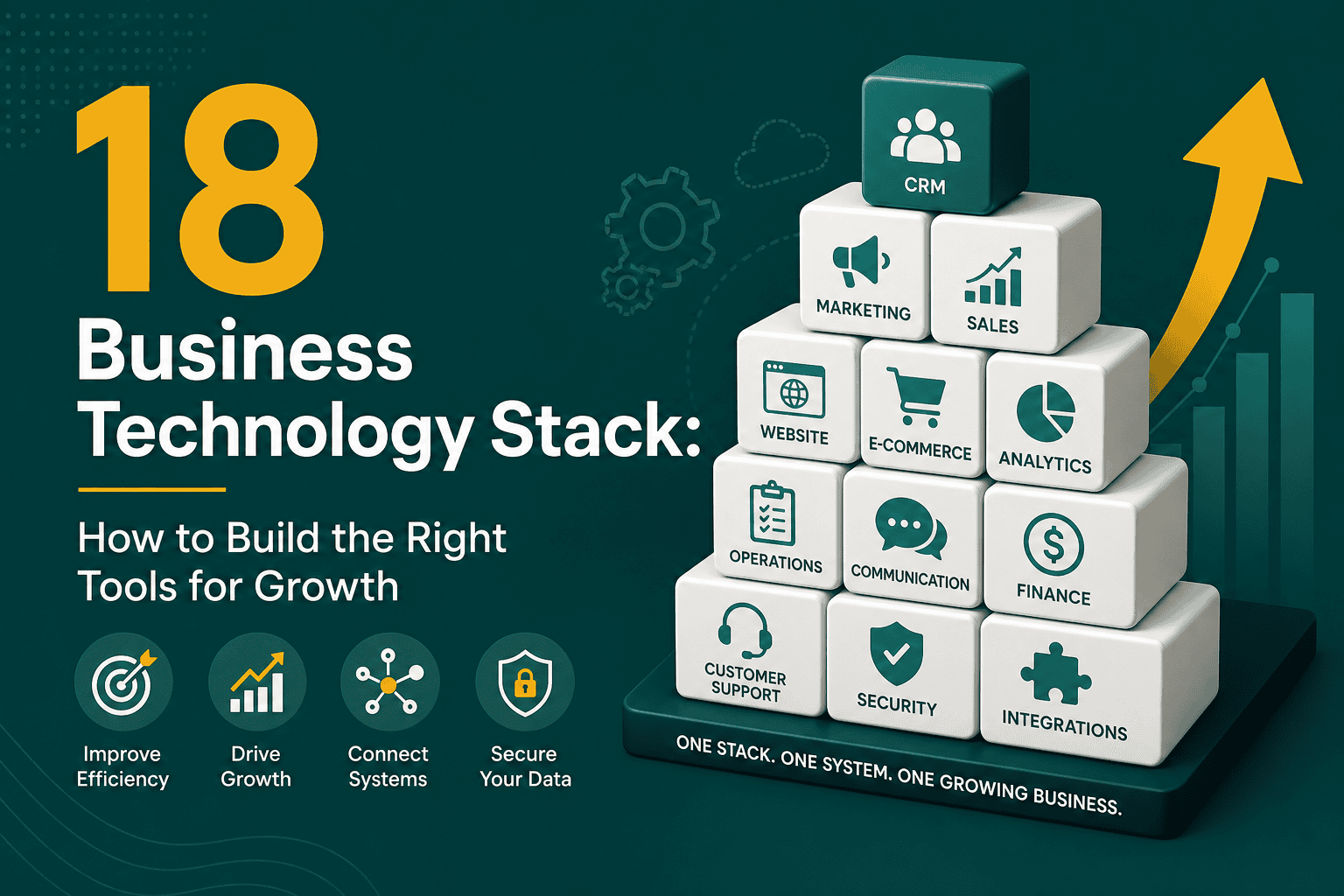
A business technology stack is the collection of software, platforms, systems, and digital tools a company uses to operate, sell, market, serve customers, manage data, and make decisions. It can include your website, CRM, ecommerce platform, marketing tools, analytics, accounting software, project management system, automation tools, customer support platform, and internal collaboration apps.
For many businesses, technology grows one tool at a time. A website is built, then a CRM is added, then email marketing, then reporting software, then payment systems, then automation. Over time, this can either become a well-connected technology ecosystem or a messy collection of disconnected tools that slow the business down.
The goal of a strong business technology stack is not to use the most expensive or trendiest software. The goal is to choose the right tools, connect them properly, reduce manual work, improve visibility, and support business growth without unnecessary complexity.
A business technology stack is the structured set of digital systems that support how a company runs. These tools usually work across different departments, including sales, marketing, operations, finance, customer service, human resources, and leadership.
For example, a small service business may use WordPress for its website, Google Workspace for email, HubSpot or Salesforce for CRM, QuickBooks for accounting, Calendly for scheduling, Slack for communication, and Google Analytics for reporting. An ecommerce company may use WooCommerce or Shopify, payment gateways, email automation, inventory management, customer support software, and advertising platforms.
When these tools are selected and connected strategically, they help the business move faster. When they are selected randomly, they often create duplicate data, reporting gaps, security risks, and inefficient workflows.
Your technology stack affects far more than IT. It shapes how customers interact with your business, how employees collaborate, how managers make decisions, and how efficiently your company can scale.
A poor technology stack often creates hidden costs. Employees spend time copying data between platforms, reports are inconsistent, customers receive fragmented communication, and leadership struggles to trust the numbers. These problems become more expensive as the business grows.
Every company is different, but most modern businesses need several core technology categories. The exact tools depend on your industry, size, budget, and operating model.
Your website is often the center of your digital presence. It supports brand credibility, lead generation, customer education, search engine visibility, and sometimes ecommerce transactions. Many businesses use WordPress because it is flexible, widely supported, and scalable when built properly.
Website performance also matters. A slow or poorly structured website can hurt conversions, search visibility, and user experience. If your stack includes WordPress, choosing the right hosting is a foundational decision. This WordPress hosting guide explains how hosting affects speed, uptime, security, and scalability.
A CRM is one of the most important parts of a business technology stack. It stores customer and prospect data, tracks sales activity, manages pipelines, supports follow-ups, and helps teams understand relationship history.
Popular CRM platforms include Salesforce, HubSpot, Zoho, Pipedrive, and Microsoft Dynamics. Larger or more complex businesses often choose Salesforce because it supports customization, automation, reporting, security controls, and integrations. If you are evaluating CRM options, this article on why businesses choose Salesforce CRM explains the platform’s strengths for sales, service, analytics, and scalability.
Marketing technology helps businesses attract, engage, and convert customers. This may include email marketing software, social media management tools, landing page builders, SEO tools, advertising platforms, customer data platforms, and marketing automation systems.
Your marketing stack should support your overall growth strategy rather than operate separately from sales and customer service. A well-planned digital marketing strategy helps connect audience research, messaging, content, advertising, analytics, and technology into one measurable system.
If your business sells products or services online, your ecommerce platform becomes a key part of your technology stack. It may include product management, shopping cart functionality, checkout, payment gateways, tax calculations, shipping integrations, subscriptions, customer accounts, and order management.
WooCommerce is a common option for businesses that want ecommerce functionality inside WordPress. However, the real cost depends on design, development, hosting, integrations, security, and maintenance. This WooCommerce development cost guide provides useful context for planning an ecommerce budget.
Analytics tools help you understand what is happening across your business. This may include website analytics, advertising reports, CRM dashboards, financial reports, sales forecasts, customer support metrics, and operational KPIs.
Common tools include Google Analytics, Looker Studio, Power BI, Tableau, Salesforce Reports and Dashboards, Meta Ads reporting, Google Ads reporting, and ecommerce analytics. The key is not just collecting data, but organizing it into reports that support better decisions.
Operations tools help teams manage work, assign tasks, track deadlines, document processes, and coordinate projects. Examples include Asana, Trello, Monday.com, ClickUp, Jira, Notion, Airtable, and Microsoft Planner.
These tools are especially important as teams grow. Without a shared system for work management, tasks get lost in email threads, priorities become unclear, and accountability suffers.
Modern businesses rely on tools for internal and external communication. These may include email, chat, video conferencing, shared calendars, cloud documents, file storage, and knowledge bases.
Common examples include Google Workspace, Microsoft 365, Slack, Microsoft Teams, Zoom, Dropbox, Google Drive, and Confluence. The best collaboration tools reduce friction and make it easy for teams to find information, communicate clearly, and work together across locations.
Finance tools support invoicing, bookkeeping, payroll, expense tracking, tax preparation, revenue reporting, subscriptions, and payment reconciliation. Depending on the business, this may include QuickBooks, Xero, FreshBooks, Stripe, PayPal, Chargebee, or enterprise ERP systems.
Finance tools should connect with sales, ecommerce, and reporting systems whenever possible. This reduces duplicate data entry and helps leadership understand revenue, margins, cash flow, and customer value more accurately.
Customer support software helps manage inquiries, tickets, live chat, help desk workflows, knowledge bases, and service-level expectations. Examples include Zendesk, Freshdesk, Intercom, Help Scout, HubSpot Service Hub, and Salesforce Service Cloud.
Support tools become especially valuable when integrated with your CRM. When service teams can see customer history, purchases, previous conversations, and account details, they can provide faster and more personalized support.
Security should be part of the stack from the beginning, not added only after a problem occurs. This may include password managers, multi-factor authentication, endpoint protection, single sign-on, backup systems, access controls, security monitoring, and compliance management tools.
As your business grows, access management becomes more important. Employees should only have access to the systems and data they need for their roles. This protects customer information, reduces internal risk, and supports compliance requirements.
Choosing the right business technology stack requires more than comparing software features. You need to understand your business model, workflows, customer journey, team structure, budget, and growth plans.
Before selecting tools, define what your business needs to achieve. Are you trying to generate more leads, improve sales follow-up, reduce manual admin work, launch ecommerce, improve reporting, automate onboarding, or support a remote team?
Technology should solve specific problems. If the goal is unclear, it is easy to buy software that looks impressive but does not create meaningful business value.
Document how work currently happens. For example, how does a lead become a customer? How is a quote created? How are invoices sent? How is customer support handled? How are marketing campaigns tracked?
This process often reveals bottlenecks, duplicate tasks, missing data, and manual work that can be improved with better systems or integrations.
A strong technology stack depends on integration. Your CRM should communicate with your website forms, your ecommerce platform should connect with payment and accounting tools, and your marketing systems should report on campaign performance.
If Salesforce is part of your stack, integration planning is especially important. This Salesforce integration guide explains common integration methods, best practices, and planning considerations for connecting Salesforce with other business systems.
More tools do not automatically mean a better stack. In many cases, fewer well-connected tools are better than many overlapping platforms. Too many systems can create confusion, increase costs, and make training harder.
Choose tools that your team can actually use. A powerful system that nobody adopts is less valuable than a simpler system that supports daily work effectively.
Your technology stack should support where your business is today and where it is likely to go next. Consider whether a tool can handle more users, data, locations, transactions, products, permissions, automations, or integrations as the business grows.
However, avoid overbuilding too early. Enterprise-level tools may not be necessary for a small business with simple workflows. The best stack balances current needs with realistic future growth.
Software pricing is only one part of the cost. You should also consider setup, customization, training, migration, integrations, maintenance, support, premium add-ons, and future upgrades.
A low-cost tool can become expensive if it requires time-consuming manual work or does not integrate with your other systems. A more expensive platform may be worthwhile if it saves time, improves revenue tracking, or reduces operational complexity.
Many businesses struggle with technology because they make decisions reactively. Avoiding common mistakes can save time, money, and frustration.
There is no universal stack that fits every company. The right combination depends on what the business does and how it operates.
If your business already uses multiple tools, a technology stack audit can help identify what to keep, replace, integrate, or eliminate.
Once you know what your stack should include, implementation should be planned carefully. A rushed rollout can create confusion, poor adoption, and broken processes.
Define the business goals, required workflows, reporting needs, user roles, integration requirements, budget, and timeline. Involve stakeholders from sales, marketing, operations, finance, and leadership so the stack supports the whole business.
Compare platforms based on functionality, ease of use, integrations, scalability, security, pricing, and support. Avoid evaluating tools in isolation. A tool may be excellent on its own but a poor fit if it does not connect with the rest of your systems.
Clean and organize data before migration. This may include removing duplicate contacts, standardizing fields, archiving outdated information, and deciding what data should move into the new system.
Set up workflows, permissions, dashboards, automations, forms, pipelines, templates, and integrations. Test everything before going live, especially if customer data, orders, payments, or sales processes are involved.
Train users based on their actual responsibilities. Provide documentation, examples, and support during the transition. Adoption is one of the biggest factors in whether a technology stack succeeds.
After launch, monitor usage, performance, data quality, and feedback. Improve workflows over time instead of assuming the first version will be perfect.
A business technology stack is not a one-time project. It needs ongoing maintenance, governance, and optimization.
The best technology stacks evolve with the business. As your company grows, your systems may need more advanced automation, stronger reporting, better security, or deeper integrations.
A well-designed business technology stack helps your company operate more efficiently, serve customers better, make smarter decisions, and scale with less friction. The right stack connects your website, CRM, marketing, ecommerce, analytics, operations, finance, and support tools into a practical system that supports real business goals.
Start by understanding your workflows, identifying bottlenecks, and choosing tools that integrate well. Keep the stack simple where possible, scalable where necessary, and aligned with your long-term strategy. When technology is planned properly, it becomes more than a collection of software; it becomes a foundation for sustainable growth.