July 21, 2026
WooCommerce Development Cost: 2026 Pricing Guide
WooCommerce Development Cost: Complete Pricing Guide f...
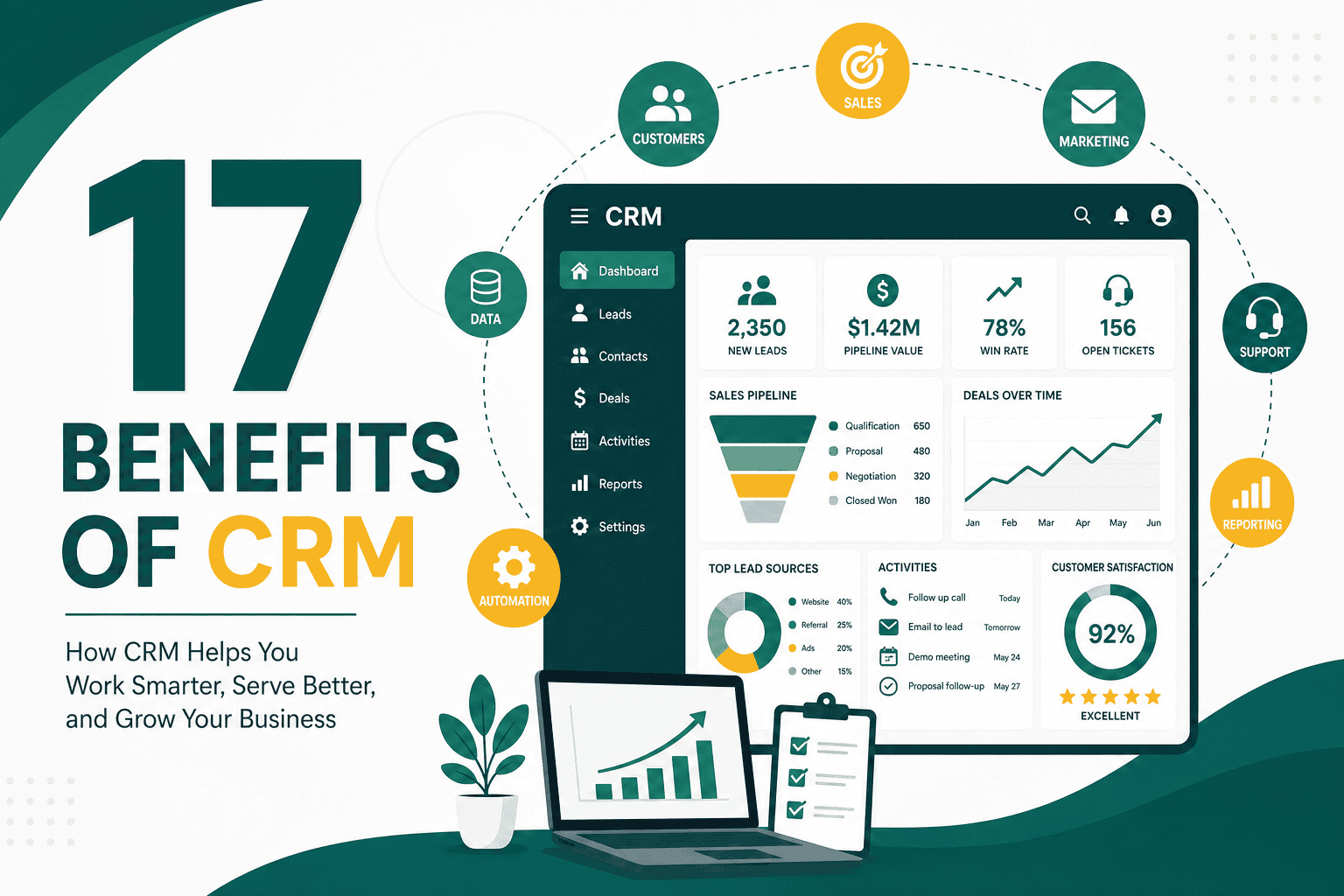
The benefits of CRM go far beyond storing customer names, phone numbers, and email addresses. A customer relationship management system helps businesses organize customer data, improve sales follow-up, automate repetitive tasks, strengthen marketing campaigns, support customer service, and make better decisions with reliable reporting.
For many companies, CRM becomes the central system that connects sales, marketing, customer support, operations, and leadership. Instead of information being scattered across spreadsheets, inboxes, notebooks, chat messages, and disconnected tools, CRM brings customer activity into one structured platform.
If you are new to the concept, it helps to first understand what CRM means and how it works. Once the foundation is clear, the real value becomes easier to see: CRM improves how your business attracts leads, converts opportunities, serves customers, and grows revenue.
CRM stands for customer relationship management. It refers to both the strategy and the software used to manage interactions with leads, prospects, customers, partners, and other business contacts.
A CRM system typically stores contact details, communication history, sales opportunities, tasks, notes, quotes, service cases, marketing activity, and reports. Modern CRM platforms can also include automation, email tracking, dashboards, customer segmentation, artificial intelligence, integrations, and workflow management.
At its core, CRM helps answer important business questions such as:
One of the biggest benefits of CRM is having a single, organized place for customer information. Without CRM, customer data often becomes fragmented across spreadsheets, email inboxes, calendars, messaging apps, accounting systems, and individual employees’ notes.
This creates problems when team members leave, leads are forgotten, customers repeat information, or managers cannot see what is happening across the business. A CRM solves this by creating a centralized customer database.
A well-structured CRM can store:
When everyone works from the same source of truth, teams become more aligned and customers receive a more consistent experience.
Sales opportunities are often lost because follow-up is late, inconsistent, or completely forgotten. CRM helps sales teams stay organized by tracking every lead, task, call, meeting, proposal, and next step.
Instead of relying on memory or scattered reminders, sales representatives can use CRM to see exactly who needs attention and when. This improves accountability and reduces the chance that high-value opportunities fall through the cracks.
CRM improves sales follow-up by helping teams:
Consistent follow-up is one of the simplest ways to increase conversion rates. CRM makes that consistency much easier to achieve.
A sales pipeline shows where leads and opportunities are in the buying journey. Without CRM, managers often depend on manual updates, spreadsheets, or informal conversations to understand pipeline health.
CRM provides real-time visibility into the sales pipeline. Leaders can see how many deals are open, which stage each deal is in, how much revenue is expected, and where bottlenecks exist.
This helps businesses answer questions such as:
With better pipeline visibility, businesses can forecast revenue more accurately and make smarter decisions about hiring, marketing spend, operations, and cash flow.
Another major benefit of CRM is improved productivity. Sales, marketing, and service teams often waste time searching for information, updating spreadsheets, sending repetitive emails, creating manual reports, or moving data between systems.
CRM reduces this manual workload by keeping data organized and automating routine tasks. For example, a CRM can automatically create follow-up tasks, send notification emails, assign leads, update deal stages, or generate reports.
Productivity improves when teams spend less time on administration and more time on meaningful work, such as speaking with prospects, helping customers, improving campaigns, and closing deals.
CRM automation is one of the most powerful ways to save time and create a more consistent customer experience. Instead of manually repeating the same steps for every lead or customer, businesses can build workflows that trigger actions automatically.
For example, when a website visitor submits a contact form, CRM can automatically create a lead, assign it to a salesperson, send a confirmation email, schedule a follow-up task, and add the lead to a nurturing sequence.
Useful CRM automations include:
For more practical examples, review these CRM automation ideas for saving time and growing revenue. Automation works best when it supports a clear business process instead of simply adding complexity.
Customers expect businesses to remember previous conversations, respond quickly, and provide relevant communication. CRM makes this easier by giving teams access to the full customer history.
When a customer contacts your business, your team can quickly see past purchases, open tickets, previous emails, sales notes, preferences, and important account details. This prevents customers from needing to repeat themselves and helps employees provide faster, more personalized support.
CRM improves customer experience by helping businesses:
A better customer experience can lead to higher satisfaction, stronger loyalty, more referrals, and increased lifetime value.
CRM gives marketing teams better data for segmentation, personalization, and campaign measurement. Instead of sending the same message to every contact, marketers can group audiences based on lifecycle stage, interests, purchase history, lead source, industry, location, or engagement level.
This allows businesses to send more relevant messages. A new lead may need educational content, while an existing customer may respond better to renewal reminders, product recommendations, or loyalty offers.
CRM can support marketing through:
When marketing and CRM data are connected, businesses can better understand which campaigns generate qualified leads, sales opportunities, and revenue.
Good decisions depend on good data. CRM gives business leaders access to reports and dashboards that show what is happening across sales, marketing, and customer service.
Instead of guessing, managers can review performance metrics such as lead volume, conversion rate, win rate, sales cycle length, revenue by source, customer retention, and support response times.
Some useful CRM reports include:
To measure CRM success properly, businesses should define the right metrics. This guide to CRM KPIs every business should track explains the key numbers that show whether your CRM is improving performance.
Sales, marketing, support, finance, and operations often interact with the same customers at different points in the journey. If each department uses separate systems or keeps separate notes, communication gaps can appear quickly.
CRM helps teams collaborate by giving everyone access to shared customer information. Marketing can see which leads became opportunities. Sales can see which campaigns generated leads. Support can see what customers purchased. Leadership can monitor performance across the entire customer lifecycle.
Better collaboration reduces internal confusion and creates a smoother experience for the customer.
Many companies focus heavily on acquiring new customers but overlook retention. CRM helps businesses maintain relationships after the initial sale by tracking engagement, support history, renewal dates, satisfaction signals, and repeat purchase opportunities.
CRM can help identify customers who may need additional attention. For example, a customer with multiple support tickets, low engagement, or an upcoming renewal date may require proactive outreach.
Retention-focused CRM activities include:
Keeping existing customers is often more cost-effective than constantly acquiring new ones. CRM helps build the structure needed for long-term customer relationships.
Personalization is no longer limited to using a customer’s first name in an email. With CRM, businesses can personalize communication based on customer behavior, needs, preferences, purchase history, and lifecycle stage.
Examples of CRM-based personalization include:
Personalization makes communication feel more relevant and helpful, which can improve engagement and conversion rates.
When customer information lives in individual inboxes, notebooks, spreadsheets, or personal devices, the business becomes dependent on individual employees. If someone leaves the company, valuable customer knowledge may leave with them.
CRM protects the business by keeping important information in a shared system. New employees can review past communication, understand account history, and continue relationships without starting from zero.
This is especially important for growing teams, businesses with long sales cycles, and companies that manage high-value customer relationships.
Lead management is the process of capturing, qualifying, assigning, nurturing, and converting leads. CRM helps create a structured approach so new inquiries are handled quickly and consistently.
Without CRM, leads may sit in inboxes, get assigned manually, or receive delayed follow-up. With CRM, leads can flow directly from forms, ads, chat tools, events, or imports into a managed pipeline.
A good CRM lead management process can include:
This structure helps businesses respond faster and turn more inquiries into revenue.
As companies grow, inconsistent processes become a major challenge. Different sales representatives may qualify leads differently, use different follow-up steps, or update records in different ways. This makes reporting unreliable and customer experience inconsistent.
CRM helps standardize processes by defining stages, required fields, task flows, approval steps, and automation rules. For example, every opportunity may need a close date, deal value, next step, and pipeline stage before it can move forward.
Standardization helps teams work more consistently and gives managers better data for decision-making.
The financial benefits of CRM come from several areas working together. Better lead tracking increases conversion opportunities. Improved follow-up helps close more deals. Automation saves time. Reporting shows where to invest. Retention workflows help protect existing revenue.
CRM can support revenue growth by helping businesses:
CRM is not a magic solution on its own. Its value depends on strategy, implementation, data quality, adoption, and continuous improvement. But when used well, CRM becomes a powerful engine for sustainable growth.
Manual systems may work when a business has a small number of customers, but they often break down as the company grows. More leads, more team members, more customer interactions, and more reporting needs create complexity.
CRM gives businesses a scalable foundation. As the company grows, CRM can support more users, more pipelines, more automation, more integrations, and more detailed reporting.
This scalability is especially valuable for businesses planning to expand into new markets, add new products, build larger sales teams, or improve customer service operations.
Every business has different processes, customer types, sales cycles, and reporting needs. A flexible CRM can be customized to match how your organization actually works.
Common CRM customizations include:
However, customization should be planned carefully. Too much complexity can hurt adoption and make CRM harder to maintain. These CRM customization tips and best practices can help teams build a system that is useful, scalable, and easy to use.
CRM creates visibility into activities, ownership, and outcomes. Managers can see which leads have been contacted, which tasks are overdue, which deals are stuck, and which team members are meeting their activity goals.
This does not mean CRM should be used only as a monitoring tool. Its bigger purpose is to help teams stay organized and supported. When used properly, CRM makes expectations clearer and helps everyone understand their responsibilities.
Accountability improves when:
Modern CRM platforms often integrate with email, calendars, websites, advertising platforms, ecommerce systems, accounting tools, customer support software, analytics platforms, and communication tools.
These integrations reduce duplicate data entry and help information flow across the business. For example, a website form can create a CRM lead, an email marketing platform can sync engagement data, and an accounting system can reflect customer billing status.
CRM is often a core part of a larger technology ecosystem. If you are planning your company’s systems, it is useful to think about how CRM fits into your overall business technology stack for growth.
CRM is often a key part of digital transformation because it helps businesses move from manual, disconnected, and reactive processes to more data-driven and automated operations.
Instead of managing customer relationships through scattered tools, CRM creates a structured digital foundation for sales, marketing, service, reporting, and automation.
This supports broader business improvements such as:
CRM is not the only part of digital transformation, but it is often one of the most important systems because customer relationships are central to business growth.
Businesses often invest in CRM because they are experiencing operational problems that limit growth. CRM can help solve issues such as:
Buying CRM software does not automatically create better results. To get the full benefits of CRM, businesses need the right strategy, setup, processes, training, and ongoing management.
Before choosing or configuring a CRM, define what you want to improve. Common goals include increasing lead conversion, improving follow-up, reducing manual work, improving reporting, retaining customers, or aligning sales and marketing.
Many CRM projects fail because the system becomes too complex too quickly. Start with the most important fields, stages, workflows, and reports. You can add more sophistication over time.
CRM works best when your team agrees on how leads, opportunities, customers, and support requests should be managed. Define clear stages, ownership rules, required fields, and follow-up expectations.
A CRM is only as useful as the data inside it. Duplicate records, missing fields, outdated information, and inconsistent naming can weaken reporting and reduce trust in the system.
User adoption is critical. Employees need to understand not only how to use the CRM, but why it matters. Good training should show how CRM helps them save time, stay organized, and improve results.
CRM should evolve with the business. Review reports, workflows, fields, automation, and user feedback regularly. Remove what is unnecessary and improve what creates value.
There are many CRM platforms available, from simple tools for small businesses to advanced enterprise systems. The right choice depends on your budget, team size, sales process, customization needs, reporting requirements, integrations, and growth plans.
When comparing CRM options, consider:
Two of the most popular CRM platforms are Salesforce and HubSpot. If you are evaluating these options, this comparison of Salesforce vs HubSpot for business CRM needs can help you understand the differences.
Although the benefits of CRM are significant, businesses should also be aware of common challenges. These challenges are manageable, but they require planning.
The best CRM implementations treat CRM as an ongoing business system, not a one-time software setup.
Your business may need a CRM if you recognize any of these signs:
The benefits of CRM include centralized customer data, better sales follow-up, stronger pipeline visibility, improved productivity, more effective automation, better customer experience, targeted marketing, stronger reporting, and improved collaboration across teams.
CRM helps businesses move from scattered information and reactive processes to a more organized, measurable, and scalable way of managing customer relationships. Whether you are a small business improving lead tracking or a growing company building advanced sales and service workflows, CRM can become one of the most valuable systems in your organization.
To get the best results, start with clear goals, keep the system practical, train your team, maintain clean data, and continuously improve your processes. When implemented well, CRM is not just software. It is a foundation for better customer relationships and long-term business growth.