August 20, 2026
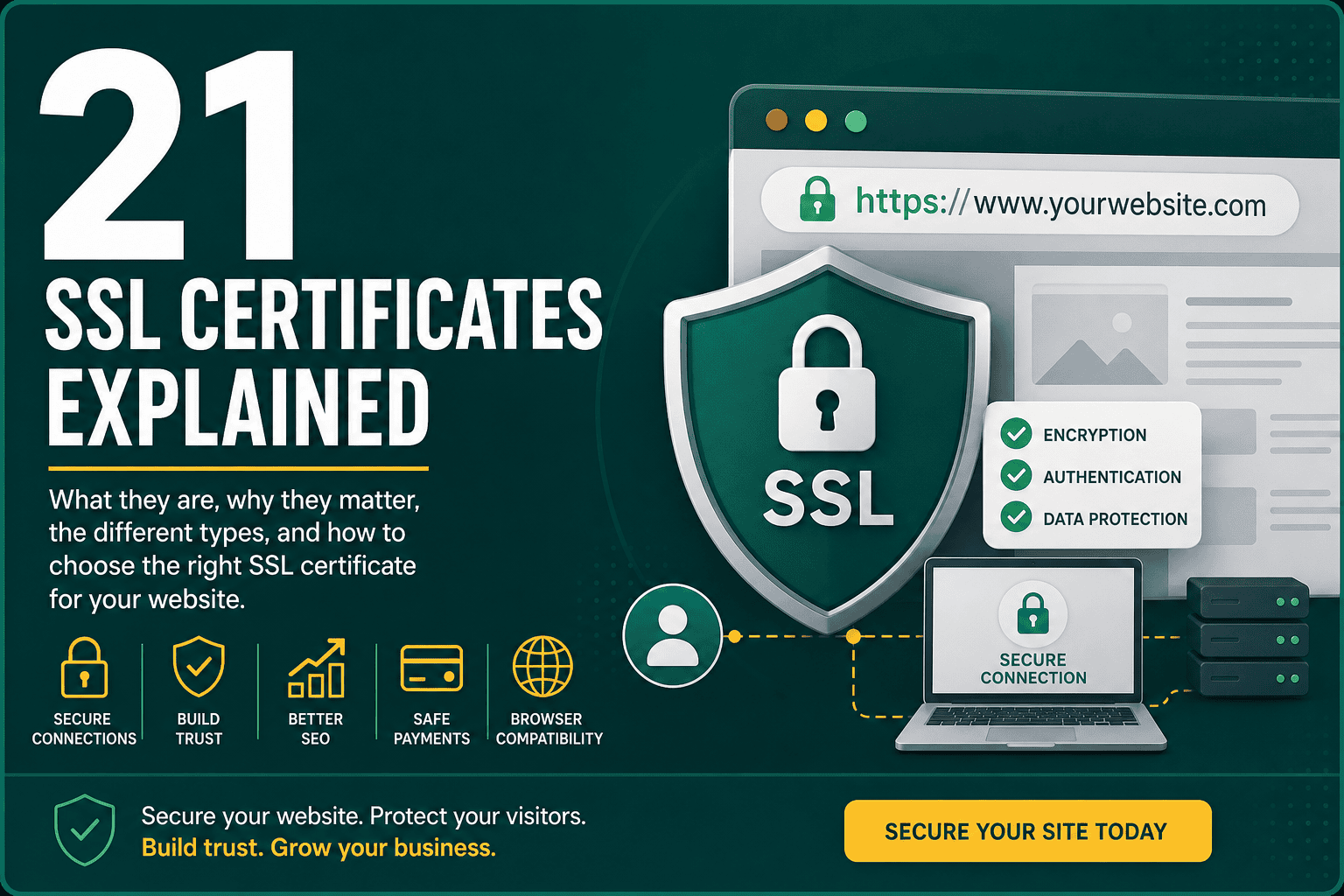
SSL Certificates Explained: What They Are & Why They Matter
SSL Certificates Explained If you have ever noticed a ...
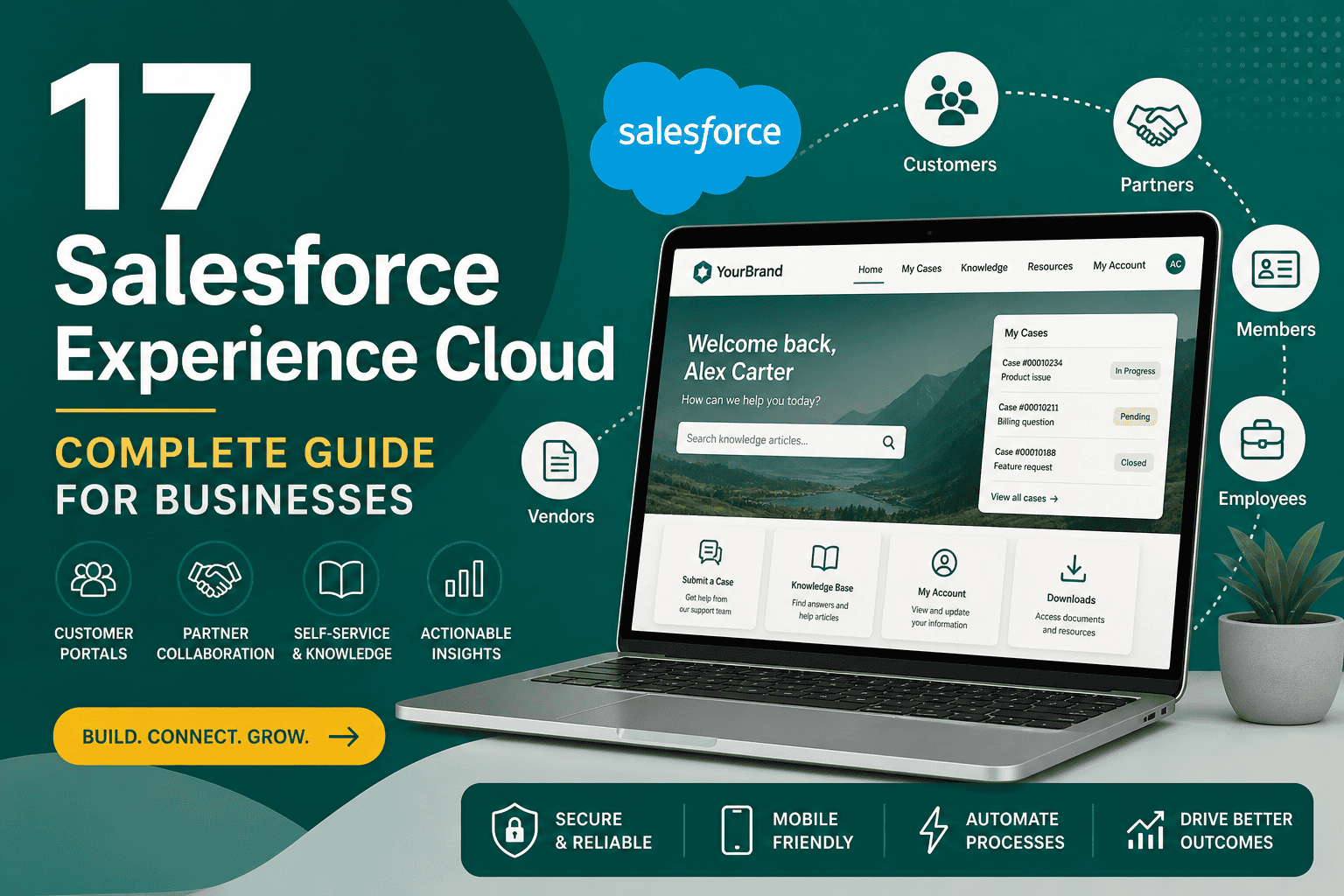
Salesforce Experience Cloud is a digital experience platform that helps businesses build branded portals, communities, partner sites, customer self-service hubs, knowledge centers, and connected web experiences on top of Salesforce data. Instead of keeping customers, partners, employees, and distributors disconnected from your CRM, Experience Cloud gives approved users a secure way to access information, submit requests, manage records, collaborate, and complete tasks through a tailored online experience.
For many organizations, Salesforce Experience Cloud becomes the bridge between internal CRM operations and external users. Customers can view cases, access knowledge articles, update account information, or submit service requests. Partners can register leads, manage opportunities, download sales materials, and collaborate with account teams. Employees can access internal resources, HR information, onboarding materials, or operational workflows. Because Experience Cloud is part of the Salesforce ecosystem, these interactions can connect directly with Sales Cloud, Service Cloud, custom objects, automation, reports, and integrations.
This guide explains what Salesforce Experience Cloud is, how it works, where it fits in the Salesforce platform, common use cases, key features, implementation considerations, costs, best practices, and mistakes to avoid.
Salesforce Experience Cloud is a platform for creating secure, branded digital experiences that connect external or internal users to Salesforce data and business processes. It was previously known as Salesforce Community Cloud, but Salesforce renamed it to Experience Cloud to reflect its broader purpose beyond traditional online communities.
With Salesforce Experience Cloud, businesses can create websites and portals where different audiences can log in, interact with personalized content, access CRM records, complete workflows, and communicate with the organization. These experiences can be customized for customers, partners, employees, vendors, members, franchisees, agencies, or any other group that needs controlled access to business information.
Unlike a standard public website, Experience Cloud is deeply connected to Salesforce. That means portal users can interact with real CRM data based on permissions, sharing rules, object access, page layouts, automation, and integrations. This makes it especially useful for companies that want to reduce manual support work, improve partner collaboration, centralize customer communication, or provide self-service access to account-related information.
Salesforce Experience Cloud works by combining site-building tools, authentication, user permissions, CRM data, Lightning components, templates, automation, and security controls. Administrators and developers can create digital experiences using Experience Builder, then connect those experiences to Salesforce objects, records, knowledge articles, reports, flows, and service processes.
At a high level, the process usually looks like this:
Because Experience Cloud often exposes Salesforce data to people outside your company, proper access design is critical. If your organization is still learning how Salesforce permissions work, it is worth reviewing Salesforce user roles, profiles, and access control before building a portal that external users will depend on.
Salesforce Experience Cloud and Salesforce Service Cloud are often used together, but they are not the same product. Service Cloud is focused on customer support operations, case management, agent productivity, knowledge, service channels, and customer service workflows. Experience Cloud is focused on building digital portals and online experiences where users can interact with Salesforce data.
For example, Service Cloud may be used by support agents to manage cases internally, while Experience Cloud gives customers a self-service portal where they can create cases, view case status, search knowledge articles, and update their contact information. The two products complement each other because Experience Cloud can extend Service Cloud capabilities to customers in a controlled and branded way.
If your main goal is improving customer service processes, case management, and support team productivity, start with a strong Service Cloud foundation. This Salesforce Service Cloud guide explains how Service Cloud works and how it connects with customer support operations.
One of the most common uses of Salesforce Experience Cloud is a customer self-service portal. Customers can log in to access information, submit support requests, update details, track cases, download documents, review orders, manage subscriptions, or search help content without contacting support manually.
A well-designed customer portal can improve satisfaction while reducing repetitive support tickets. Instead of asking customers to email support for every small update, businesses can give them direct access to common tasks and information.
Experience Cloud is widely used for partner relationship management. A partner portal can give resellers, distributors, franchisees, brokers, agencies, or channel partners access to leads, opportunities, deal registration, marketing resources, training materials, pricing information, and performance dashboards.
This helps companies scale indirect sales channels by giving partners the tools they need while keeping sensitive data protected. Partner users can see only the records and resources relevant to their relationship with the business.
Associations, nonprofits, professional organizations, clubs, and subscription-based communities can use Salesforce Experience Cloud to manage member experiences. Members can update profiles, access resources, register for events, manage renewals, view benefits, participate in discussions, and submit requests.
Because the portal connects to Salesforce records, organizations can maintain a central view of member engagement, communication history, payment status, event attendance, and support activity.
Experience Cloud can also support internal employee experiences. Businesses may use it to create an employee resource center, onboarding hub, knowledge portal, HR request system, operations portal, or training environment. This can be especially useful when teams need a simplified interface rather than full Salesforce access.
Companies that work with many suppliers can create vendor portals for document submission, onboarding, status updates, compliance tracking, purchase order visibility, and communication. This reduces email back-and-forth and gives both parties better visibility into shared workflows.
Salesforce Experience Cloud can be adapted for many industries. Examples include patient portals for healthcare, student portals for education, broker portals for insurance, grant applicant portals for nonprofits, franchisee portals for retail, and dealer portals for manufacturing or automotive businesses.
Experience Builder is the visual tool used to create and customize Salesforce Experience Cloud sites. It allows teams to edit pages, components, navigation, branding, layouts, and content without always needing custom code. Businesses can start with templates or build more advanced customized experiences.
Salesforce provides templates for common experiences such as customer service, partner portals, help centers, account portals, and build-your-own experiences. Templates speed up setup by providing a starting structure that can be customized for your brand and business processes.
Experience Cloud can display and update Salesforce records, including standard objects like Accounts, Contacts, Cases, Opportunities, Leads, Knowledge Articles, and custom objects. Access is controlled through permissions, sharing rules, roles, profiles, permission sets, and licenses.
Different users can see different content, pages, records, navigation menus, and actions based on who they are, what account they belong to, what role they have, or what relationship they have with your business. This makes Experience Cloud useful for businesses serving multiple audiences through one platform.
Experience Cloud can expose Salesforce Knowledge articles to customers, partners, or employees. This allows businesses to create a searchable help center and reduce support volume by giving users access to approved answers, guides, troubleshooting steps, and documentation.
Customers can submit cases, view case status, add comments, upload files, and communicate with support teams through an Experience Cloud portal. This is especially valuable when connected to Service Cloud processes.
Partner portals can allow external partners to register leads, update opportunities, collaborate with sales teams, and track deal progress. This gives channel teams more visibility and creates a more structured partner sales process.
Experience Cloud can use Salesforce Flow to guide users through steps, collect information, update records, trigger notifications, create tasks, and automate approvals. For example, a customer portal can include a guided form that creates a case, routes it to the right queue, sends confirmation emails, and updates related records. For deeper automation planning, review this Salesforce Flow automation guide.
Experience Cloud sites can be designed for desktop and mobile users. This is important because customers and partners may access portals from phones, tablets, or field devices.
Businesses can customize colors, typography, logos, layouts, imagery, navigation, and page structure so the portal feels like a natural extension of the brand rather than a generic CRM interface.
Experience Cloud supports secure login, user permissions, sharing controls, multi-factor authentication, single sign-on options, and guest user security settings. This matters because external-facing experiences must be carefully protected.
Salesforce Experience Cloud helps customers get answers and complete tasks without waiting for an agent. This can reduce support volume, shorten response times, and improve customer satisfaction.
For businesses with partner networks, Experience Cloud creates a centralized place for lead sharing, deal registration, training, resources, and communication. Partners get better visibility, and internal teams get cleaner data.
Because Experience Cloud connects directly to Salesforce, customer and partner activity can become part of your CRM record. This gives sales, service, marketing, and operations teams a more complete view of relationships.
Portals can reduce email-based requests, spreadsheet updates, duplicate data entry, and manual status checking. Users can submit information directly, and Salesforce automation can route work to the right team.
Instead of forcing customers or partners into a generic process, you can design a tailored experience based on their needs. This can improve engagement, trust, and adoption.
As your customer base, partner network, or membership program grows, a portal can scale more effectively than manual support processes. Users can access information, complete actions, and manage requests without requiring one-to-one staff involvement for every interaction.
Experience Cloud activity can be measured through Salesforce reports and dashboards. Businesses can track case deflection, login frequency, partner pipeline, knowledge article usage, request volume, adoption rates, and other performance metrics.
Salesforce Experience Cloud licensing depends on the type of users, use case, access level, and login pattern. Salesforce offers different license types for external users, such as customer community-style access, partner access, and more advanced options. Exact license names, pricing, and availability can change, so businesses should confirm current details with Salesforce or a qualified consultant.
Common licensing considerations include:
Choosing the wrong license model can create unnecessary cost or limit functionality. License planning should happen early in the project, before building the portal structure.
Start by identifying the business problem the portal should solve. Are you trying to reduce support tickets, improve partner sales, centralize vendor communication, increase member engagement, or simplify internal operations? Clear goals help define the right features, data model, user experience, and success metrics.
Different audiences need different experiences. Customers may need cases and knowledge articles. Partners may need leads, opportunities, campaigns, and sales assets. Vendors may need onboarding forms and document uploads. Segment users early so permissions and navigation can be planned correctly.
Document what each user type should be able to do inside the portal. For example, a customer may need to log in, view their account, submit a request, upload a document, receive updates, and close the case. A partner may need to register a deal, assign contacts, update opportunity status, and access training resources.
Experience Cloud is only as useful as the Salesforce data behind it. Review accounts, contacts, cases, opportunities, custom objects, ownership, sharing rules, and data quality before exposing information externally. Poor CRM structure can lead to confusing portal experiences and security risks.
Security planning is one of the most important parts of an Experience Cloud project. You need to define which users can see which records, what they can edit, what they can create, and what should remain hidden. This often involves profiles, permission sets, roles, sharing sets, sharing rules, account relationships, and object permissions.
Select a template that fits your use case or build a custom experience. Then design the homepage, navigation, login pages, record pages, list views, forms, dashboards, knowledge pages, and support pages. Keep the experience simple and task-focused.
Automation can make the portal more valuable. Examples include case routing, partner lead notifications, approval workflows, onboarding tasks, file review processes, status update emails, escalation rules, and renewal reminders.
Many Experience Cloud projects require integrations with payment systems, ERP platforms, ecommerce stores, data warehouses, identity providers, document management systems, or marketing tools. If your portal needs to connect Salesforce with other platforms, this Salesforce integration guide explains common methods and best practices.
Testing should include functionality, permissions, record visibility, mobile responsiveness, page speed, login flows, automation, email notifications, integrations, and edge cases. Test as each user type, not just as an administrator.
A successful launch requires more than publishing the site. Prepare internal teams, onboard external users, create help resources, communicate benefits, and monitor adoption closely during the first weeks.
The cost of Salesforce Experience Cloud depends on licenses, implementation complexity, customization, integrations, data cleanup, automation, design requirements, and long-term support. A simple customer portal with standard features may cost much less than a complex partner portal with custom objects, integrations, advanced sharing rules, and branded user journeys.
Typical cost factors include:
Because Experience Cloud projects can vary widely, businesses should estimate both software licensing and professional implementation work. For a broader breakdown of Salesforce project budgeting, this Salesforce implementation cost guide explains the main pricing factors businesses should consider.
Do not begin by adding components to pages. Start by understanding what users need to accomplish. A portal should make common tasks easier, faster, and clearer. If the experience feels like a complicated CRM screen, adoption will suffer.
External users should not need training to find basic information. Use clear menu labels, logical page hierarchy, search, and role-based navigation. Avoid overwhelming users with too many links, tabs, or record lists.
Security should not be treated as a final checklist item. Plan data access, object permissions, field visibility, file access, guest user permissions, sharing rules, and login policies before building pages. A visually polished portal is risky if users can access records they should not see.
Custom development can be powerful, but it also increases maintenance. Use standard Experience Cloud features, templates, flows, knowledge, reports, and components where they meet the business requirement. Customize only where there is a clear business reason.
Many users will access portals from mobile devices. Test forms, navigation, record pages, file uploads, and support flows on different screen sizes. A portal that works only on desktop may fail in real-world use.
Experience Cloud exposes the quality of your CRM data. If accounts, contacts, cases, partner records, or product information are outdated or inconsistent, users will notice. Clean data creates a better portal experience and more reliable automation.
Automation can improve efficiency, but too many overlapping flows can create confusion or errors. Keep automation documented, test it thoroughly, and design it around real business rules.
Track logins, active users, completed tasks, support cases, knowledge searches, page views, partner submissions, and feedback. These metrics show whether the portal is actually being used and where improvements are needed.
A Salesforce Experience Cloud portal should evolve. After launch, users may request new features, better navigation, additional resources, improved forms, or new integrations. Build a roadmap rather than treating the project as a one-time setup.
Some teams start designing pages before they understand user journeys, data access, or business goals. This often leads to rework, confusing navigation, and incomplete functionality.
Experience Cloud security can be complex because external users often need limited access to selected records. Poor sharing architecture can create either too much access or not enough access, both of which cause problems.
External users usually do not need the full CRM experience. They need a focused portal that helps them complete specific tasks. Replicating internal Salesforce screens can make the portal harder to use.
A portal needs useful content, not just pages. Knowledge articles, FAQs, onboarding guides, partner resources, policy documents, and help text should be planned, written, maintained, and reviewed regularly.
Administrators and project teams may understand the system, but customers or partners may not. User testing reveals confusing labels, missing steps, unclear instructions, and permission problems before launch.
Experience Cloud requires ongoing management. Salesforce releases, changing business processes, new products, updated content, user feedback, and security reviews all require attention after go-live.
A software company can use Salesforce Experience Cloud to let customers submit support cases, view case status, search documentation, access release notes, and manage account contacts. This reduces repetitive support emails and improves transparency.
A manufacturer can create a partner portal where distributors register leads, view approved product materials, track opportunities, request pricing support, and access training resources. The internal sales team can monitor partner pipeline directly in Salesforce.
A professional association can allow members to update profiles, renew membership, register for events, download resources, and contact support. Member activity can be tracked in Salesforce for better engagement reporting.
A company can create a supplier portal where vendors submit required documents, complete onboarding forms, update banking or compliance information, and receive status notifications. This reduces manual coordination and improves process visibility.
Salesforce Experience Cloud is a strong fit when a business needs external or internal users to access Salesforce-powered information through a secure, branded, self-service environment. It is especially useful when manual communication is creating delays, when partners need structured collaboration, or when customers repeatedly ask for information that could be provided online.
You should consider Salesforce Experience Cloud if:
However, Experience Cloud may not be necessary for every business. If you only need a basic public marketing website, a standard CMS may be enough. If you need a lightweight knowledge base unrelated to CRM records, a simpler help center tool may work. Experience Cloud is most valuable when the digital experience needs to connect deeply with Salesforce data, security, workflows, and reporting.
Some simple Experience Cloud sites can be configured by experienced Salesforce administrators, but many business-critical portals benefit from professional planning and implementation. Permission architecture, sharing rules, licensing, integrations, user experience, automation, and security can become complicated quickly.
A Salesforce consultant can help define requirements, choose the right license model, design the data architecture, configure permissions, build the portal, test user journeys, train teams, and plan long-term improvements. If you are evaluating professional help, this Salesforce consulting guide explains common services, costs, and selection criteria.
Salesforce Experience Cloud is a powerful way to extend Salesforce beyond internal teams and create secure, branded digital experiences for customers, partners, employees, vendors, members, and other important audiences. When implemented well, it can improve self-service, reduce manual work, strengthen collaboration, centralize data, and create a better user experience across the customer or partner journey.
The key to success is planning. A good Experience Cloud project starts with clear goals, defined user journeys, clean data, thoughtful security, simple navigation, useful content, and ongoing optimization. Businesses that treat it as a strategic customer or partner experience platform will get much more value than those that treat it as just another website.
If your organization already relies on Salesforce and needs a better way for external users to interact with your data and processes, Salesforce Experience Cloud can become one of the most valuable extensions of your CRM ecosystem.