August 4, 2026
WordPress Plugins You Actually Need: Essential Guide
WordPress Plugins You Actually Need Choosing the wordp...
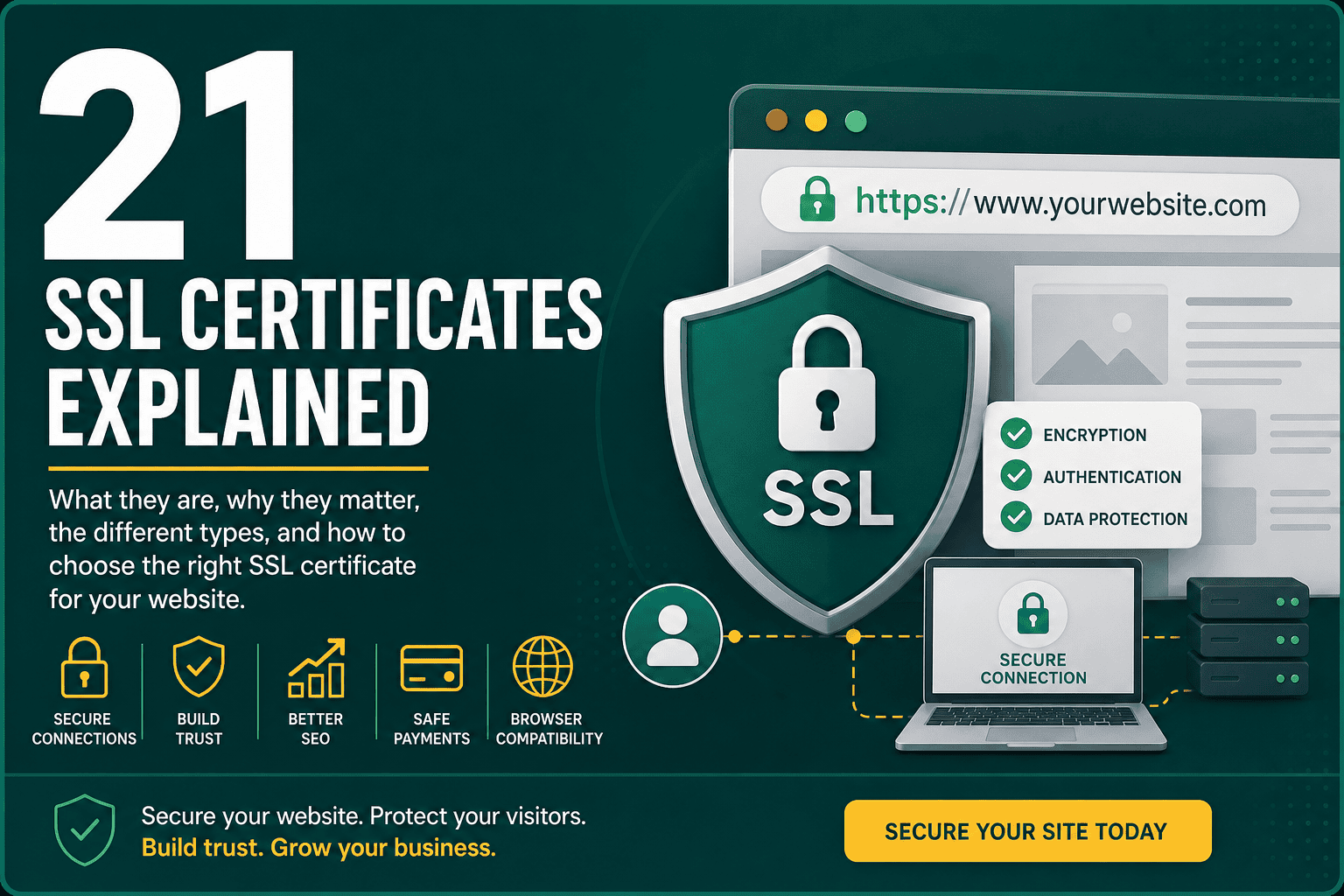
If you have ever noticed a padlock icon in your browser address bar or seen a website URL begin with HTTPS, you have already encountered SSL in action. This guide has ssl certificates explained in practical terms so business owners, website managers, marketers, and non-technical decision makers can understand what SSL certificates do, why they matter, and how to choose the right one for a website.
An SSL certificate helps secure the connection between a visitor’s browser and your website. It protects sensitive information such as login details, contact form submissions, payment data, and customer account information from being exposed while it travels across the internet. Today, SSL is not optional for professional websites. It is a basic requirement for security, user trust, SEO, ecommerce, and modern browser compatibility.
An SSL certificate is a digital certificate that verifies a website’s identity and enables encrypted communication between the website and the visitor’s browser. SSL stands for Secure Sockets Layer, although the modern technology used today is technically called TLS, or Transport Layer Security. In everyday business and hosting conversations, people still commonly use the term SSL certificate.
When a website has a valid SSL certificate installed, its URL uses HTTPS instead of HTTP. The “S” stands for secure. This means information exchanged between the user and the website is encrypted, making it much harder for attackers to intercept, read, or manipulate that data.
SSL and TLS are often used interchangeably, but they are not exactly the same. SSL is the older security protocol, while TLS is its modern replacement. Most websites today use TLS, even though hosting providers, developers, and certificate authorities still refer to the certificates as SSL certificates.
In simple terms, when someone says “SSL certificate,” they usually mean a certificate that enables HTTPS using modern TLS encryption. You do not need to worry too much about the naming difference unless you are managing advanced server configurations. For most website owners, the important question is whether your site has a valid, properly configured HTTPS connection.
SSL certificates work through encryption, authentication, and secure key exchange. When someone visits your website, the browser and your web server perform a process known as an SSL or TLS handshake. This happens quickly in the background before the page fully loads.
This process helps prevent attackers from reading sensitive information while it is in transit. Without SSL, data can be transmitted in plain text, which is risky for websites that collect forms, passwords, payment details, or personal information.
The main purpose of SSL is to protect data. If visitors submit a contact form, log into an account, join a mailing list, or complete a purchase, SSL helps keep that information private while it travels between the browser and your server.
This is especially important for ecommerce websites, membership sites, learning platforms, booking systems, healthcare sites, financial services, and any business website that collects customer information.
Visitors expect professional websites to be secure. When a browser shows a “Not Secure” warning, many users immediately lose confidence and leave. Even if your website does not process payments directly, a missing SSL certificate can make your business look outdated or unsafe.
A secure HTTPS connection helps reassure users that your website is legitimate and that you take privacy seriously. For online stores, this trust can directly affect conversion rates and revenue.
HTTPS is a confirmed ranking signal for Google. While SSL alone will not make a website rank at the top of search results, it is part of a healthy technical SEO foundation. Search engines want to send users to safe, reliable websites, and HTTPS is now a standard expectation.
SSL also works alongside other technical performance and user experience improvements. If you are improving your website’s technical foundation, it is also worth reviewing this Core Web Vitals guide for improving LCP, INP, and CLS, because speed, stability, and secure browsing all contribute to a better user experience.
If your website accepts payments, SSL is essential. Payment gateways, card processors, and ecommerce platforms expect secure HTTPS connections. Even if payment details are processed by a third-party gateway, your checkout pages, account pages, and customer data flows should be protected.
For WooCommerce stores, SSL is only one part of a broader security setup. Store owners should also review themes, plugins, hosting, backups, user permissions, and payment configurations. This WooCommerce security guide for protecting an online store explains the wider security steps ecommerce businesses should take.
Modern browsers actively warn users when websites are not secure. These warnings can appear on pages with forms, login screens, checkout pages, or sometimes across the entire website. A browser warning can damage credibility and cause users to abandon the page before interacting with your business.
There are several types of SSL certificates. The right choice depends on your website structure, number of domains, business requirements, and trust needs.
A Domain Validated certificate, often called a DV SSL certificate, verifies that the certificate requester controls the domain. This is the most basic type of SSL certificate and is commonly used for blogs, small business websites, portfolios, and informational websites.
DV certificates are usually fast to issue and may be free through providers such as Let’s Encrypt, depending on your hosting setup. They provide encryption but do not deeply validate the business behind the website.
An Organization Validated certificate, or OV SSL certificate, verifies both domain ownership and basic organizational details. The certificate authority checks that the business or organization is legitimate before issuing the certificate.
OV certificates are useful for established businesses, professional service providers, nonprofits, and companies that want a higher level of trust than a basic DV certificate.
An Extended Validation certificate, or EV SSL certificate, involves the most detailed verification process. The certificate authority performs stricter checks on the legal identity and operational existence of the organization.
EV certificates were once more visible in browsers because some browsers displayed the company name directly in the address bar. Today, browser displays have changed, so EV certificates are less visually prominent than they once were. However, they can still be relevant for banks, financial institutions, enterprise platforms, and high-trust organizations.
A Wildcard SSL certificate secures a domain and its subdomains. For example, one wildcard certificate for example.com could secure:
Wildcard certificates are useful when a business uses several subdomains and wants simpler certificate management.
A Multi-Domain SSL certificate, sometimes called a SAN certificate, can secure multiple different domain names under one certificate. For example, a company might use one certificate for example.com, example.net, and exampleapp.com.
This can be useful for organizations that manage several related domains, brands, or regional websites.
Many websites can use a free SSL certificate successfully, especially if the certificate is issued automatically through a reliable hosting provider. Free SSL certificates, such as those from Let’s Encrypt, provide strong encryption and are widely trusted by browsers.
Paid SSL certificates may be useful when you need organization validation, extended validation, warranty coverage, advanced support, multi-domain features, or specific compliance requirements. The right choice depends on your website’s risk level and business context.
You can check whether a website has SSL by looking at the browser address bar. A secure website should begin with HTTPS, not HTTP. Most browsers also show a padlock icon or a security settings symbol near the URL.
You can also click the browser security icon to view certificate details, including the issuing authority, expiration date, and domain name. For more technical checks, website owners can use SSL testing tools to detect configuration problems, outdated protocols, or certificate chain errors.
SSL certificates are valid only for a limited period. If a certificate expires, browsers will show a warning that the connection is not private or not secure. This can cause major trust issues and lost traffic. Automatic renewal can help prevent this problem.
This happens when the SSL certificate does not match the domain being visited. For example, a certificate issued for example.com may not properly secure store.example.com unless it includes that subdomain.
Mixed content occurs when a page loads over HTTPS but some assets, such as images, scripts, stylesheets, or iframes, still load over HTTP. This can cause browser warnings and may prevent the page from being fully secure.
Browsers trust certificates issued by recognized certificate authorities. If a certificate is self-signed or issued by an untrusted authority, users may see a warning.
An SSL certificate chain connects your site certificate to an intermediate certificate and a trusted root certificate. If the chain is incomplete, some browsers or devices may not trust the connection even if the certificate itself is valid.
For WordPress websites, SSL should be configured correctly at the hosting, WordPress, database, and plugin levels. Simply installing a certificate is not always enough. The website should also use HTTPS URLs consistently across pages, media files, scripts, stylesheets, canonical tags, redirects, and sitemaps.
Good hosting makes SSL easier to manage. Many modern WordPress hosts provide free SSL installation, automatic renewal, HTTPS redirects, and server-level security tools. If you are comparing hosting options, this WordPress hosting guide for choosing the right hosting explains what to look for beyond price, including uptime, security, speed, scalability, and support.
SSL is essential for WooCommerce. A store may handle customer accounts, billing addresses, shipping details, checkout pages, order history, and payment gateway communication. Even if card data is processed by Stripe, PayPal, or another third-party provider, the store still needs HTTPS throughout the customer journey.
WooCommerce store owners should check that SSL is active on:
SSL should also be part of the store launch process. If you are preparing an ecommerce site, this WooCommerce store checklist for launch and optimization can help you review hosting, payments, security, analytics, SEO, and post-launch maintenance.
SSL itself is primarily a security technology, not a speed optimization tool. However, modern HTTPS can work with performance technologies such as HTTP/2 and HTTP/3, which often require HTTPS in browsers. These protocols can improve how website assets are delivered and loaded.
That said, a secure website can still be slow if the hosting is weak, images are too large, scripts are bloated, caching is missing, or the site is poorly built. SSL should be viewed as one part of a broader technical foundation that includes performance, hosting, caching, image optimization, database health, and content delivery.
For websites serving users across different regions, SSL also works together with CDN configuration. A CDN can securely deliver cached website assets from servers closer to visitors. This CDN explained guide covers how content delivery networks work and why they matter for speed, reliability, and global performance.
The exact installation process depends on your hosting provider, server type, and certificate provider. In many cases, installation is simple because the host offers one-click SSL or automatic SSL through the control panel.
After installing an SSL certificate, you should confirm that your website is fully using HTTPS and that there are no security warnings. Many SSL issues happen because the certificate is installed, but the website still references old HTTP resources.
In the past, some websites only used HTTPS on checkout or login pages. Today, the best practice is to use HTTPS across the entire website. This provides consistent protection, avoids browser warnings, and simplifies SEO configuration.
Expired certificates can break trust quickly. If your host supports automatic renewal, enable it. If you manage certificates manually, add renewal reminders well before the expiration date.
Visitors and search engines should be redirected automatically from the HTTP version of your website to the HTTPS version. This avoids duplicate versions of the same page and ensures users always access the secure version.
SSL security also depends on the server environment. Outdated server software, weak encryption settings, or old TLS versions can create vulnerabilities. Your hosting provider or server administrator should keep protocols and configurations current.
Mixed content can weaken the security of a page and trigger browser warnings. Make sure images, scripts, stylesheets, fonts, videos, and embedded resources all load over HTTPS.
A good hosting provider can simplify SSL setup, automate renewals, improve uptime, and help with security configuration. Poor hosting can make SSL management more difficult and create additional performance or reliability problems.
Moving from HTTP to HTTPS is technically a site migration. If handled correctly, it is usually smooth. If handled poorly, it can create SEO problems such as duplicate URLs, redirect chains, broken canonical tags, missing sitemap updates, or mixed signals to search engines.
When switching to HTTPS, check that:
SSL certificate costs vary widely. Some certificates are free, while others may cost from a modest annual fee to hundreds or thousands of dollars per year depending on validation level, warranty, domain coverage, and provider.
For many small business and WordPress websites, a free SSL certificate from a trusted provider is enough. For enterprise websites, regulated industries, financial services, or large ecommerce platforms, paid SSL may be worth considering because of validation requirements, support expectations, or internal compliance policies.
Yes. Even if you do not sell products online, SSL is still important. Most websites collect some type of user interaction, such as contact forms, quote requests, newsletter signups, appointment bookings, login credentials, or analytics data. Visitors also expect modern websites to be secure by default.
A website without SSL can look unprofessional, trigger browser warnings, reduce trust, and weaken your technical SEO foundation. For most businesses, SSL is a baseline requirement rather than an advanced feature.
No, but they are closely related. SSL or TLS is the security technology that encrypts the connection. HTTPS is the secure version of HTTP that uses SSL/TLS to protect data between the browser and website.
No. A valid SSL/TLS certificate is required for a browser to establish a trusted HTTPS connection with a website.
Most SSL certificates are issued for a limited period and must be renewed regularly. Many modern certificates renew automatically through hosting providers or certificate automation systems.
Browsers will usually show a security warning, telling visitors that the connection is not private or the certificate is invalid. This can cause users to leave your site and may disrupt sales, leads, logins, and customer trust.
Yes, free SSL certificates from trusted certificate authorities can provide strong encryption and browser trust. The main difference is usually validation level, support, warranty, and management features, not the basic encryption itself.
No. SSL protects data in transit between the browser and server, but it does not protect against every type of attack. You still need secure hosting, strong passwords, software updates, firewalls, backups, malware scanning, access controls, and good website maintenance practices.
SSL certificates protect the connection between your website and its visitors. They enable HTTPS, encrypt data, reduce browser warnings, support SEO, improve trust, and are essential for ecommerce and any website that collects user information.
For most websites, SSL should be treated as a basic part of your digital infrastructure. Choose the right certificate type, install it correctly, force HTTPS across your site, fix mixed content, and make sure renewal is automated. When combined with strong hosting, good performance practices, and regular security maintenance, SSL helps create a safer and more trustworthy website experience.