July 23, 2026
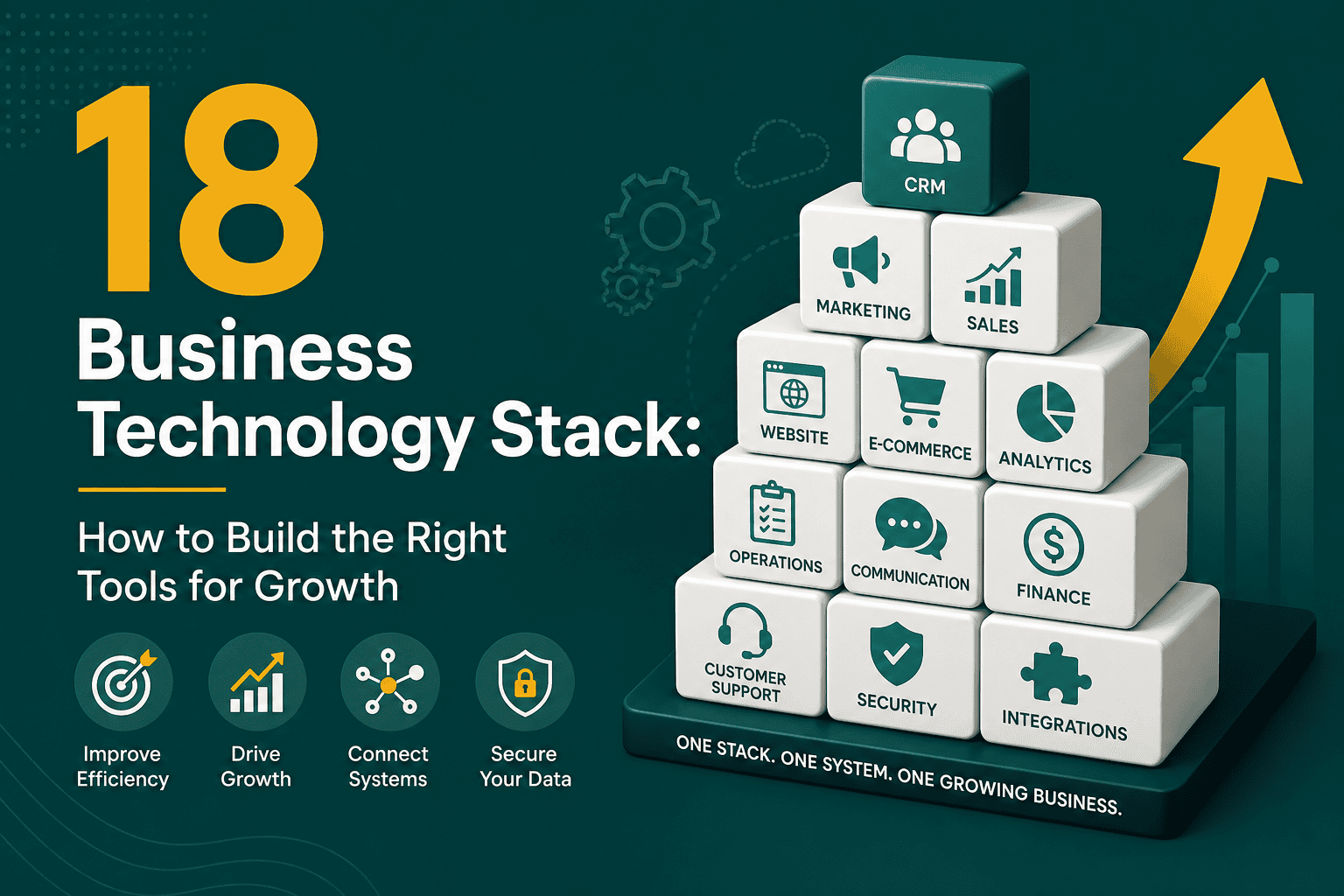
Business Technology Stack: How to Build Yours for Growth
Business Technology Stack: How to Build the Right Tool...
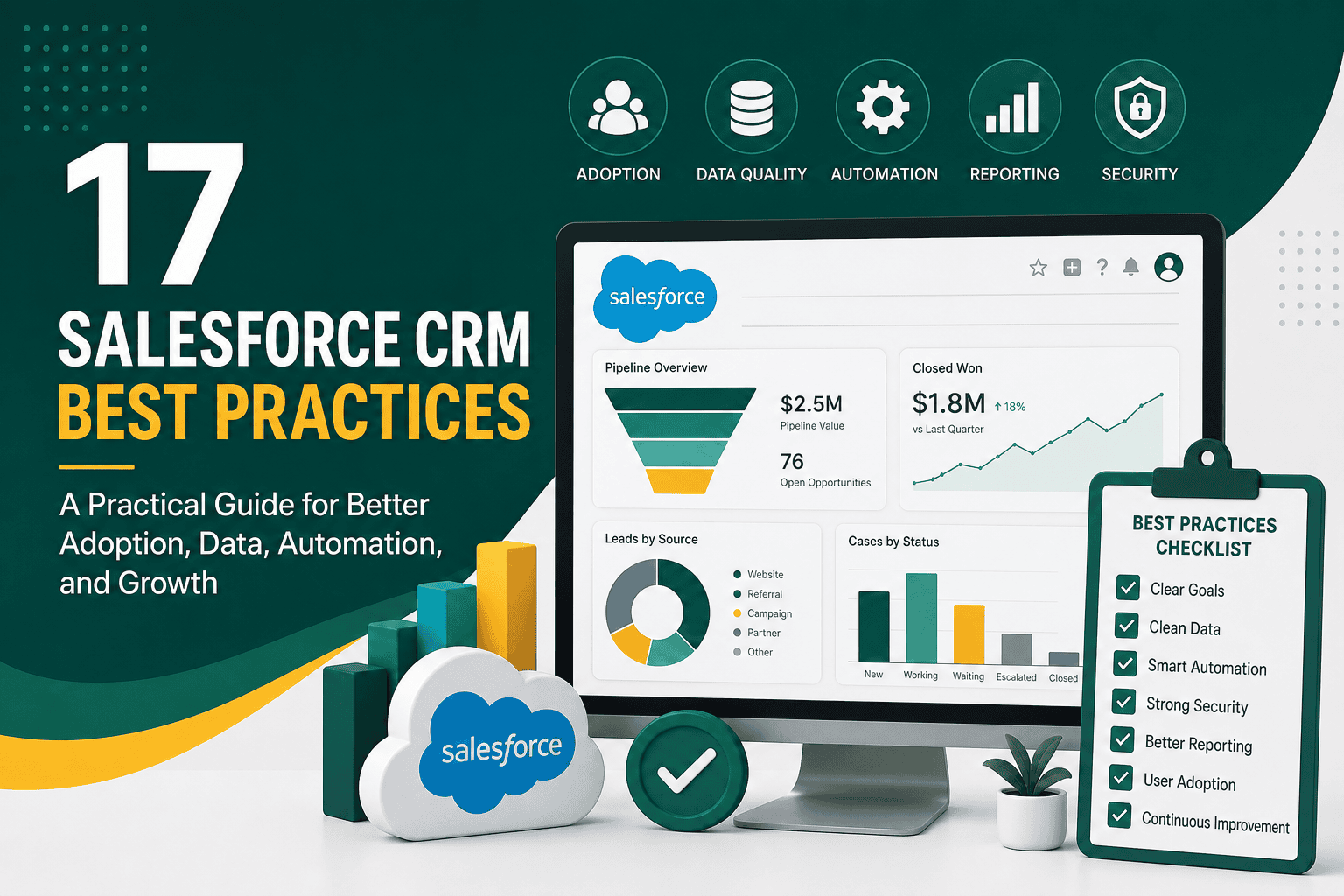
Salesforce CRM best practices help businesses get more value from Salesforce by improving how teams manage leads, customers, opportunities, service cases, reports, automation, integrations, and data quality. Salesforce is a powerful platform, but success depends on more than simply buying licenses and adding users. A well-managed CRM needs clear processes, clean data, thoughtful configuration, strong governance, user training, reliable reporting, and continuous improvement.
When implemented correctly, Salesforce can become the central operating system for sales, service, marketing, operations, and leadership. When managed poorly, it can become cluttered, confusing, slow, and underused. This guide covers practical Salesforce CRM best practices that help organizations build a scalable, secure, and user-friendly CRM that supports long-term business growth.
Before customizing Salesforce, define what the CRM needs to achieve for the business. Too many Salesforce projects begin with fields, objects, layouts, and automation before the company has agreed on its core goals. This often leads to unnecessary complexity and low adoption.
Common Salesforce goals include improving lead management, shortening the sales cycle, increasing forecast accuracy, centralizing customer data, improving service response times, automating manual tasks, improving reporting, or connecting systems across the business. Once these goals are clear, every configuration decision should support them.
Salesforce should reflect how your business actually operates, not just how the software is structured by default. If your CRM is part of a broader modernization effort, it should also align with your overall digital transformation strategy so that systems, processes, data, and customer experience improve together.
A CRM is only valuable if people use it consistently. One of the most important Salesforce CRM best practices is to design the system around the daily work of users. Sales reps, service agents, managers, marketers, and operations teams all interact with Salesforce differently. If the interface is too complicated or does not match their workflow, adoption will suffer.
Start by mapping the user journey inside Salesforce. For example, a sales user may need to create a lead, qualify it, convert it to an account and opportunity, update activity history, send quotes, track next steps, and close the deal. Service users may need to create cases, view customer history, escalate issues, and track resolution time.
The best Salesforce setup feels intuitive. Users should understand what to do next without needing to search through unnecessary fields, tabs, or custom objects.
Data quality is one of the biggest factors in Salesforce success. If users do not trust the data, they will not trust the CRM. Poor data leads to inaccurate reports, weak segmentation, duplicate outreach, bad forecasting, automation errors, and poor customer experiences.
Clean Salesforce data requires clear ownership, validation rules, deduplication processes, required fields, naming conventions, and ongoing audits. Data quality is not a one-time cleanup project; it is an ongoing operating discipline.
Good data allows Salesforce to become a source of truth. Bad data makes even the best automation and reporting unreliable.
Lead management is one of the most common Salesforce use cases. However, many companies struggle because they do not clearly define what a lead is, when it should be converted, who owns it, and how follow-up should happen.
A strong lead process helps sales and marketing teams work together. It defines how leads enter Salesforce, how they are scored or qualified, how they are assigned, what follow-up actions are required, and when they become contacts, accounts, and opportunities.
If Salesforce is connected to advertising, forms, email marketing, or website tracking, lead data should be structured from the start. This makes it easier to understand which campaigns are producing qualified opportunities and revenue.
Opportunity management is central to sales forecasting and revenue visibility. Without a standardized opportunity process, sales pipelines become inconsistent and hard to interpret. One salesperson may mark a deal as “proposal” after sending pricing, while another may use the same stage only after verbal approval. This makes reporting unreliable.
Define opportunity stages clearly and make sure each stage represents a real milestone in the buyer journey. Each stage should have entry criteria, exit criteria, probability guidance, and required fields.
Good opportunity management gives leadership confidence in the pipeline and helps sales teams prioritize the right deals.
Salesforce automation can save time, reduce errors, standardize processes, and improve customer experience. However, over-automation can make Salesforce difficult to maintain. Too many flows, triggers, workflow rules, process builders, and integrations can create conflicts, performance issues, and confusing user experiences.
Modern Salesforce automation should be intentional, documented, tested, and aligned with business value. Before automating a process, confirm that the process itself is stable and well understood.
Automation should make Salesforce easier to use, not harder to understand. Each automated process should have a clear owner, purpose, and testing approach.
Security and access control are essential parts of Salesforce CRM best practices. Users should have access to the data and features they need, but not more than necessary. Poor permission design can expose sensitive data, create compliance risks, and make administration harder.
Salesforce access is controlled through several layers, including organization-wide defaults, roles, profiles, permission sets, sharing rules, teams, field-level security, and record ownership. These layers should be planned carefully instead of changed randomly over time.
For a deeper explanation of how visibility and access work, review this guide to Salesforce user roles, profiles, and access.
A secure Salesforce org protects customer data while still allowing teams to work efficiently.
Salesforce reporting should help teams make better decisions. Many organizations create dozens of reports but still struggle to answer basic questions such as how many qualified leads were created, which sales stage has the most drop-off, which campaigns generate revenue, or which service issues are recurring.
Effective dashboards are focused, role-specific, and tied to business goals. Executives may need revenue trends and forecast summaries. Sales managers may need pipeline movement, rep activity, and stage conversion. Marketing may need campaign influence and lead quality. Service leaders may need case volume, response time, and customer satisfaction.
A good dashboard should not just display data. It should make performance easier to understand and action easier to prioritize.
Salesforce becomes more powerful when it connects with other business systems. Integrations can connect Salesforce with marketing automation, websites, ecommerce platforms, accounting tools, ERP software, support platforms, phone systems, analytics tools, and data warehouses.
However, integrations must be planned carefully. Poor integration design can create duplicate records, sync failures, data conflicts, security gaps, and performance problems. Before connecting systems, define the source of truth for each data type and decide how data should move between platforms.
If you are planning integrations, this Salesforce integration guide explains methods, best practices, and checklist items for connecting Salesforce with other systems safely.
Well-designed integrations reduce manual work and improve visibility across the business.
One of the most important Salesforce CRM best practices is to avoid making untested changes directly in production. A production org is where real users work and real customer data lives. Changes to fields, flows, validation rules, page layouts, permissions, integrations, or code can disrupt business operations if they are not tested properly.
Salesforce sandboxes provide separate environments for development, testing, user acceptance testing, training, and experimentation. They help teams reduce risk before releasing changes to production.
To understand sandbox types and how to use them effectively, review this Salesforce sandbox guide.
Testing in sandboxes helps prevent avoidable mistakes and gives users more confidence in upcoming changes.
Salesforce changes should move from development to production through a controlled deployment process. Without deployment discipline, teams may lose track of what changed, why it changed, who approved it, and whether it was tested.
Deployment best practices are especially important when working with multiple admins, developers, consultants, or business units. Changes should be documented, tested, reviewed, and released with a rollback plan when possible.
For a practical release management workflow, use this Salesforce deployment best practices checklist to reduce risk when moving changes between environments.
A strong deployment process protects business continuity and makes Salesforce easier to manage over time.
As Salesforce grows, performance can become an issue. Large data volumes, complex automation, inefficient page layouts, heavy reports, unmanaged integrations, and excessive customizations can slow down the user experience.
A slow CRM reduces productivity and adoption. Users may avoid updating records, managers may lose trust in reports, and automation may take longer to complete. Performance should be considered during every major configuration or development decision.
If your org is becoming slow or complex, these Salesforce performance tips can help you identify common causes and improve CRM speed.
Scalability is easier when performance is considered early rather than fixed after years of unmanaged growth.
Salesforce training should not happen only at launch. As processes, features, teams, and business goals change, training must continue. Users need to understand not only how to use Salesforce, but why certain fields, stages, activities, and reports matter.
Good training improves user adoption, data quality, reporting accuracy, and trust in the system. It also reduces support requests and prevents teams from creating their own offline workarounds.
The goal is to make Salesforce part of everyday work, not an extra administrative burden.
Salesforce governance is the set of rules, responsibilities, and decision-making processes used to manage the CRM over time. Without governance, Salesforce can become overloaded with unnecessary fields, duplicate automations, unmanaged reports, inconsistent permissions, and disconnected processes.
A governance model does not need to be overly complicated. Even a simple process for reviewing change requests, prioritizing improvements, managing releases, and documenting decisions can significantly improve CRM health.
Governance prevents Salesforce from becoming a collection of random customizations and keeps the platform aligned with business goals.
Documentation is often ignored until something breaks or a key admin leaves. Good documentation helps teams understand how Salesforce is configured, why certain choices were made, who owns each process, and how changes should be handled.
Documentation does not need to be perfect, but it should be useful and current. Focus first on the areas that create the most business risk: automation, integrations, permissions, data model, key reports, and critical business processes.
Clear documentation makes Salesforce easier to maintain, troubleshoot, and improve.
Salesforce is highly customizable, but that does not mean every request should become a custom field, object, automation, or app. Over-customization makes Salesforce harder to use, harder to report on, harder to migrate, and harder to maintain.
Before building something custom, determine whether Salesforce standard functionality can solve the need. Standard objects and processes are often easier to maintain and better supported by Salesforce updates and third-party apps.
The best Salesforce orgs are not the most customized. They are the ones that balance flexibility, simplicity, usability, and scalability.
Salesforce CRM works best when departments agree on shared definitions and processes. If marketing defines a qualified lead differently from sales, or if service teams use customer status differently from account managers, data becomes inconsistent.
Create shared definitions for leads, contacts, accounts, opportunities, customers, churn risk, campaign attribution, and lifecycle stages. These definitions should be reflected in Salesforce fields, reports, dashboards, and automation.
When teams align inside Salesforce, customers receive a more consistent experience across marketing, sales, onboarding, service, and retention.
The Salesforce AppExchange offers thousands of apps that extend Salesforce functionality. These tools can be valuable, but too many unmanaged apps can increase cost, complexity, security risk, and performance issues.
Before installing an app, review whether it solves a real need, how it stores data, what permissions it requires, whether it affects performance, how it is supported, and whether it overlaps with existing functionality.
Every installed app becomes part of your Salesforce ecosystem, so it should be managed with the same care as custom configuration.
Salesforce adoption should be measured. It is not enough to assume users are logging in and using the CRM correctly. Track whether users are creating records, updating opportunities, logging activities, completing required fields, using dashboards, and following defined processes.
Adoption metrics help identify training gaps, process problems, interface issues, and management challenges. If users avoid certain fields or processes, the issue may be poor training, poor design, unclear business value, or unnecessary complexity.
Adoption improves when Salesforce helps users do their jobs better and managers actively use CRM data to coach and make decisions.
Salesforce should be reviewed regularly to ensure it remains clean, useful, secure, and aligned with business needs. A CRM that worked well two years ago may no longer match current processes, teams, products, reporting needs, or integrations.
Regular health checks help identify technical debt, unused features, security gaps, reporting issues, automation conflicts, data quality problems, and user adoption challenges before they become larger problems.
A quarterly or semiannual Salesforce review can help keep the platform healthy and prevent long-term CRM decay.
Use this checklist to evaluate whether your Salesforce org is being managed effectively:
Many Salesforce issues are avoidable when teams follow a clear strategy. Watch for these common mistakes:
The most successful Salesforce organizations treat CRM management as a continuous improvement process, not a single implementation project.
Salesforce CRM best practices help businesses create a system that is useful, trusted, secure, scalable, and aligned with real business goals. The most important principles are simple: start with strategy, keep data clean, design around users, automate carefully, manage permissions properly, test before deploying, integrate thoughtfully, and review the system regularly.
Salesforce can support sales growth, customer service, marketing alignment, reporting, automation, and executive decision-making. But the platform delivers the greatest value when it is managed with discipline and continuously improved as the business evolves.
By following these Salesforce CRM best practices, your organization can move beyond basic CRM usage and build a stronger foundation for productivity, customer relationships, and long-term growth.