
July 20, 2026
Meta Audience Targeting Guide for Facebook & Instagram
Meta Audience Targeting: How to Reach the Right People...
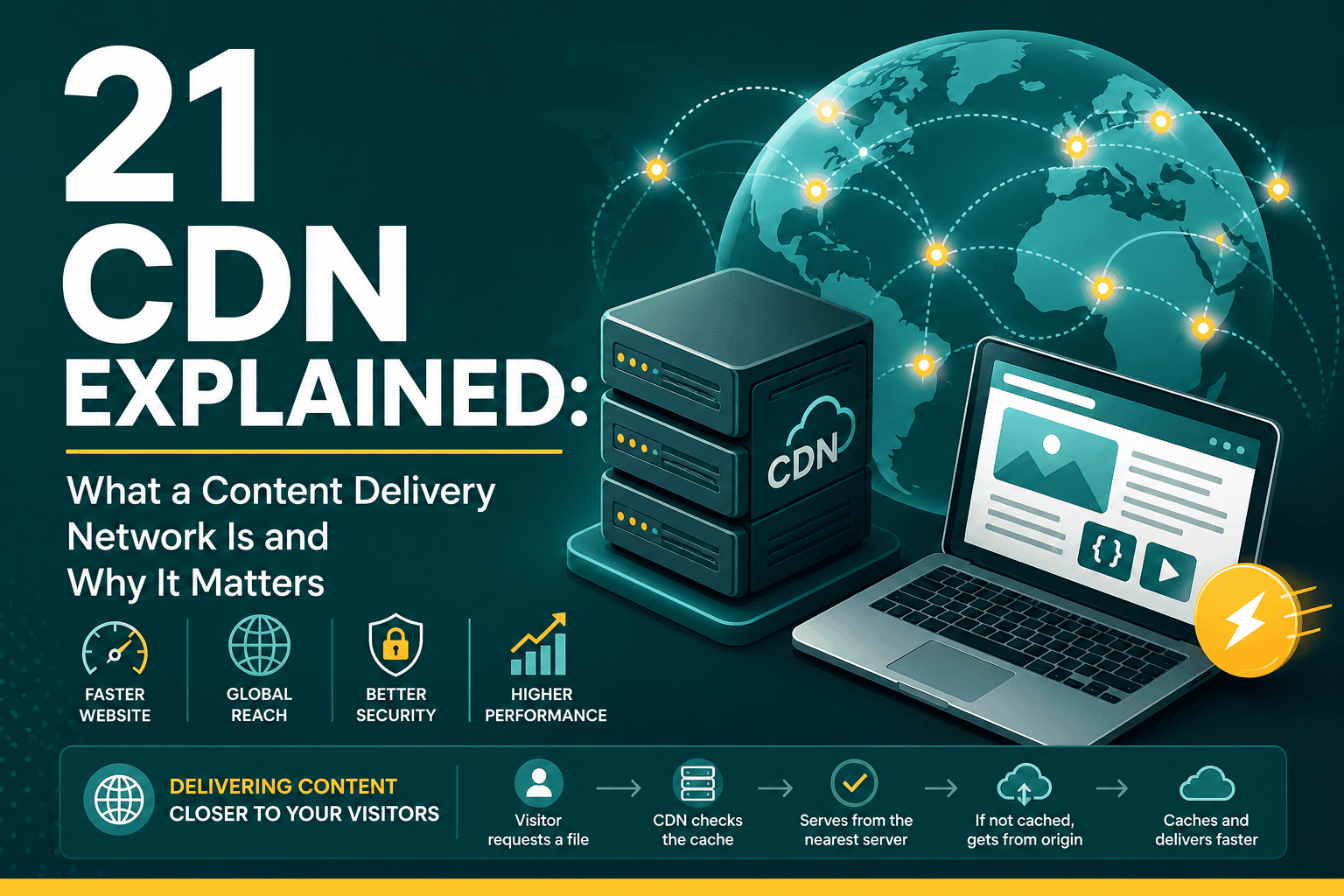
If you have ever wondered why some websites load quickly around the world while others feel slow, the answer often involves a CDN. This guide has CDN explained in practical terms so business owners, marketers, developers, and website managers can understand what a CDN does, how it works, and when it is worth using.
A CDN, or Content Delivery Network, is a distributed network of servers that helps deliver website files to users from locations closer to them. Instead of every visitor downloading assets directly from your main hosting server, a CDN stores copies of static files such as images, CSS, JavaScript, fonts, videos, and other resources across multiple geographic locations.
The result is faster loading, reduced server load, better scalability, and often improved reliability and security. For websites that care about speed, user experience, SEO, ecommerce performance, or international reach, a CDN can be an important part of the technical foundation.
A CDN is a group of servers placed in different regions around the world. These servers are often called edge servers because they sit closer to the end user, at the “edge” of the network, instead of only serving files from one central origin server.
For example, if your website is hosted in the United States and someone visits from Dubai, London, or Singapore, the physical distance between the visitor and your hosting server can increase loading time. A CDN reduces that delay by serving cached website files from a nearby server location.
In simple terms, a CDN acts like a global delivery system for your website assets. Your hosting server remains the original source, but the CDN helps distribute content more efficiently.
When someone visits your website, their browser requests files needed to load the page. Without a CDN, those files usually come directly from your hosting server. With a CDN, many of those files are served from the CDN server closest to the visitor.
The typical CDN process works like this:
This caching process reduces the amount of work your hosting server has to do and helps visitors get files faster.
Imagine your website is a warehouse located in one city. Every customer, no matter where they live, has to order from that one warehouse. Customers nearby receive items quickly, while customers far away wait longer.
A CDN is like opening small distribution centers in many cities. Popular products are stored closer to customers, so delivery becomes faster and the main warehouse is not overloaded. In the same way, a CDN stores common website files near your visitors and delivers them more efficiently.
CDNs are often used for static files, but modern CDN platforms can handle much more depending on the provider and configuration.
Static assets are files that do not change frequently. These are the most common files served through a CDN:
CDNs are also useful for large media assets such as videos, audio files, product galleries, and downloadable documents. Because these files can be heavy, serving them from a CDN can reduce bandwidth pressure on your main server.
Some advanced CDNs can optimize dynamic content by improving routing, reducing latency, or using edge computing. Dynamic content includes personalized pages, logged-in experiences, cart data, dashboards, and other content that changes based on the user.
A CDN is not only a speed tool. It can support performance, reliability, security, scalability, and cost management.
Speed is one of the biggest reasons to use a CDN. When files are delivered from a nearby server, the browser can load resources faster. This can improve the overall user experience, especially for visitors who are far from your hosting location.
Website speed is also connected to user behavior and SEO performance. If you are working on performance improvements, it is useful to understand how CDN usage fits into broader optimization areas such as LCP, INP, and CLS. For a deeper performance overview, see this Core Web Vitals guide.
Without a CDN, your hosting server must handle every visitor request directly. During traffic spikes, this can create strain on CPU, memory, bandwidth, and database resources.
With a CDN, many file requests are handled by edge servers instead. This reduces pressure on your origin hosting environment and can help your website remain stable during high-traffic periods.
If your audience is located in multiple countries, a CDN can significantly improve international loading times. A visitor in Europe, the Middle East, Asia, or North America may each receive files from different CDN locations based on proximity and network efficiency.
Many CDN providers offer redundancy. If one edge server has a problem, traffic can be routed through another location. This can improve availability and reduce the risk of downtime caused by localized network or server issues.
CDNs often include security features such as DDoS protection, Web Application Firewall options, bot filtering, SSL/TLS support, and rate limiting. These features can help protect websites from malicious traffic and large-scale attacks.
Because the CDN serves cached files instead of your origin server handling every request, your hosting bandwidth usage may decrease. This can be especially useful for websites with many images, downloadable files, or high traffic volume.
Web hosting and a CDN are related, but they are not the same thing.
Your web hosting is where your website lives. It stores your website files, database, backend application, CMS, and server configuration. A CDN does not usually replace hosting. Instead, it sits between the visitor and your hosting server to deliver cached files more efficiently.
If your hosting is poor, a CDN can help, but it will not solve every problem. Slow database queries, inefficient code, weak server resources, and bloated themes or plugins can still hurt performance. Choosing the right hosting foundation remains important, especially for WordPress websites. You can compare key hosting considerations in this WordPress hosting guide.
A caching plugin and a CDN can work together, but they solve different parts of the performance problem.
A caching plugin usually creates static versions of pages, minifies files, controls browser caching, and optimizes how assets are loaded on your website. A CDN distributes files across a global network of servers.
For example, a WordPress caching plugin may generate an optimized CSS file. The CDN can then store and serve that CSS file from edge locations around the world.
Not every website needs a CDN on day one, but many websites can benefit from one. A CDN is especially useful if:
If your business depends on digital channels, a CDN can also be part of the wider technology foundation that supports marketing, sales, analytics, and customer experience. For broader planning, this guide to building a business technology stack explains how different tools and platforms fit together for growth.
A CDN may not be urgent if your website is very small, serves only a local audience, has low traffic, and already loads quickly from a nearby hosting location. For example, a small local website hosted in the same country as its audience may not see dramatic improvements from a CDN.
However, even in that case, some CDN providers offer free or low-cost plans with useful security features, DNS management, SSL support, and basic caching. So while a CDN may not always be required, it can still be beneficial.
A CDN does not directly guarantee better rankings, but it can support SEO by improving technical performance and user experience.
Search engines want to send users to pages that load reliably and provide a good experience. A CDN can reduce latency and improve loading speed, especially for image-heavy or globally accessed websites.
A properly configured CDN can help improve Largest Contentful Paint by delivering large images and key files faster. It can also reduce resource delays that affect user experience. However, a CDN alone will not fix issues caused by poor JavaScript handling, layout shifts, or inefficient design.
Fast, stable websites can be easier for search engines to crawl. If your server is overloaded or slow, bots may have more difficulty accessing pages efficiently. A CDN can reduce server load and help maintain consistent response times.
Downtime can affect SEO if pages are unavailable when search engines crawl them. CDN-level redundancy and traffic management can help improve availability.
Different CDN providers offer different features, but many include the following:
The origin server is your main hosting server where the original version of your website is stored. The CDN retrieves files from this server when needed.
An edge server is a CDN server located closer to users. It stores and serves cached content.
A cache hit happens when the CDN already has the requested file and can serve it immediately.
A cache miss happens when the CDN does not have the requested file. It must fetch the file from the origin server before serving it.
Time to Live, or TTL, defines how long a file should remain cached before the CDN checks for a newer version.
A cache purge clears stored files from the CDN so updated versions can be fetched and served.
A CDN can improve performance, but incorrect setup can create issues. Common problems include:
For ecommerce websites, CDN configuration needs extra care because cart, checkout, account, and payment pages often require dynamic behavior. If you are planning a WooCommerce build or upgrade, performance, hosting, caching, and CDN setup should be considered as part of the project scope. This WooCommerce development cost guide explains the broader technical factors that can affect ecommerce planning and budget.
When comparing CDN providers, consider your website size, traffic, audience location, budget, technical requirements, and security needs.
Choose a CDN with strong coverage in the regions where your users are located. A provider with many global points of presence may perform better for international audiences.
Some CDNs are simple to activate through DNS changes or WordPress plugins. Others require more technical configuration. Choose a solution that matches your technical comfort level.
If security is a priority, look for DDoS protection, WAF rules, bot protection, SSL management, and access control options.
If your website uses many images, a CDN with automatic image compression, resizing, lazy loading support, and modern format delivery can be valuable.
Make sure the CDN works well with your CMS, ecommerce platform, hosting provider, and caching setup.
Some CDN providers offer free plans, while others charge based on bandwidth, requests, security features, or enterprise requirements. Review pricing carefully if your website has heavy traffic or large media files.
To get the most from a CDN, follow these best practices:
No. A CDN can make file delivery faster, but it cannot fix every performance issue.
If your website has bloated code, too many plugins, heavy JavaScript, slow database queries, unoptimized images, poor hosting, or inefficient page builder output, a CDN will only solve part of the problem. Website performance requires a full-stack approach that includes hosting, frontend code, image optimization, caching, database performance, theme quality, and third-party scripts.
For WordPress builds, the tools used to create the site can have a major impact on speed. If you are comparing development approaches, this article on why Oxygen Builder is faster explains how cleaner frontend output can support performance and SEO.
After setting up a CDN, you should test whether files are being served correctly. You can check this by:
Useful signs include lower server bandwidth usage, faster asset loading, improved page speed scores, and a higher cache hit ratio.
A CDN is a powerful way to improve website speed, reliability, scalability, and security. It works by storing copies of website files on servers around the world and delivering them from locations closer to users.
For businesses with international visitors, ecommerce stores, content-heavy websites, advertising traffic, or performance goals, a CDN can be a valuable part of the website infrastructure. However, it should not be treated as a magic fix. The best results come when a CDN is combined with quality hosting, optimized code, compressed images, proper caching, and a strong technical SEO foundation.
In short, a CDN helps your website deliver content faster and more reliably. When configured correctly, it can improve user experience, support SEO, reduce hosting strain, and give your website a more scalable foundation for growth.