July 11, 2026
Why Salesforce? 10 Reasons Businesses Choose Salesforce CRM
The post outlines why businesses choose Salesforce CRM...
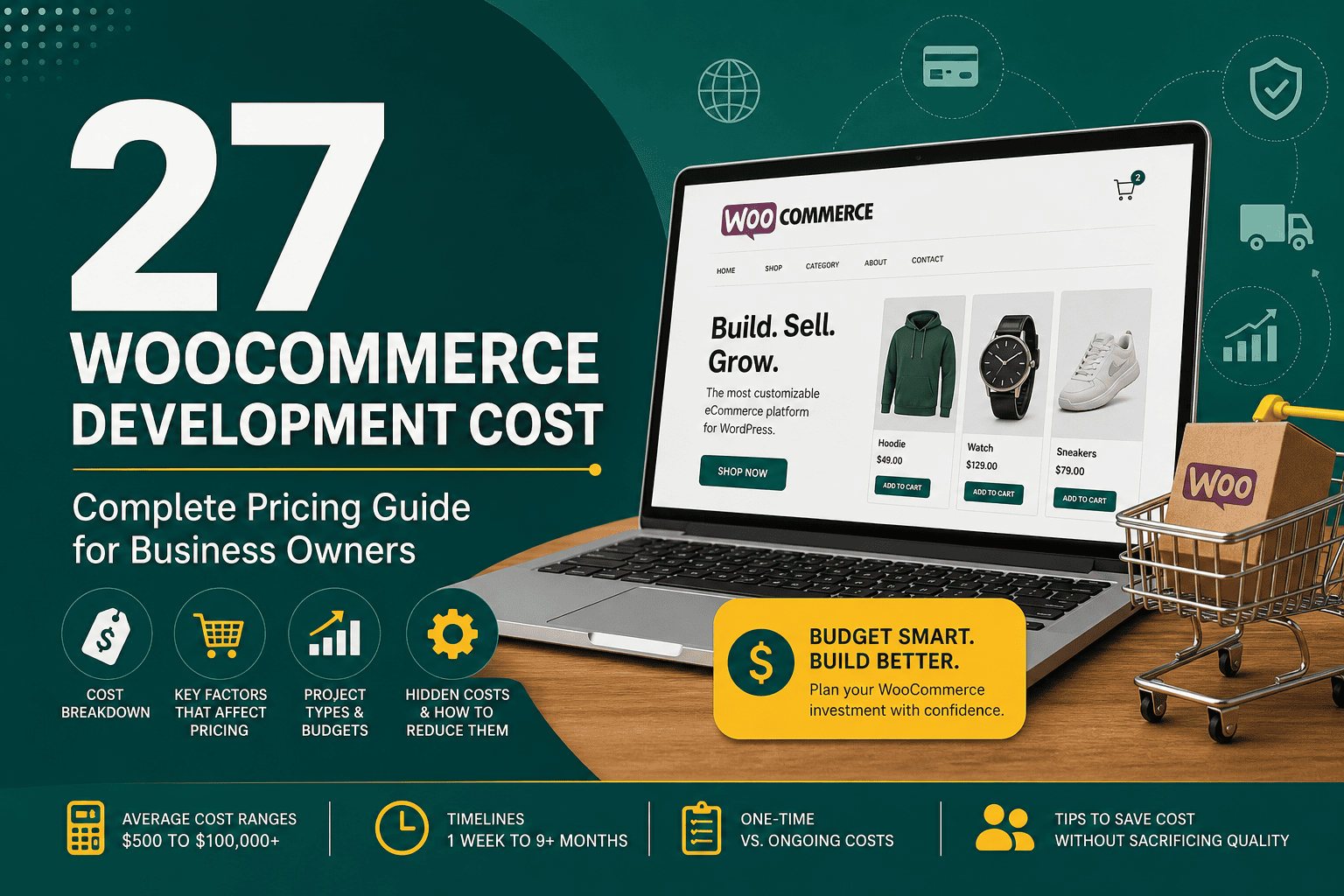
Understanding woocommerce development cost is essential before building or upgrading an online store. WooCommerce itself is a free WordPress plugin, but a professional ecommerce website requires planning, design, development, hosting, payment setup, security, optimization, and ongoing maintenance. The final cost depends on the size of your store, the complexity of your features, the quality of design, and whether you need custom development or can rely mostly on existing plugins.
For a small business, a simple WooCommerce store may cost a few hundred to a few thousand dollars. For a larger ecommerce operation with custom features, integrations, automation, subscriptions, advanced shipping rules, or high-performance requirements, the cost can increase significantly. This guide breaks down the main factors that affect WooCommerce pricing so you can budget realistically and avoid expensive surprises.
WooCommerce development cost usually includes more than installing a plugin. A complete ecommerce project may involve strategy, store architecture, user experience design, product setup, checkout configuration, payment gateways, shipping methods, tax settings, performance optimization, and training.
Common WooCommerce development tasks include:
WooCommerce pricing varies widely depending on project requirements. However, most projects fall into one of the following ranges:
A basic store may use a ready-made theme, standard plugins, and limited customization. A professional store usually includes custom design, conversion optimization, integrations, advanced checkout logic, performance work, and better long-term scalability.
The number of products is one of the first pricing factors. A store with 10 simple products is much easier to build than a store with 5,000 products, variable products, product bundles, subscriptions, custom fields, and advanced filtering.
Product complexity can increase development time when you need:
Design has a major impact on WooCommerce development cost. A pre-built theme is usually cheaper, while a fully custom design requires more time for planning, visual design, front-end development, and testing.
A low-cost store may use a premium theme with minor adjustments. A higher-end ecommerce website may require custom layouts for the homepage, product pages, category pages, minicart, checkout, account area, landing pages, and mobile experience.
Good ecommerce design is not only about appearance. It should guide visitors toward purchase, reduce friction, highlight product value, improve trust, and support mobile shoppers. If your store is part of a wider growth plan, it should also align with your broader digital marketing strategy so traffic, content, offers, and conversion paths work together.
Your WooCommerce theme affects both cost and flexibility. Free themes can reduce upfront costs but may require extra customization. Premium themes often include ready-made ecommerce layouts, but they can become bloated if they include too many features. Custom themes offer the best control but cost more.
WooCommerce has a large ecosystem of free and paid plugins. Many features can be added without custom coding, but plugin costs can add up quickly. Some plugins require annual license renewals, and too many plugins can affect performance, security, and maintenance.
Common paid WooCommerce extensions include:
Plugin licenses may cost anywhere from $50 to several hundred dollars per year each. A professional developer should help you choose reliable plugins and avoid unnecessary overlap.
Custom development is one of the biggest cost drivers. If your business process cannot be handled by an existing plugin, a developer may need to build custom functionality.
Examples of custom WooCommerce development include:
Custom code increases the initial build cost, but it can be worthwhile when it saves operational time, improves customer experience, or supports a business model that standard plugins cannot handle well.
Most WooCommerce stores need payment gateway configuration. Standard gateways like Stripe, PayPal, and WooPayments are usually simple to set up. More complex payment requirements may increase cost.
Additional payment-related requirements may include:
Shipping and tax setup can be simple or complex depending on where you sell. A small local store may need a few flat-rate shipping rules. An international store may need real-time carrier rates, tax automation, customs information, regional restrictions, and fulfillment integrations.
Complex shipping rules may include:
Although WooCommerce is built on WordPress, ecommerce stores usually need stronger hosting than simple brochure websites. Product pages, cart sessions, checkout actions, customer accounts, and dynamic content all place more load on the server.
Hosting may cost as little as $10 to $30 per month for a small store, but serious WooCommerce stores often need managed WordPress hosting, VPS hosting, cloud hosting, or dedicated resources. Choosing the right environment is important because hosting affects speed, uptime, security, and checkout reliability. If you are comparing hosting options, this WordPress hosting guide explains the key hosting factors that matter for performance and scalability.
Many WooCommerce stores need to connect with other platforms. Integrations can make your business more efficient, but they can also increase development cost depending on the systems involved and the quality of their APIs.
Common WooCommerce integrations include:
If your ecommerce store needs to connect WooCommerce with CRM or sales systems, integration planning is especially important. The same principles explained in this Salesforce integration guide also apply to ecommerce projects: define data flows, ownership, sync frequency, error handling, and long-term maintenance before development begins.
A WooCommerce store should be built with search engines and analytics in mind. Basic SEO setup may include clean URLs, metadata, product schema, XML sitemaps, redirect handling, and optimized category structure. Analytics setup may include Google Analytics, conversion tracking, Meta Pixel, Google Ads tracking, and ecommerce events.
For stores that rely on paid traffic, tracking accuracy is critical. If you plan to advertise products on Facebook or Instagram, a proper measurement setup helps you understand campaign performance and optimize your budget. This is closely related to the reporting principles covered in Meta ads reporting, where accurate data is essential for improving campaigns.
A basic WooCommerce store is suitable for small businesses that need a simple online presence with standard ecommerce functionality. It usually uses a ready-made theme, a small product catalog, standard payment gateways, and basic shipping rules.
This type of project may include:
This price range is best for businesses that want to launch quickly and do not require advanced customization.
A small business WooCommerce project usually includes more thoughtful design, better structure, and stronger configuration. It may include custom page layouts, product filters, email marketing integration, improved checkout experience, and basic conversion optimization.
This type of project may include:
This range is common for businesses that want a professional store without building everything from scratch.
A professional WooCommerce store is built for businesses that depend on ecommerce revenue. It usually requires custom design, better user experience, advanced plugins, integrations, and careful testing.
This type of project may include:
This is a realistic range for established businesses that want a scalable ecommerce website and a better customer experience.
Advanced WooCommerce projects are closer to custom ecommerce platforms. They may include complex business logic, custom integrations, large catalogs, high traffic requirements, B2B workflows, marketplace features, multi-vendor systems, or custom applications connected to WooCommerce.
This type of project may include:
This range is common when WooCommerce becomes a core operational system rather than just an online storefront.
When budgeting for WooCommerce, separate the initial build cost from ongoing operating costs. A store is not finished forever after launch. It requires updates, monitoring, improvements, backups, security checks, and occasional troubleshooting.
Ongoing WooCommerce maintenance may cost anywhere from $50 per month for a very small store to several thousand dollars per month for high-revenue stores requiring active development and optimization.
Many WooCommerce developers charge hourly. Rates vary based on experience, location, technical skill, and project complexity. Freelance rates may range from $25 to $150+ per hour, while agencies often charge $75 to $250+ per hour.
Hourly pricing works well when requirements are flexible or when you need ongoing support, troubleshooting, or small improvements.
Fixed pricing is common for clearly defined projects. The developer or agency provides a quote based on scope, timeline, features, and deliverables. This model gives more budget predictability, but changes outside the original scope may require additional fees.
A monthly retainer is useful after launch. It may include maintenance, updates, speed checks, bug fixes, reporting, SEO improvements, conversion optimization, or new feature development.
Retainers are especially useful for stores that generate consistent revenue and need regular technical support.
WooCommerce can appear inexpensive at first because the core plugin is free. However, hidden costs may appear if the project is not planned carefully.
Common hidden costs include:
The cheapest quote is not always the lowest long-term cost. Poor development decisions can create expensive problems later.
You can control WooCommerce development cost by making smart decisions before and during the project.
WooCommerce is usually more affordable than building a custom ecommerce platform from scratch. Because WooCommerce already includes product management, cart functionality, checkout, orders, customers, coupons, and payment support, development can start from a strong foundation.
However, WooCommerce is not always the cheapest option in every situation. If your business requires extremely complex workflows, very unusual checkout logic, or enterprise-level infrastructure, the cost of customizing WooCommerce may become comparable to a custom platform or another ecommerce solution.
For most small and mid-sized businesses, WooCommerce offers a strong balance of flexibility, ownership, cost control, and extensibility.
Timeline depends on complexity, content readiness, feedback speed, and integration requirements. Typical timelines include:
Projects take longer when there are many decision-makers, unclear requirements, delayed content, complex integrations, or significant custom development.
Before hiring a developer or agency, ask questions that reveal technical skill, ecommerce experience, and long-term thinking.
Here is a sample budget for a small professional WooCommerce store:
This type of budget gives a more realistic view than looking only at the initial development quote.
WooCommerce is worth the cost for many businesses because it gives you control over your ecommerce website, content, data, design, and functionality. It is especially attractive if you already use WordPress or want a flexible store that can grow over time.
WooCommerce is a good fit when you want:
However, WooCommerce requires proper maintenance. Unlike fully hosted ecommerce platforms, you are responsible for updates, hosting, security, backups, and technical quality. A professional setup helps reduce risk and improve long-term results.
WooCommerce development cost depends on your store’s complexity, design expectations, plugins, integrations, hosting, and long-term maintenance needs. A simple WooCommerce store may cost a few thousand dollars, while a custom ecommerce platform can cost tens of thousands or more.
The best approach is to define your requirements clearly, choose experienced developers, invest in reliable hosting, avoid unnecessary complexity, and plan for ongoing improvements after launch. WooCommerce can be an affordable and powerful ecommerce solution when it is built with the right strategy, technical foundation, and growth plan.