September 1, 2026
CRM Customization Tips: 20 Best Practices for Teams
CRM Customization Tips: How to Build a System Your Tea...
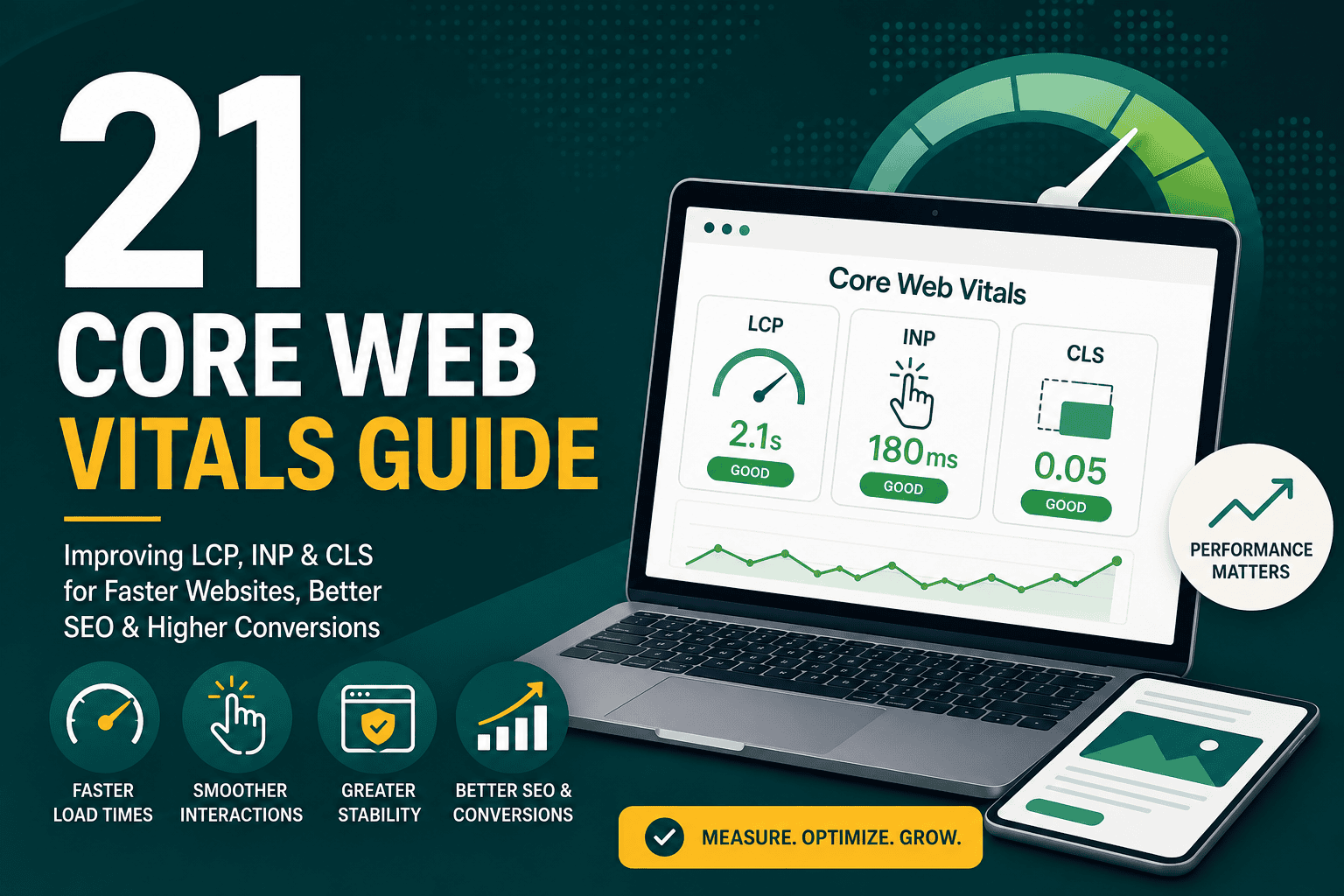
This core web vitals guide explains what Core Web Vitals are, why they matter for SEO and user experience, how to measure them, and how to improve your website’s performance in practical terms. Core Web Vitals are a set of performance metrics used by Google to evaluate how real users experience a web page. They focus on loading speed, interactivity, and visual stability.
For business websites, ecommerce stores, service pages, blogs, and landing pages, Core Web Vitals are not just technical metrics. They affect how quickly visitors can use your site, whether they trust the experience, how many people convert, and how search engines evaluate page experience. A fast, stable, user-friendly website can support better engagement, stronger conversion rates, and more sustainable organic growth.
Core Web Vitals are Google’s key user experience metrics for measuring the real-world performance of web pages. They are part of the broader page experience signals used to understand how usable and enjoyable a page is for visitors.
The current Core Web Vitals metrics are:
Each metric focuses on a different part of the user journey. LCP asks, “How fast does the main content load?” INP asks, “How quickly does the page respond when users interact?” CLS asks, “Does the page move unexpectedly while loading?”
Core Web Vitals matter because they connect technical performance with real user behavior. A website can look good visually but still perform poorly if it loads slowly, freezes during interaction, or shifts content unexpectedly. These issues can frustrate users and reduce conversions.
From an SEO perspective, Core Web Vitals are part of Google’s page experience evaluation. They are not the only ranking factor, and great content still matters most, but weak performance can hold back otherwise strong pages, especially in competitive search results.
From a business perspective, optimizing Core Web Vitals can improve:
Core Web Vitals should be treated as part of your wider digital growth system, not as an isolated technical task. If you are building a long-term online presence, performance should align with your content, analytics, advertising, and conversion goals. A broader digital marketing strategy for sustainable growth should include website speed, user experience, SEO, and measurement as connected priorities.
Largest Contentful Paint measures how long it takes for the largest visible content element on the page to load. This is usually a hero image, banner, heading block, featured image, video poster, or large text section.
LCP is important because it represents when users feel that the main content has loaded. If visitors stare at a blank screen or wait too long for the hero section to appear, they may leave before engaging with the page.
Google’s general LCP thresholds are:
Interaction to Next Paint measures how responsive a page is when users interact with it. Interactions include clicking buttons, opening menus, selecting filters, typing in fields, or using interactive elements.
INP replaced First Input Delay as a Core Web Vital because it gives a more complete view of page responsiveness. Instead of measuring only the first interaction, INP considers interactions throughout the user’s visit.
Google’s general INP thresholds are:
Cumulative Layout Shift measures how much visible page content moves unexpectedly while the page is loading or while the user is interacting with it. A common example is when a user tries to click a button, but an image, ad, or font loads late and pushes the button down.
CLS is important because unexpected movement creates a frustrating and sometimes unreliable experience. It can cause accidental clicks, form errors, and poor usability, especially on mobile devices.
Google’s general CLS thresholds are:
Core Web Vitals are one part of Google’s page experience signals. They do not replace content quality, search intent, backlinks, internal linking, technical crawlability, or topical authority. However, they can influence SEO performance because they affect user satisfaction and page experience.
A page with excellent content but poor performance may still rank, but it can lose opportunities if competitors provide similar content with a faster and smoother experience. On mobile search especially, slow loading and poor responsiveness can reduce engagement and make it harder for visitors to complete important actions.
Core Web Vitals are most useful when combined with broader SEO best practices:
There are several tools you can use to measure Core Web Vitals. Some tools use lab data, while others use real user field data. Both are useful, but they serve different purposes.
Field data comes from real users visiting your website. It reflects actual devices, networks, locations, and browsing behavior. This is the data Google often uses when evaluating Core Web Vitals.
Lab data is collected in a controlled testing environment. It is useful for debugging because it provides repeatable tests and detailed recommendations. However, it may not perfectly match what real users experience.
Improving LCP usually means making the main content load faster. Since LCP is often affected by hosting, images, CSS, JavaScript, and caching, it requires both server-side and front-end optimization.
Your hosting environment has a direct impact on server response time. If your server is slow, every page request starts with a delay. Shared hosting, overloaded servers, poor database performance, and weak caching can all hurt LCP.
For WordPress websites, hosting quality is especially important because the platform often depends on PHP processing, database queries, plugins, and dynamic content. Choosing the right infrastructure is one of the first steps in performance optimization. This WordPress hosting guide explains how hosting affects speed, uptime, scalability, and website performance.
Large images are one of the most common causes of poor LCP. A homepage hero image or blog featured image that is too large can delay the moment when the main content becomes visible.
To optimize images:
CSS and JavaScript files can block the browser from rendering visible content. If too many files must load before the page appears, LCP can suffer.
To reduce render-blocking resources:
Caching stores prebuilt versions of your pages or assets so they can be delivered faster. A content delivery network, or CDN, serves files from locations closer to the visitor, reducing latency.
For global audiences, a CDN can significantly improve loading performance. For local businesses, caching and server optimization may be enough, but a CDN can still improve asset delivery and reliability.
Improving INP requires making the page respond faster when users interact. This usually means reducing JavaScript work, optimizing event handlers, and preventing long tasks from blocking the browser’s main thread.
JavaScript is often the main cause of poor responsiveness. Many websites load unnecessary scripts for sliders, animations, tracking tools, popups, chat widgets, page builders, and plugins. Each script may seem small individually, but together they can create a heavy page.
To reduce JavaScript bloat:
Third-party scripts include analytics tools, ad pixels, chat widgets, embedded videos, review widgets, social feeds, and marketing automation scripts. These can be useful, but they often add performance costs.
Review each third-party script and ask:
Your performance decisions should align with your wider technology setup. A lean, well-planned business technology stack for growth helps prevent unnecessary tools from slowing down your website and creating disconnected user experiences.
Some websites struggle with INP because their front-end architecture is too heavy. Complex page builders, oversized themes, excessive animations, and unnecessary DOM elements can slow down interactivity.
On WordPress, the builder and theme architecture can make a major difference. Some visual builders generate large amounts of nested markup and load extra assets. More performance-focused approaches can provide cleaner output and better control over scripts and styles. For example, this article on why Oxygen Builder is faster explains how cleaner front-end code and reduced theme bloat can support speed and SEO.
Improving CLS means preventing unexpected movement on the page. Users should be able to read, scroll, and click without content jumping around unexpectedly.
Always define image dimensions or aspect ratios. When the browser knows how much space an image will take before it loads, it can reserve that space and avoid shifting content later.
Modern responsive design can still preserve aspect ratios while adapting to different screen sizes. The key is to avoid loading images into containers with no reserved height.
Ads, videos, maps, social embeds, and iframes can cause major layout shifts if they load after the surrounding content. Reserve space for these elements using fixed containers, aspect-ratio rules, or minimum-height settings.
Web fonts can cause layout shifts when text first appears in a fallback font and then changes after the custom font loads. To reduce this issue:
Cookie banners, promotional bars, newsletter boxes, and alerts can create layout shifts if they appear above existing content after the page loads. If these elements are necessary, reserve space for them or display them in a way that does not push existing content unexpectedly.
WordPress websites can perform very well, but they require careful setup. Performance problems usually come from too many plugins, poor hosting, unoptimized images, bloated themes, heavy page builders, and excessive third-party scripts.
To improve Core Web Vitals on WordPress:
It is important to test different page types separately. A homepage, blog post, product page, landing page, and checkout page may all have different performance issues.
Ecommerce websites often face more performance challenges than standard brochure websites. Product filters, cart fragments, tracking scripts, personalization tools, review widgets, payment scripts, and product images can all affect Core Web Vitals.
For WooCommerce and other ecommerce platforms, optimization should focus on both speed and revenue. Removing every script is not always realistic because some scripts support analytics, checkout, payment processing, or conversion tracking. The goal is to create a fast buying experience without breaking business-critical functionality.
If you are planning or upgrading an online store, performance should be considered from the beginning, not added after launch. This WooCommerce development cost guide explains the planning, development, hosting, optimization, and maintenance factors that influence a professional ecommerce build.
Use this checklist to identify the most common performance improvements for Core Web Vitals.
The homepage is important, but it is not the only page that matters. Blog posts, service pages, product pages, category pages, and landing pages may receive more organic traffic than the homepage. Test the templates that drive traffic, leads, and revenue.
A performance score can be useful, but it is not the full picture. Focus on the actual Core Web Vitals metrics, user experience, and business outcomes. A page can receive a decent score while still having specific problems that affect conversions.
Performance plugins can help, but stacking multiple optimization plugins can create conflicts, broken layouts, caching problems, and unpredictable behavior. Use a clear optimization strategy instead of adding tools randomly.
Many users visit websites on mobile devices with slower connections and less processing power than desktop computers. A site that feels fast on a high-end laptop may feel slow on a mid-range phone. Always test mobile performance.
Core Web Vitals can change when you add plugins, change tracking scripts, update themes, upload new media, add popups, or redesign templates. Performance should be monitored continuously, especially after major website updates.
Core Web Vitals should be reviewed regularly, especially for business-critical websites. A good schedule is:
For high-traffic ecommerce websites or lead generation websites, monitoring should be more frequent because small performance issues can affect revenue and campaign efficiency.
Core Web Vitals are closely connected to conversion rate optimization. Faster pages reduce friction. Stable layouts improve trust. Responsive interactions make forms, menus, filters, carts, and buttons easier to use.
Performance improvements can support conversions by helping visitors:
However, performance should be balanced with business needs. Some scripts, tools, and design elements may support personalization, tracking, or lead generation. The goal is not to remove everything. The goal is to keep what creates measurable value and optimize or remove what creates friction.
Core Web Vitals are an important part of modern website performance, SEO, and user experience. They help you understand whether your pages load quickly, respond smoothly, and remain visually stable for real users.
The most effective approach is to focus on the fundamentals: strong hosting, optimized images, clean code, limited third-party scripts, stable layouts, and continuous monitoring. Whether you run a business website, a WordPress site, or an ecommerce store, improving Core Web Vitals can create a faster, more trustworthy experience for visitors and support better long-term digital performance.
Use this core web vitals guide as a practical framework: measure the right metrics, prioritize the most valuable pages, fix the biggest bottlenecks first, and keep performance aligned with your SEO, marketing, and conversion goals.