September 30, 2026
Broken Link Management: Complete SEO Guide & Checklist
Broken Link Management: A Practical Guide for Better S...
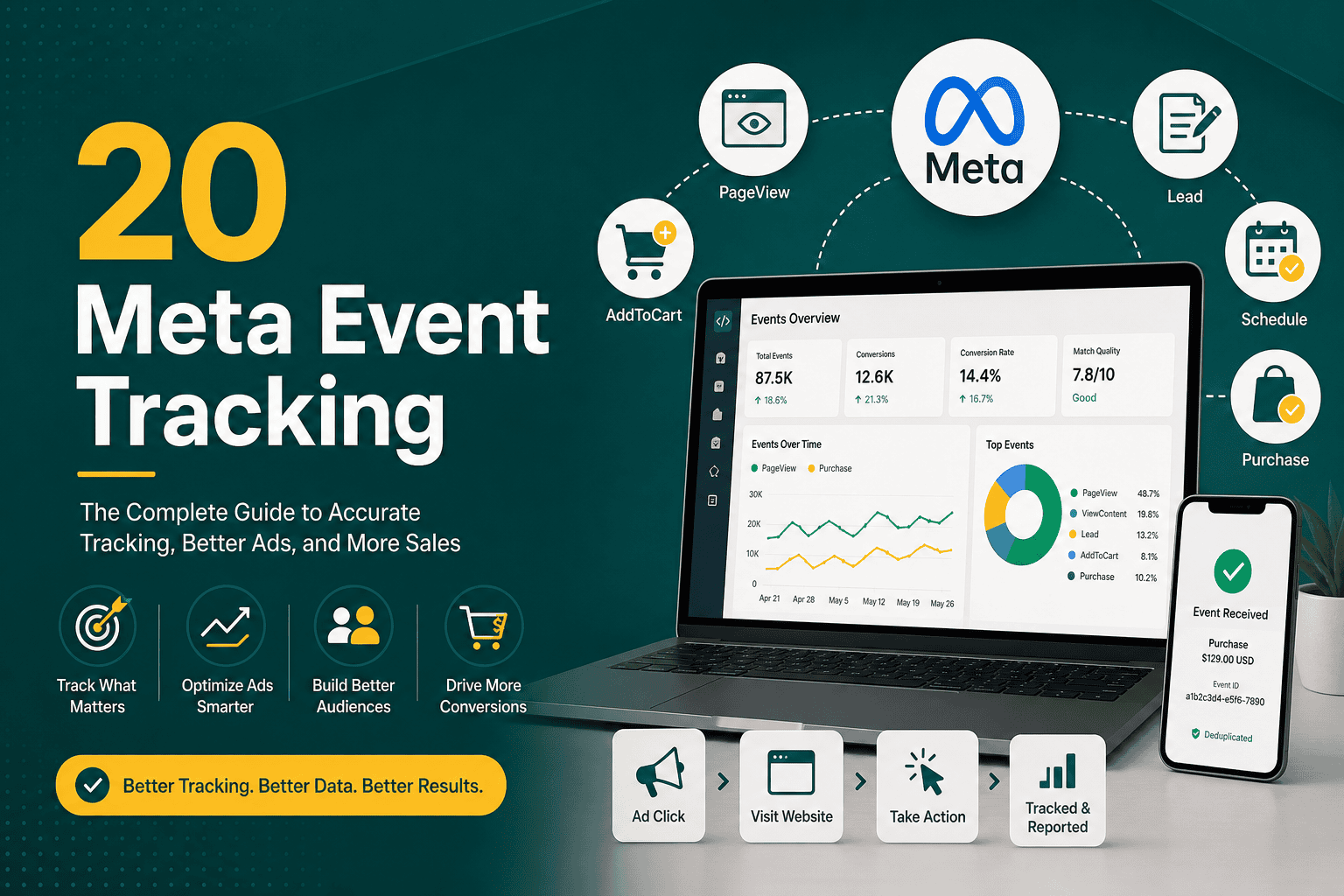
Meta event tracking is the process of measuring the actions people take on your website, app, or sales funnel after interacting with your Facebook and Instagram ads. These actions can include page views, product views, add-to-cart events, purchases, lead form submissions, booked appointments, phone clicks, newsletter signups, downloads, and other valuable conversions.
Without accurate Meta event tracking, advertising decisions become guesswork. You may know how many people clicked an ad, but you will not know whether those clicks turned into leads, sales, or meaningful business outcomes. Proper event tracking helps Meta optimize delivery, improve reporting, build better audiences, and show ads to people more likely to take valuable actions.
This guide explains how Meta event tracking works, which events to track, how to set up the Meta Pixel and Conversions API, how to verify your setup, and how to use event data to improve campaign performance.
Meta event tracking is the collection of user actions across your digital properties and sending that data to Meta Ads Manager. Meta uses these events to report conversions, optimize campaigns, create custom audiences, build lookalike audiences, and improve ad delivery across Facebook, Instagram, Messenger, and the Meta Audience Network.
For example, if someone clicks a Facebook ad, visits your website, views a product, adds it to their cart, and completes a purchase, Meta event tracking can record each step. This allows you to understand the customer journey and identify where users are converting or dropping off.
Meta event tracking usually relies on two main tools:
For the most reliable measurement, many businesses use both the Meta Pixel and Conversions API together.
Meta event tracking is important because modern advertising platforms depend on conversion data. Meta does not only need to know who clicked an ad. It needs to know which users performed high-value actions so the algorithm can find more people like them.
When you optimize a Meta campaign for purchases, leads, registrations, or another event, Meta uses event data to learn which users are most likely to complete that action. If tracking is missing or inaccurate, the platform has less reliable data for optimization.
Strong tracking helps you evaluate campaign performance beyond surface-level metrics such as impressions, reach, and clicks. You can measure cost per lead, cost per purchase, return on ad spend, conversion rate, and funnel performance. For deeper measurement workflows, it helps to pair tracking with a structured Meta ads reporting process so campaign decisions are based on clean data rather than assumptions.
Tracking events allows you to create audiences such as website visitors, product viewers, cart abandoners, completed purchasers, and high-intent leads. These audiences can be used for remarketing campaigns that speak directly to a user’s previous behavior.
Meta can create lookalike audiences based on people who completed valuable events. A lookalike audience based on purchasers or qualified leads is usually more useful than one based only on generic website visitors.
When events are measured correctly, you can see which campaigns, ad sets, audiences, placements, and creatives are generating real business value. This allows you to shift budget away from poor performers and invest more in what works.
Meta event tracking works by sending event signals from your website, app, or server to Meta. These signals include information about the event type, page URL, timestamp, value, currency, content ID, and, when available, customer information used for matching.
A simplified tracking flow looks like this:
The quality of this process depends on correct installation, event configuration, deduplication, consent handling, and event match quality.
The Meta Pixel and Conversions API both send event data to Meta, but they work in different ways. Understanding the difference is important for building a reliable tracking setup.
The Meta Pixel is a JavaScript code snippet installed on your website. It tracks browser-based actions such as page views, button clicks, form submissions, product views, add-to-cart events, and purchases.
The Pixel is relatively easy to install and is commonly added through Google Tag Manager, a website plugin, a direct code implementation, or ecommerce integrations such as Shopify, WooCommerce, or custom platforms.
However, browser-based tracking can be affected by ad blockers, browser privacy restrictions, cookie limitations, slow page loads, incorrect tag firing, and consent settings.
Conversions API, often called CAPI, sends events directly from your server or backend system to Meta. Instead of relying only on the browser, it can send more reliable data from your ecommerce platform, CRM, checkout system, lead management tool, or server.
Conversions API is especially useful for tracking:
The best practice is usually to use the Pixel and Conversions API together. When configured correctly, Meta can deduplicate the same event if it is sent from both browser and server sources.
Meta provides standard events that cover common business actions. Using standard events helps Meta understand your conversion funnel and optimize campaigns more effectively.
Custom events are useful when your business needs to track actions that do not fit Meta’s standard event list. Examples include calculator usage, quote step completion, webinar attendance, pricing page engagement, CRM status changes, or product configurator activity.
Use custom events carefully. Standard events are usually better for primary optimization because Meta understands them more clearly. Custom events are best for additional segmentation, reporting, or advanced funnel analysis.
The right events depend on your business model, website structure, and campaign goals. The key is to track actions that represent real intent or value, not every minor interaction.
Lead generation businesses should track events that show increasing levels of intent. A simple tracking structure may include:
If your sales process continues after the form submission, connecting CRM data can improve optimization. For example, instead of optimizing only for every form fill, you may eventually send qualified lead or closed deal data back to Meta. This is especially valuable when your lead volume is high but lead quality varies.
Ecommerce websites should track the full shopping journey. Common events include:
For online stores, event parameters such as product ID, content name, category, quantity, value, and currency are essential. If purchase value is missing or inaccurate, return on ad spend reporting will be unreliable.
SaaS companies often need to track both marketing conversions and lifecycle milestones. Useful events may include:
Local businesses should focus on high-intent actions that often happen before a sale. Useful events include:
A strong Meta event tracking setup should be planned before installation. Randomly adding events without a strategy can lead to duplicate data, poor reporting, and weak optimization.
Start by identifying the business outcomes you want to measure. Examples include purchases, leads, scheduled consultations, trial signups, quote requests, and subscriptions.
Each event should map to a meaningful stage in your funnel. Avoid tracking too many low-value actions as primary conversions because they can confuse optimization.
Before installing tracking, make sure your Meta Business Portfolio, ad account, dataset, domain, and permissions are properly configured. You should have access to Events Manager, Ads Manager, and the website or platform where tracking will be installed.
The Meta Pixel can be installed in several ways:
After installing the base Pixel code, configure standard events on the relevant pages or user actions.
Events can be configured through code, partner integrations, Google Tag Manager, Meta’s Event Setup Tool, or server-side implementation. The method you choose depends on your technical environment and how precise your tracking needs to be.
For simple websites, the Event Setup Tool may be enough for basic button clicks and page-based events. For ecommerce, SaaS, and serious lead generation, a more controlled implementation through code, tag management, or server-side tracking is usually better.
Parameters provide additional detail about an event. For example, a Purchase event should include value and currency. Ecommerce events should include product IDs so Meta can connect activity to catalog items.
Common parameters include:
Conversions API can be installed using a partner integration, server-side Google Tag Manager, direct API development, CRM integration, or ecommerce platform connection. The best method depends on your platform and technical resources.
When using both Pixel and Conversions API, make sure events are deduplicated. Deduplication usually relies on sending the same event name and event ID from both the browser and server for the same user action.
Domain verification proves to Meta that you control your website domain. It also supports event configuration and measurement reliability. In some cases, you may need to prioritize important conversion events, especially for aggregated event measurement.
Prioritize the events that matter most to your business, such as Purchase, Lead, CompleteRegistration, or Schedule.
Use Meta Events Manager to test whether events are firing correctly. Check that the right events appear, parameters are included, and duplicate events are not being counted incorrectly.
You can also use browser tools, tag debugging tools, and test transactions to confirm tracking accuracy.
For ecommerce businesses, Meta event tracking is directly connected to revenue measurement and campaign optimization. A strong setup should capture the full customer journey from product discovery to purchase.
At minimum, ecommerce stores should track ViewContent, AddToCart, InitiateCheckout, and Purchase. Product IDs should match your catalog IDs if you are running dynamic product ads. Purchase events should include accurate order value, currency, and transaction details.
If you use WooCommerce, make sure your tracking setup is tested after changes to checkout, payment gateways, caching tools, or plugins. Store performance and checkout experience also affect tracking and conversion rates, so ecommerce brands should combine tracking with WooCommerce conversion optimization to increase the value of their paid traffic.
For lead generation, the biggest challenge is often lead quality. If Meta only sees every form submission as equal, the algorithm may optimize toward users who submit forms but do not become serious prospects.
To improve this, consider tracking deeper funnel events such as:
These events may require integrating your CRM or backend system with Meta Conversions API. If your business relies heavily on sales follow-up, event tracking should work together with CRM reporting, automation, and pipeline visibility. A structured CRM dashboard can help compare Meta lead data with actual sales outcomes.
Event match quality measures how effectively Meta can match your website or server events to Meta users. Better matching can improve attribution, audience building, and optimization.
Meta may use information such as:
Customer information should be handled carefully and in accordance with privacy laws, consent requirements, and Meta’s policies. When sent through approved methods, personal data is typically hashed before transmission.
If you use both the Meta Pixel and Conversions API, the same event may be sent twice: once from the browser and once from the server. Deduplication prevents Meta from counting the same action as two separate conversions.
For deduplication to work, both versions of the event should include:
For example, if a user completes a purchase, the browser Purchase event and server Purchase event should share the same unique event ID. Meta can then recognize that both signals describe the same purchase.
Meta attribution determines how conversions are credited to ads. A person may see an ad, click it, return later through another channel, and then convert. Attribution settings influence how that conversion appears in Meta Ads Manager.
Common reporting considerations include:
It is normal for Meta Ads Manager, Google Analytics, and your CRM to show different numbers because they use different attribution models and tracking methods. The goal is not always perfect matching, but consistent, trustworthy measurement that supports better decisions.
Event data is one of the strongest inputs for audience strategy. Instead of relying only on interests or broad targeting, you can use real behavioral data from your website and funnel.
Examples of event-based audiences include:
These audiences can be used for retargeting, exclusions, upsells, cross-sells, and lookalike audience creation. For a broader view of how tracking data supports campaign segmentation, see this Meta audience targeting guide.
Many advertising accounts struggle not because Meta ads are inherently ineffective, but because tracking is incomplete or inaccurate. Avoid these common mistakes.
Page views are useful, but they do not show whether users are taking valuable actions. You should track meaningful funnel events such as leads, purchases, checkout starts, and appointments.
If Purchase events do not include value and currency, revenue reporting and return on ad spend calculations will be incomplete.
Duplicate events can inflate results and make campaigns look more profitable than they are. This often happens when multiple plugins, tag manager setups, or integrations fire the same event.
A Lead event should fire after a successful form submission, not simply when someone visits the contact page. A Purchase event should fire only after a confirmed transaction, not when someone lands on the checkout page.
Website redesigns, checkout updates, plugin changes, form replacements, and new landing pages can break tracking. Event testing should be part of every major website update.
Tracking must be implemented in a way that respects applicable privacy laws, cookie consent requirements, platform policies, and user choices.
If you optimize for a low-intent event, Meta may find people who complete that easy action but do not become customers. Choose optimization events that are close enough to revenue while still generating enough volume for learning.
Testing is essential before using event data for budget decisions. A campaign can only optimize properly if the underlying events are accurate.
Meta Events Manager shows incoming events, diagnostics, match quality, deduplication status, and recent activity. Use it to confirm that events are being received and that there are no major warnings.
The Test Events tool allows you to visit your website and watch events fire in real time. This is useful for checking page views, button clicks, add-to-cart events, form submissions, and purchases.
Do not only confirm that the event fires. Check whether the event includes the correct value, currency, product ID, content name, and other required parameters.
For ecommerce stores, run a test order. For lead generation websites, submit a test form. For booking funnels, complete a test appointment. Confirm that the event fires only once and appears correctly in Events Manager.
Meta will not always match your backend exactly, but major gaps may indicate a problem. Compare event counts against ecommerce orders, CRM leads, booking records, or form submissions.
Meta event tracking should not be treated as a technical task only. It directly affects campaign structure, optimization, budget allocation, creative testing, and reporting.
For example, a new account with limited conversion volume may need to optimize for a higher-volume event such as Lead or InitiateCheckout before moving toward deeper events such as Purchase or qualified lead. A mature account with strong conversion volume can often optimize closer to revenue.
Your tracking setup should also align with your broader digital marketing plan. If Meta ads are only one part of your acquisition strategy, event data should be compared with other channels, CRM outcomes, and business goals. A clear digital marketing strategy helps connect tracking decisions to actual growth objectives.
Meta event tracking and Google Ads conversion tracking serve similar purposes, but they operate within different advertising ecosystems. Meta focuses on Facebook, Instagram, Messenger, and related placements, while Google Ads tracks conversions from search, display, YouTube, shopping, and other Google inventory.
Businesses that advertise on both platforms should configure both systems properly. Each platform needs its own conversion signals for optimization. If you are comparing paid media channels, understanding the strengths of each platform is important; this Google Ads vs Facebook Ads comparison explains how the two channels differ in intent, targeting, and campaign use cases.
Privacy is a major part of modern event tracking. Businesses must consider applicable laws and regulations such as GDPR, CCPA, ePrivacy rules, and local data protection requirements. The exact obligations depend on where your business operates and where your users are located.
Important privacy practices include:
Privacy-friendly tracking is not only about compliance. It also builds trust with users and reduces long-term measurement risk.
Use these best practices to improve tracking accuracy and campaign performance.
Use this checklist to review your setup:
Meta event tracking should be audited regularly, especially if your website changes often. At minimum, review your tracking setup every quarter. You should also test tracking immediately after:
Small website changes can break important events. Regular audits prevent wasted ad spend and unreliable reporting.
Meta event tracking is one of the most important foundations of successful Facebook and Instagram advertising. It tells Meta which users are taking valuable actions, helps campaigns optimize toward real outcomes, improves reporting accuracy, and enables powerful retargeting and lookalike audience strategies.
A strong setup should include the Meta Pixel, well-configured standard events, accurate parameters, Conversions API, deduplication, domain verification, regular testing, and privacy-conscious implementation. Whether your goal is ecommerce revenue, qualified leads, subscriptions, bookings, or customer acquisition, accurate event tracking gives your campaigns the data they need to perform.
When Meta event tracking is planned and maintained properly, your ad account becomes easier to measure, easier to optimize, and better connected to real business growth.