October 5, 2026
Image Optimization: Complete Guide for Faster Websites & Better SEO
Image Optimization: A Practical Guide for Faster Websi...
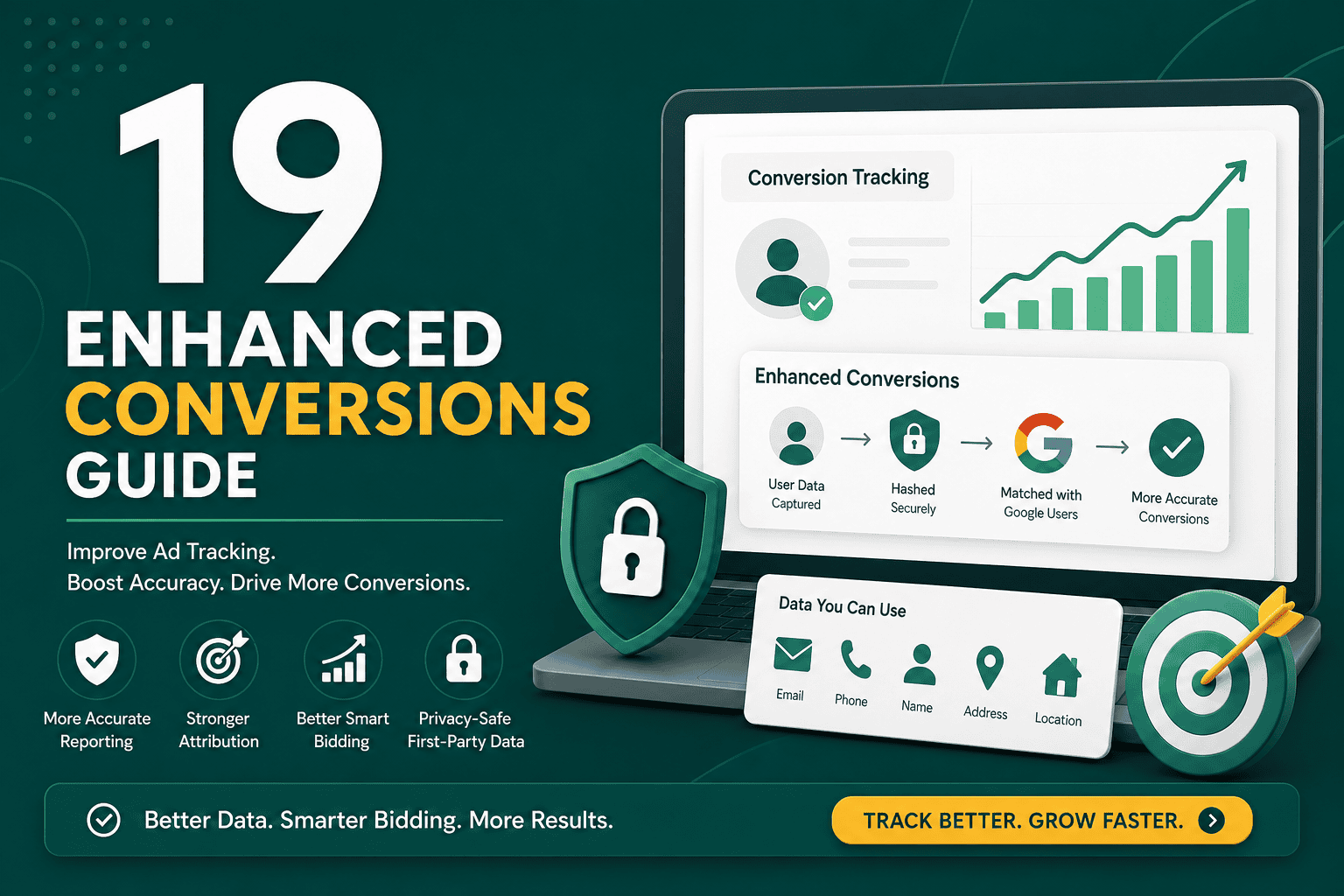
This enhanced conversions guide explains what enhanced conversions are, how they work, why they matter, and how to set them up correctly for better advertising measurement. If you run Google Ads campaigns, especially for lead generation or ecommerce, enhanced conversions can help improve conversion accuracy when traditional browser-based tracking is limited by cookie restrictions, privacy controls, and cross-device behavior.
Enhanced conversions are a Google Ads measurement feature that uses consented first-party customer data, such as an email address, phone number, name, or address, to improve conversion attribution. The data is hashed before being sent to Google, then matched against signed-in Google users to help attribute conversions more accurately to ad interactions.
In simple terms, enhanced conversions help Google Ads understand when a user who clicked or viewed an ad later completed a valuable action, even when normal tracking signals are incomplete.
Enhanced conversions are an advanced conversion tracking feature in Google Ads. They supplement your existing conversion tags by sending hashed first-party user data from your website, lead form, checkout, CRM, or conversion page to Google in a privacy-conscious way.
For example, when a visitor submits a contact form or completes a purchase, your website may collect an email address. With enhanced conversions, that email address is normalized, hashed using SHA-256, and sent to Google. Google can then match the hashed information to signed-in Google accounts and improve conversion reporting.
This does not replace standard conversion tracking. Instead, it strengthens it. Your Google Ads conversion tag still records the conversion event, while enhanced conversions provide an additional matching signal.
Digital advertising measurement has become more challenging. Browsers restrict cookies, users move between devices, privacy regulations require stronger consent practices, and some conversions happen offline after a lead is submitted. Enhanced conversions help address these gaps by using first-party data that your business collects directly from users.
Benefits of enhanced conversions include:
Enhanced conversions are especially useful when your marketing relies on paid search, Performance Max, YouTube, Display, or remarketing campaigns. They help Google Ads optimize toward real business outcomes instead of incomplete tracking data.
Enhanced conversions use first-party customer data that a user voluntarily provides during a conversion action. This can happen through a checkout form, account registration, lead form, booking page, quote request, or other conversion point.
The basic process works like this:
The hashing process is important. Hashing transforms customer data into a secure, irreversible string before transmission. Google uses this hashed value for matching, not for exposing personal information in your reports.
Google Ads supports different forms of enhanced conversions depending on your business model and conversion journey.
Enhanced conversions for web are used when conversions happen directly on your website. This is common for ecommerce purchases, lead form submissions, newsletter signups, quote requests, demo bookings, and account registrations.
This setup is usually implemented using the Google tag, Google Tag Manager, or a supported website integration. It captures user-provided data from the conversion page or form submission and sends hashed data to Google Ads.
Enhanced conversions for leads are designed for businesses where the final sale often happens after the initial website conversion. For example, a user may submit a lead form today, speak with a sales team later, and become a customer days or weeks after the original ad click.
In this case, lead data from your CRM can be uploaded or sent back to Google Ads to connect offline outcomes with the original ad interaction. This is useful for service businesses, B2B companies, real estate, education, finance, healthcare, and high-ticket sales processes.
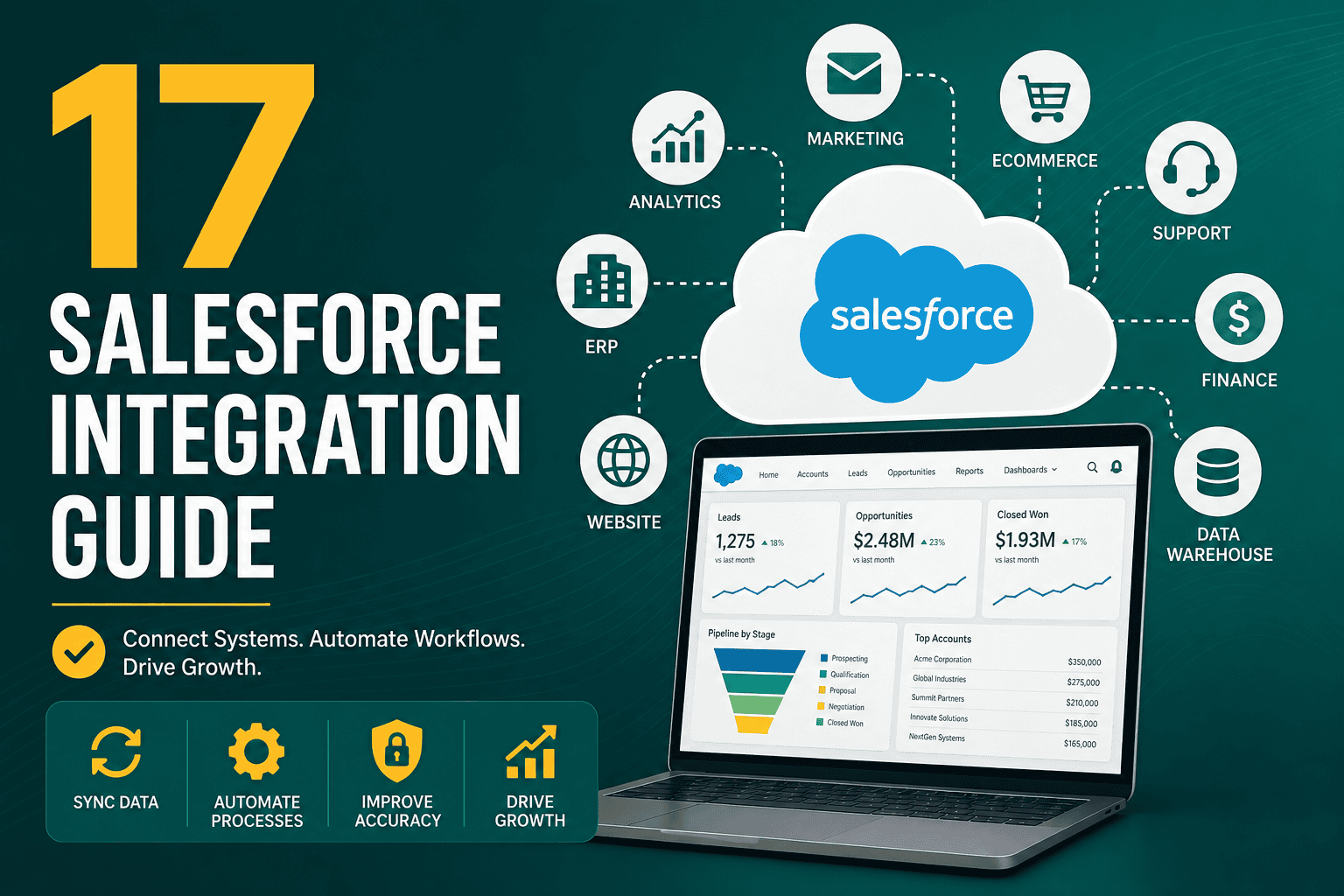
If your lead data moves between your website, CRM, and advertising platforms, it is important to design a clean data flow. A structured integration approach, similar to the concepts explained in this Salesforce integration guide, can help prevent tracking gaps, duplicate records, and reporting inconsistencies.
Standard Google Ads conversion tracking relies heavily on tags, cookies, click identifiers, and browser-based signals. It can work well, but it may miss some conversions when cookies are blocked, users switch devices, or tracking scripts fail to connect the full journey.
Enhanced conversions add another layer by using consented first-party user data. This gives Google Ads a stronger signal for matching conversions back to ad interactions.
The difference can be summarized as follows:
You should not think of enhanced conversions as a replacement for proper campaign structure, landing page quality, or analytics strategy. It is one part of a broader measurement system. For a more complete view of how measurement fits into growth planning, see this digital marketing strategy guide.
Google Ads can use several types of first-party customer data for enhanced conversion matching. The most common fields include:
Email address is usually the strongest and simplest identifier. Phone number and address data can improve match rates when collected accurately. However, you should only send data that users have provided directly and that your privacy policy allows you to use for advertising measurement.
Enhanced conversions must be implemented responsibly. Because the feature uses first-party user data, you need to make sure your website, forms, consent banner, privacy policy, and advertising settings align with applicable privacy laws and Google policies.
Important privacy considerations include:
Enhanced conversions are designed to be more privacy-conscious than sending raw user data, but hashing alone does not remove your responsibility to collect and use data lawfully.
You should consider using enhanced conversions if you run Google Ads and rely on conversion tracking for optimization, reporting, or bidding decisions. It is particularly valuable when your campaigns use automated bidding strategies such as Maximize Conversions, Target CPA, Target ROAS, or Performance Max.
Enhanced conversions are a strong fit for:
If your business already uses multiple tools for website tracking, CRM management, reporting, automation, and advertising, enhanced conversions should be considered part of your broader marketing technology setup. This business technology stack guide explains how different systems should work together to support growth.
The setup process depends on your website, form structure, checkout system, CRM, and tracking method. Most businesses implement enhanced conversions using one of three methods: the Google tag, Google Tag Manager, or the Google Ads API.
Before enabling enhanced conversions, review your Google Ads conversion actions. Make sure you are tracking meaningful actions, not vanity metrics.
Examples of valuable conversion actions include:
Avoid optimizing campaigns around weak actions such as page views unless they are part of a clearly defined funnel.
There are several ways to implement enhanced conversions:
Google Tag Manager is often the most practical option because it allows marketers and developers to configure tracking without hardcoding every change directly into the website.
In Google Ads, go to your conversion settings and select the conversion action you want to improve. From there, you can enable enhanced conversions and choose your implementation method.
The exact interface may change over time, but the general path is usually:
The next step is to identify where user-provided data appears on your website. This may be on a thank-you page, checkout confirmation page, hidden data layer, form field, or JavaScript variable.
Common sources include:
For reliability, using a clean data layer is often better than scraping values from page elements. Page designs can change, CSS selectors can break, and form structures can vary. A data layer provides a more stable source of tracking data.
Testing is essential. Do not assume enhanced conversions are working just because the setting is enabled in Google Ads.
You should test using:
Check that the conversion tag fires only when the correct action occurs. Also confirm that user-provided data is being detected, normalized, and sent correctly.
Enhanced conversions may take time to show results in Google Ads. Google needs enough conversion volume and matching data to improve attribution and bidding performance.
Monitor key metrics such as:
Do not judge performance after only one or two days. Give the system enough time to collect data, especially if your conversion volume is low.
For ecommerce websites, enhanced conversions are usually connected to purchase events. When a customer completes an order, the purchase confirmation page or order data layer can provide customer information such as email, phone number, name, and address.
Ecommerce implementation should include:
If you use WooCommerce, Shopify, Magento, or a custom checkout, the setup details will vary. The key is to ensure your conversion tag fires after the order is completed and that customer data is available at that point.
For lead generation, enhanced conversions can improve the connection between form submissions and ad clicks. However, the biggest advantage often comes when you combine enhanced conversions with offline conversion imports.
For example, a user submits a form after clicking a Google ad. Later, your sales team qualifies the lead and closes the deal. By sending the final outcome back to Google Ads, you can teach the algorithm which campaigns, keywords, and audiences generate real revenue instead of just form fills.
A strong lead generation setup should track:
This is where CRM hygiene becomes extremely important. If your sales team does not update lead status accurately, your advertising data will be incomplete or misleading.
One of the biggest reasons to use enhanced conversions is to improve Smart Bidding. Google Ads automated bidding strategies depend on conversion data. If the data is incomplete, bidding decisions can become less efficient.
Enhanced conversions can help Smart Bidding by providing stronger signals about which ad interactions lead to real conversions. This can improve strategies such as:
However, enhanced conversions will not fix poor campaign structure, weak landing pages, bad offers, low-quality traffic, or inaccurate conversion goals. It improves measurement, but campaign strategy still matters.
Many advertisers enable enhanced conversions without checking whether the implementation is reliable. This can lead to incomplete data, duplicate conversions, or misleading reports.
Common mistakes include:
A good implementation should be planned, tested, documented, and reviewed periodically.
Use this checklist before and after launching enhanced conversions:
After implementation, Google Ads may show diagnostic information about enhanced conversions status. You may see whether data is being received, whether matching is active, and whether any issues are detected.
To evaluate performance, compare trends before and after implementation, but be careful not to attribute every change directly to enhanced conversions. Campaign changes, seasonality, budget shifts, landing page updates, and market conditions can also affect results.
Useful indicators include:
Reporting should connect platform metrics with real business outcomes. While this article focuses on Google Ads, the same principle applies across paid media: tracking must help you make better decisions. For example, this guide to Meta ads reporting explains how structured reporting can improve campaign analysis and optimization.
Enhanced conversions improve measurement, but they do not replace landing page optimization. If your landing page loads slowly, lacks trust signals, has unclear messaging, or asks for too much information, your conversion rate may remain low even with perfect tracking.
Strong landing pages should have:
Website performance can directly affect conversion rates and ad efficiency. If your landing pages are slow or unstable, this Core Web Vitals guide can help you understand how speed and user experience influence results.
Enhanced conversions do not directly improve SEO rankings. They are a Google Ads measurement feature, not an organic search ranking factor.
However, better conversion tracking can indirectly support broader marketing decisions. When you understand which campaigns, landing pages, offers, and customer segments generate revenue, you can make smarter decisions about content, website improvements, and budget allocation.
For example, if enhanced conversion data shows that certain service pages generate high-quality leads from paid search, those pages may also deserve more attention in your SEO strategy.
Some enhanced conversions setups are simple enough for a marketer using Google Tag Manager. Others require a developer, especially when customer data is not easily available on the conversion page or when offline conversion tracking must be integrated with a CRM.
You may need developer support if:
For businesses with serious ad budgets, professional implementation is usually worth it. Poor tracking can waste far more money than the cost of setting it up correctly.
No, enhanced conversions are not strictly required to run Google Ads. However, they are strongly recommended for advertisers who want more accurate conversion tracking and better bidding signals.
Enhanced conversions are designed to use hashed first-party data, which is more privacy-conscious than sending raw customer information. However, you still need proper consent practices, policy compliance, and privacy disclosures.
No. Enhanced conversions are used for Google Ads conversion measurement. Google Analytics is used for broader website and user behavior analysis. Both can be part of a complete measurement setup.
Google Ads may take several days or longer to process data and show diagnostics. Performance improvements may take more time, depending on your conversion volume and bidding strategy.
Yes, enhanced conversions for leads can help connect offline sales or qualified leads back to Google Ads when implemented with CRM or offline conversion import workflows.
Email address is usually the most useful identifier because it tends to produce strong match rates. Phone number and address data can also help when collected accurately.
Enhanced conversions are an important part of modern Google Ads measurement. They help improve attribution, strengthen Smart Bidding signals, and reduce the impact of lost browser-based tracking data. For ecommerce and lead generation businesses, they can provide a more accurate view of which campaigns are driving real results.
The key is to implement them properly. Start with reliable standard conversion tracking, confirm that first-party data is collected with consent, choose the right setup method, test thoroughly, and monitor performance over time.
Used correctly, enhanced conversions can make your advertising data more accurate and your optimization decisions more confident.