July 12, 2026
Salesforce Sandbox Guide: Types, Best Practices & Setup
Salesforce Sandbox Guide A Salesforce sandbox is a sep...
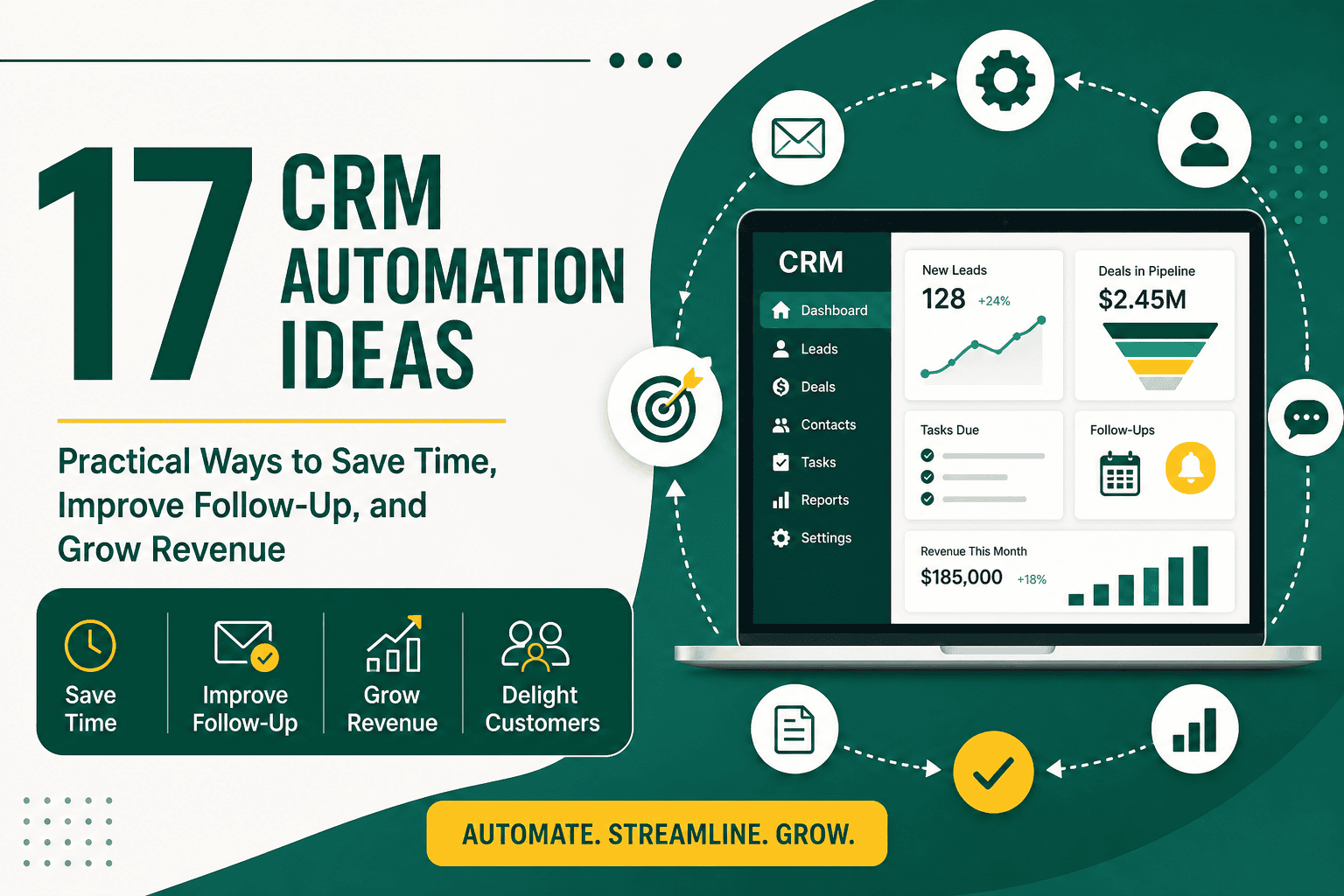
CRM automation ideas can help your business reduce manual work, improve customer communication, and create a more consistent sales, marketing, and service process. A customer relationship management system should do more than store names, emails, phone numbers, and notes. When configured well, it can automatically assign leads, remind teams to follow up, update deal stages, send customer messages, trigger internal tasks, enrich reports, and connect departments around the same customer data.
The best CRM automations are not random shortcuts. They are carefully designed workflows that support real business processes. If your team repeatedly copies data between tools, forgets follow-ups, manually creates tasks, sends the same emails, or spends too much time updating records, those are strong signals that automation can help.
This guide covers practical CRM automation ideas for sales, marketing, customer service, operations, reporting, and management. Whether you use Salesforce, HubSpot, Zoho, Pipedrive, Monday CRM, or another platform, these examples can help you identify where automation will create the most value.
CRM automation is the use of rules, workflows, triggers, integrations, and system logic to complete routine CRM tasks with less manual effort. An automation usually starts when something happens, such as a form submission, a new lead, a deal stage change, a missed activity, a support request, or a customer renewal date.
For example, when a prospect fills out a website form, your CRM can automatically create a lead, assign it to the right salesperson, send a confirmation email, create a follow-up task, notify the sales manager, and add the contact to a relevant nurture sequence.
If you are still defining your CRM foundation, it may help to start with a clear understanding of what CRM is and how it works before building advanced automations. Automation works best when your CRM structure, fields, pipeline stages, permissions, and data rules are already well planned.
CRM automation matters because many customer-facing tasks are repetitive, time-sensitive, and easy to miss when handled manually. A delayed response to a new lead, a forgotten proposal follow-up, or an inconsistent onboarding process can cost revenue and damage customer experience.
Good CRM automation helps businesses:
CRM automation is also part of a broader operational improvement strategy. If you want to understand how automation fits beyond CRM, this business process automation guide explains how companies can streamline repetitive work across departments, systems, and workflows.
One of the most useful CRM automation ideas is to connect your website forms directly to your CRM. Instead of receiving form submissions by email and manually entering contact details, your CRM should automatically create or update a lead record.
This automation can capture:
This gives your sales team immediate visibility and reduces the risk of losing inquiries in email inboxes.
Manual lead assignment can slow down response time. Your CRM can automatically assign new leads based on territory, product interest, company size, industry, language, sales team availability, or round-robin distribution.
For example, a lead from Dubai interested in enterprise consulting can be assigned to one salesperson, while a small business lead from another region can go to a different representative. This ensures the right person follows up quickly.
When a high-intent lead arrives, the right team members should know immediately. A CRM can send automated notifications by email, mobile app, Slack, Microsoft Teams, or another internal communication tool.
Useful notification triggers include:
Fast response is especially important for competitive industries where prospects often contact multiple vendors at once.
Lead scoring helps your team prioritize prospects based on fit and engagement. A CRM can automatically increase or decrease a lead score based on actions and profile data.
Examples of positive scoring factors include:
Examples of negative scoring factors include:
Lead scoring allows sales teams to focus on the best opportunities instead of treating every contact equally.
Every new qualified lead should have a next step. Your CRM can automatically create a task for the assigned salesperson to call, email, or review the inquiry.
A simple automation might create a task due within one hour for high-priority leads and within one business day for lower-priority leads. This helps eliminate the common problem of leads being created in the CRM but never contacted.
When a lead reaches a specific qualification threshold, your CRM can automatically create an opportunity or deal. This is useful when a lead books a consultation, requests a proposal, reaches a certain score, or is marked as sales-qualified.
The automation can copy important contact details, create the deal in the right pipeline, assign an owner, set an estimated value, and create a first sales task.
Sales representatives often forget to update pipeline stages. CRM automation can move deals when specific actions happen. For example, when a proposal is sent, the deal can move from “Needs Proposal” to “Proposal Sent.” When a contract is signed, it can move to “Closed Won.”
This makes pipeline reporting more accurate and reduces manual CRM maintenance.
After a sales call is logged, your CRM can create a follow-up task automatically. The task might remind the salesperson to send a recap email, prepare a proposal, schedule another meeting, or update opportunity notes.
This simple automation helps ensure conversations turn into action.
A stale deal is an opportunity that has not had activity for a certain period. Your CRM can detect deals with no calls, emails, meetings, or updates within a defined timeframe.
For example:
This keeps the pipeline cleaner and helps managers identify deals that need attention.
After a quote or proposal is sent, your CRM can schedule follow-up activities automatically. A workflow might create a call task after two days, send a reminder email after five days, and notify the deal owner after seven days if there has been no response.
This is one of the highest-impact CRM automation ideas because many deals are lost simply because follow-up is inconsistent.
When a deal exceeds a certain value, your CRM can automatically notify a sales manager or leadership team. This helps managers support strategic opportunities earlier in the sales process.
You can also trigger different approval workflows for discounts, custom pricing, contract terms, or enterprise-level proposals.
For subscription, retainer, contract, or service-based businesses, renewals should not depend on memory. Your CRM can automatically create renewal opportunities 30, 60, or 90 days before the contract end date.
The workflow can also notify the account manager, create a renewal task, and send a customer check-in email. This helps improve retention and forecast recurring revenue more accurately.
When a lead enters the CRM, they can be automatically added to a relevant email sequence based on their interest, source, location, or funnel stage.
Examples include:
This ensures prospects receive helpful communication even before a salesperson becomes directly involved.
Your CRM can automatically segment contacts into lists based on behavior and attributes. For example, you can create segments for active prospects, past customers, inactive customers, high-value accounts, recent buyers, and newsletter subscribers.
Segmentation makes your communication more relevant and improves campaign performance.
If a lead or customer has not engaged for a set period, your CRM can trigger a re-engagement workflow. This might include a helpful email, a special offer, a feedback request, or a task for a salesperson to follow up personally.
Re-engagement automation is useful for reviving old leads, reducing churn risk, and identifying contacts that should be removed from active lists.
A contact’s lifecycle stage should reflect where they are in the customer journey. Your CRM can automatically update lifecycle stages when key events occur.
For example:
Accurate lifecycle stages support better reporting, targeting, and customer experience.
Customer support requests should not be managed only through personal inboxes. A CRM can automatically create support tickets when customers submit forms, send emails to a support address, or contact the company through connected channels.
This ensures every issue is tracked, assigned, prioritized, and resolved with visibility.
Support tickets can be assigned automatically based on topic, product, customer type, priority, region, or service level agreement. Billing questions can go to finance, technical issues can go to support specialists, and enterprise customers can be routed to senior account managers.
This reduces delays and ensures customers reach the right team faster.
Customers want to know that their issue has been received and is being handled. Your CRM can send automated messages when a ticket is created, assigned, updated, escalated, or resolved.
These updates reduce unnecessary follow-up emails and create a more professional customer experience.
If a support ticket is not resolved within a defined period, your CRM can automatically escalate it to a manager or senior support representative. Escalation rules help protect service quality and prevent important issues from being ignored.
You can create escalation workflows based on ticket priority, customer tier, service agreement, or time since last response.
After a support case is closed, your CRM can automatically send a customer satisfaction survey. This helps measure service quality and identify unhappy customers before they churn.
Responses can be stored in the CRM and used to trigger additional workflows. For example, a low rating can notify a manager, while a high rating can trigger a testimonial request.
When a deal is marked as closed won, your CRM can automatically start the onboarding process. This might include creating an onboarding project, assigning an account manager, sending a welcome email, generating internal tasks, and updating the customer status.
Automated onboarding reduces the gap between sales and delivery, which is one of the most common sources of customer frustration.
A welcome email can confirm the purchase, introduce the next steps, share important resources, and set expectations. Your CRM can personalize this email based on the product or service purchased.
This creates a smoother transition and makes customers feel supported from the beginning.
Sales-to-service handoff automation ensures the delivery team receives the information they need. When a deal closes, your CRM can create tasks for finance, operations, onboarding, support, and account management.
These tasks might include:
This helps prevent dropped details during the transition from prospect to customer.
Your CRM can automatically update onboarding stages when milestones are completed. For example, a customer might move from “Contract Signed” to “Kickoff Scheduled,” then “Implementation in Progress,” then “Training Complete.”
Tracking these milestones helps managers see where customers are in the onboarding journey and identify delays before they become problems.
Duplicate contacts and companies create confusion, inaccurate reporting, and poor customer experiences. Many CRMs can automatically detect possible duplicates based on email, phone number, company name, domain, or other matching rules.
Some systems can merge duplicates automatically, while others can create review tasks for administrators.
Inconsistent data makes reporting difficult. For example, one user might enter “United States,” another might enter “USA,” and another might enter “U.S.” Automation can standardize values using dropdowns, validation rules, formatting rules, and conditional logic.
Clean CRM data supports better segmentation, reporting, forecasting, and personalization.
Your CRM can require specific fields before a record moves to the next stage. For example, a deal cannot move to “Proposal Sent” unless the estimated value, close date, decision maker, and proposal type are completed.
This prevents incomplete records from moving through the pipeline and improves reporting accuracy.
Contact status can be updated based on activity. For example, if a prospect has not engaged for 90 days, the CRM can mark them as inactive. If they submit a new form, open an important email, or book a call, the system can reactivate them.
This keeps your database more useful and helps teams focus on current opportunities.
Instead of manually preparing reports every week, your CRM can send automated dashboards to sales managers and leadership. These reports can include open pipeline value, new opportunities, closed won deals, lost deals, conversion rates, and stale deals.
Automated reporting keeps everyone aligned and reduces time spent preparing spreadsheets.
Your CRM can notify managers when key risks appear, such as a drop in new leads, too many stale opportunities, low activity levels, missed follow-ups, or high-value deals moving backward.
These alerts help managers act earlier instead of discovering problems at the end of the month or quarter.
Many CRMs can log emails, calls, meetings, and notes automatically through integrations. This reduces manual recordkeeping and gives managers better visibility into customer interactions.
Activity tracking also helps salespeople because they can see the full communication history before speaking with a prospect or customer.
Sales forecasting depends on accurate deal values, close dates, probabilities, and stages. CRM automation can update forecast categories based on deal movement, activity levels, or manager review.
This improves revenue visibility and helps leadership make better planning decisions.
Your website and CRM should work together. Website forms, chat tools, booking systems, ecommerce activity, and quote requests can all feed data into your CRM automatically.
This helps your team understand which pages, campaigns, and offers generate leads and customers.
If your CRM and email marketing platform are separate, syncing them prevents data gaps. Contact details, lifecycle stages, subscription status, lead scores, and customer segments should stay consistent across both systems.
This reduces manual imports and helps avoid sending irrelevant emails to the wrong audience.
When a deal closes, your CRM can send customer and deal information to accounting software. This can help generate invoices, create customer accounts, or notify finance teams.
This automation reduces duplicate data entry and helps sales and finance stay aligned.
For service businesses, a closed deal often needs to become a project. Your CRM can automatically create a project, task list, or workspace in tools like Asana, Trello, ClickUp, Monday.com, or Jira.
The CRM can pass key details such as customer name, service type, deadline, budget, and notes from the sales process.
When CRM and support tools are connected, sales and account teams can see customer issues before contacting them. Support teams can also see customer value, account owner, purchase history, and contract details.
For businesses using Salesforce, a structured Salesforce integration plan can help connect CRM data with marketing platforms, accounting systems, ecommerce stores, support tools, and other business applications.
After a customer buys a product, your CRM can add them to a post-purchase sequence. This sequence might include order guidance, usage tips, product care instructions, review requests, or recommendations for related products.
Post-purchase automation can improve customer satisfaction and increase repeat purchases.
If your ecommerce platform connects with your CRM, you can trigger follow-ups when a customer abandons a cart. These messages can remind them about the product, answer objections, offer support, or provide a limited-time incentive.
This is especially useful for stores with considered purchases, high-value products, or repeat customer potential.
Your CRM can automatically tag customers based on lifetime value, purchase frequency, average order value, or product category. High-value customers can then receive VIP offers, dedicated support, loyalty rewards, or personal outreach.
This helps your business focus retention efforts on the customers who matter most.
If a customer has not purchased for a defined period, your CRM can trigger a win-back campaign. The message might include a personalized recommendation, exclusive offer, or reminder of the benefits of your products or services.
This type of CRM automation can generate revenue from existing contacts without increasing advertising spend.
For B2B businesses, CRM automation can support account-based marketing by tracking target accounts, assigning buying committee roles, triggering outreach, and notifying sales when key accounts engage.
For example, if multiple contacts from the same company visit your pricing page or download a guide, your CRM can alert the account owner that the company may be showing buying intent.
B2B purchases often involve several stakeholders. Your CRM can require or remind teams to identify decision makers, influencers, technical reviewers, finance contacts, and legal contacts before deals reach advanced stages.
This helps sales teams avoid relying on a single contact in complex deals.
When a prospect books a meeting, your CRM can automatically send confirmation emails, calendar details, preparation questions, reminders, and post-meeting follow-ups.
This improves attendance rates and creates a professional experience before the sales conversation even begins.
Salesforce users have access to powerful automation options such as Flow, assignment rules, approval processes, validation rules, email alerts, scheduled paths, and integrations. These tools can support everything from lead routing to complex enterprise workflows.
If your team uses Salesforce, applying Salesforce CRM best practices can help you design automations that support adoption, data quality, reporting, security, and long-term scalability.
Salesforce Flow can automate multi-step processes across objects. For example, when an opportunity closes, Flow can create onboarding records, assign tasks, update account fields, send notifications, and create renewal reminders.
Flow is powerful, but it should be documented, tested, and governed carefully to avoid conflicts or performance issues.
Salesforce approval processes can manage discount approvals, contract exceptions, payment terms, refunds, or special pricing. This ensures the right stakeholders approve important decisions before they move forward.
Approval automation also creates a clear audit trail for management and compliance.
Validation rules can prevent users from saving incomplete or inaccurate data. For example, a salesperson may be required to enter a close reason when marking a deal as lost, or a support team may need to select a case category before closing a ticket.
These rules improve the reliability of CRM reporting.
Not every automation is worth building. The best CRM automation ideas solve frequent problems, reduce errors, save time, improve customer experience, or create better visibility. Before building automation, evaluate whether the workflow is stable, repeatable, measurable, and genuinely useful.
Ask these questions:
If the answer is yes to several of these questions, the automation may be worth implementing.
Automation will not fix a poorly designed process. If your lead qualification rules, sales stages, customer handoffs, or data structure are unclear, automation can make the confusion happen faster. Improve the process first, then automate it.
If users receive too many alerts, they start ignoring all of them. Use notifications carefully and reserve urgent alerts for important events.
Automation depends on clean data. If fields are incomplete, duplicated, outdated, or inconsistent, workflows may trigger incorrectly. Before building advanced automations, improve your CRM fields, naming conventions, required data, and deduplication rules.
Every automation should be tested with realistic scenarios before it goes live. Check what happens when data is missing, records are duplicated, users have different permissions, or conditions overlap.
As your CRM grows, undocumented automation becomes difficult to manage. Maintain a simple list of active workflows, triggers, owners, dependencies, and business purposes.
If you are not sure where to start, use a phased approach instead of trying to automate everything at once.
For more examples of practical automation patterns across departments, this guide to CRM workflow examples can help you compare different use cases for sales, marketing, service, and operations.
Use this checklist before launching a new CRM automation:
The best CRM automation ideas make your business more responsive, organized, and consistent. They help sales teams follow up faster, marketing teams segment better, service teams resolve issues more efficiently, and managers make decisions with cleaner data.
Start with simple, high-impact automations such as lead capture, lead assignment, follow-up tasks, stale deal reminders, customer onboarding, and support ticket routing. Once your team trusts the system and your data is reliable, you can build more advanced workflows for forecasting, lifecycle management, renewals, integrations, and customer retention.
CRM automation is not about replacing human relationships. It is about removing repetitive administrative work so your team can spend more time building those relationships, solving customer problems, and growing the business.