September 29, 2026
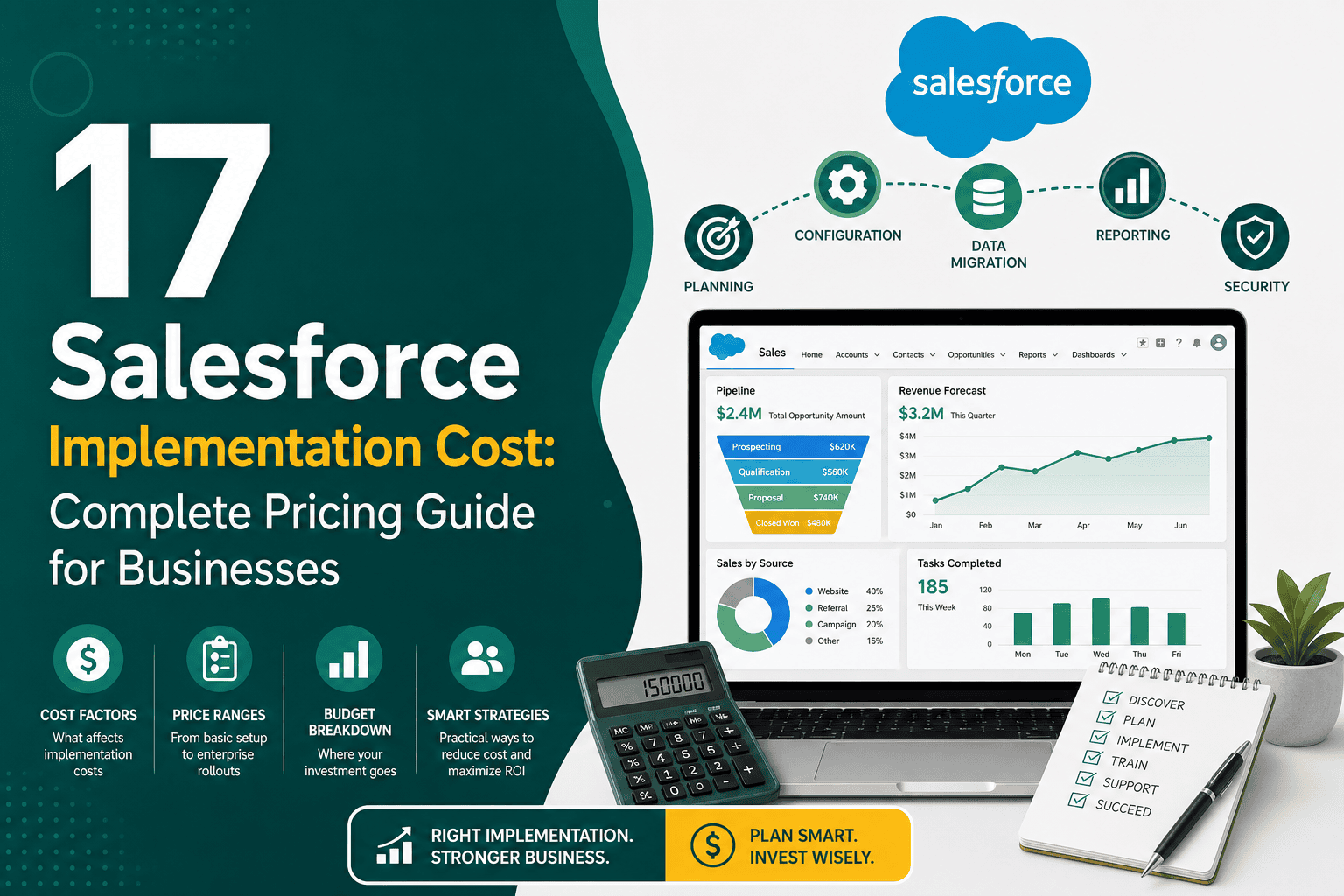
Salesforce Implementation Cost: Complete Pricing Guide
Salesforce Implementation Cost: Complete Pricing Guide...
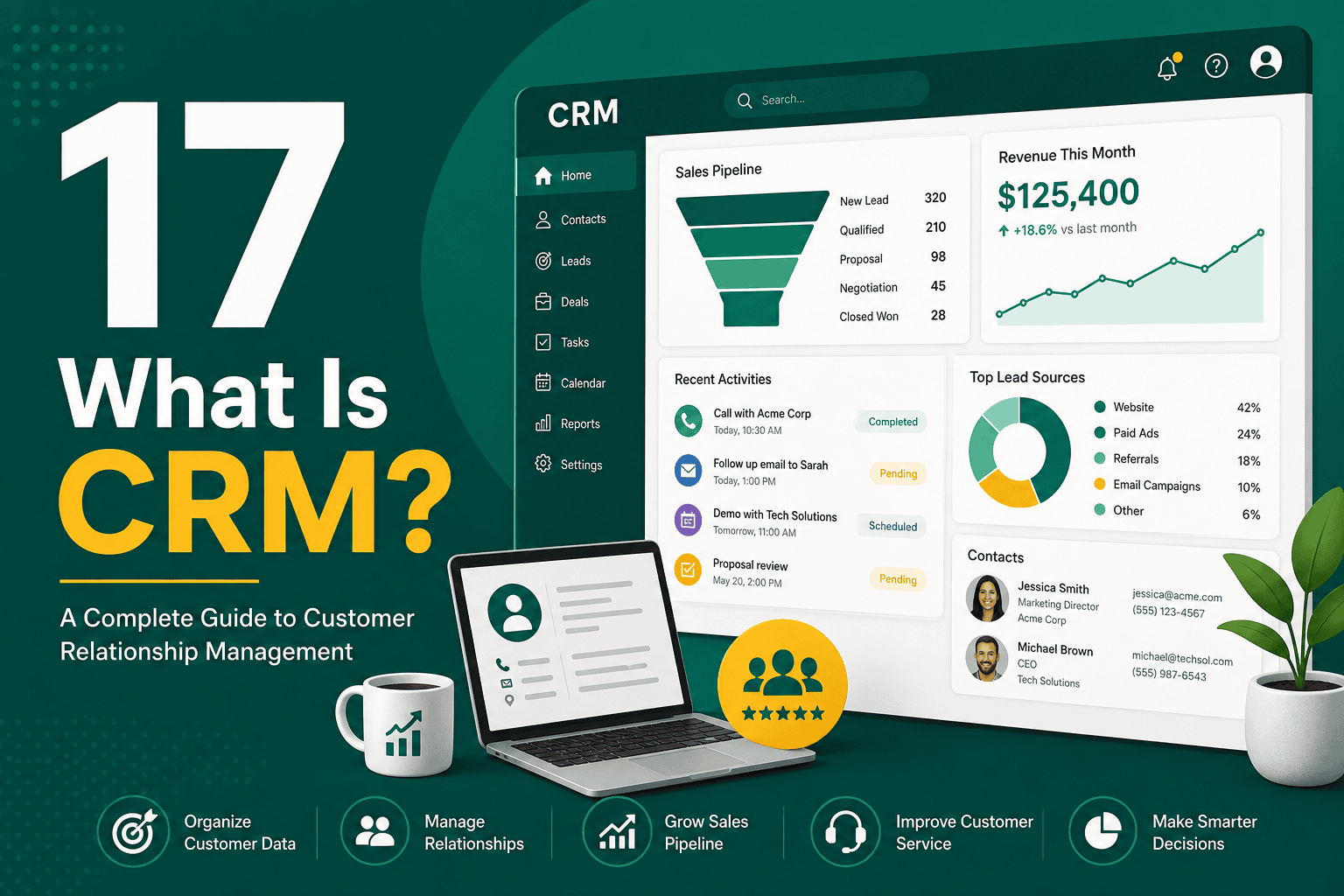
If you are asking “what is CRM?”, the simplest answer is this: CRM stands for customer relationship management. It refers to both a business strategy and the software used to manage relationships with leads, customers, prospects, partners, and contacts throughout the entire customer journey.
A CRM system helps businesses organize customer information, track interactions, manage sales opportunities, automate follow-ups, improve customer service, and make better decisions using data. Instead of keeping customer details scattered across spreadsheets, email inboxes, notebooks, messaging apps, and individual employee memories, a CRM brings that information into one central platform.
For many modern businesses, CRM is not just a sales tool. It is a core operating system for growth, customer experience, marketing alignment, reporting, automation, and long-term relationship management.
CRM means customer relationship management. The term can describe three related things:
When people ask “what is CRM?” in a business context, they usually mean CRM software. However, successful CRM is not only about installing software. It requires clear processes, clean data, team adoption, automation, reporting, and a customer-focused culture.
A CRM system is software that stores and manages information about your customers and prospects. This can include names, email addresses, phone numbers, company details, purchase history, website activity, sales conversations, service tickets, meeting notes, tasks, quotes, contracts, and marketing engagement.
The main purpose of a CRM system is to give your team a single source of truth about every customer relationship. Sales teams can see where each deal stands. Marketing teams can segment audiences and measure campaign performance. Customer service teams can understand past issues and respond faster. Business leaders can review reports and forecast revenue more accurately.
Popular CRM platforms include Salesforce, HubSpot, Microsoft Dynamics 365, Zoho CRM, Pipedrive, and many others. Salesforce is one of the most widely used enterprise CRM platforms, and if you are comparing options, this overview of why businesses choose Salesforce CRM explains many of the reasons companies use it for sales, service, automation, analytics, and scalability.
CRM matters because customer relationships are one of the most valuable assets a business has. Without a system for managing those relationships, teams often lose track of leads, forget follow-ups, duplicate work, misunderstand customer needs, and make decisions based on incomplete information.
A CRM helps businesses become more organized, responsive, and data-driven. It allows teams to understand who their customers are, what they need, what they have purchased, how they have interacted with the company, and what should happen next.
For small businesses, CRM can prevent missed opportunities and improve follow-up. For growing companies, CRM creates structure and consistency. For larger organizations, CRM connects teams, automates complex workflows, and supports strategic decision-making across sales, marketing, service, finance, and operations.
CRM software can support many business functions, but most systems are built around a few core capabilities.
CRM software stores contact and company information in a structured database. Instead of searching through emails or spreadsheets, employees can quickly find customer records, communication history, notes, and related opportunities.
This is especially useful for B2B companies that manage multiple contacts inside the same organization. A CRM can show the full relationship between a company, its decision makers, influencers, contracts, deals, and support history.
A CRM helps businesses capture, qualify, assign, and follow up with leads. Leads may come from website forms, paid ads, phone calls, events, referrals, social media, email campaigns, or imported lists.
With CRM lead management, teams can track where leads came from, how interested they are, who owns the follow-up, and what actions have already happened. This reduces the risk of leads being ignored or contacted repeatedly by different team members.
Sales pipeline management is one of the most common CRM uses. A CRM allows sales teams to track deals through stages such as new lead, qualified prospect, proposal sent, negotiation, closed won, or closed lost.
This gives sales representatives a clear view of their opportunities and helps managers understand expected revenue, deal velocity, conversion rates, and bottlenecks. Instead of relying on guesswork, the business can use real pipeline data to forecast performance.
CRM systems help teams manage calls, meetings, emails, follow-ups, reminders, demos, proposals, renewals, and support actions. Users can create tasks, assign them to team members, set deadlines, and connect activities to specific customer records.
This makes accountability easier. Everyone can see what has been done, what is pending, and what needs attention next.
Many CRM platforms include automation tools that reduce manual work. For example, a CRM can automatically assign new leads to sales representatives, send follow-up emails, create tasks after form submissions, update deal stages, or notify managers when important opportunities change.
Automation can help teams respond faster and maintain consistency, but it must be designed carefully. Poor automation can create confusion, duplicate messages, or messy data. For Salesforce users, these Salesforce CRM best practices provide practical guidance for improving adoption, automation, customer data, and reporting.
CRM is not limited to sales. Many CRM systems include customer service tools for managing support tickets, complaints, cases, service requests, account updates, and customer communication.
When support teams can see a customer’s full history, they can provide faster and more personalized service. They can understand what the customer bought, what issues they had before, who they spoke with, and whether there are open sales or renewal opportunities.
CRM reporting helps businesses measure performance. Common CRM reports include lead sources, conversion rates, sales pipeline value, revenue forecasts, activity volume, closed deals, customer retention, support response times, and campaign influence.
Good CRM reporting gives leaders visibility into what is working and what needs improvement. It can also help identify underperforming sales stages, poor lead quality, high-value customer segments, and opportunities for growth.
Not every CRM is designed the same way. Different systems and strategies focus on different parts of the customer relationship.
Operational CRM focuses on day-to-day business processes such as sales automation, marketing automation, customer service, task management, and workflow automation. It helps teams execute work more efficiently.
Analytical CRM focuses on data, reporting, forecasting, segmentation, and customer insights. It helps businesses understand customer behavior and make better strategic decisions.
Collaborative CRM focuses on sharing customer information across departments. It helps sales, marketing, service, operations, and management work from the same customer data instead of operating in separate silos.
Strategic CRM focuses on long-term customer value. It helps businesses improve retention, loyalty, account growth, personalization, and customer experience over time.
CRM systems are used by many departments, not just sales teams. The exact use case depends on the business model, industry, and customer journey.
Any business that has customers, leads, accounts, deals, service requests, or repeat communication can benefit from CRM. This includes B2B companies, ecommerce brands, agencies, consultants, real estate firms, healthcare providers, financial services, SaaS companies, manufacturers, education providers, nonprofits, and local service businesses.
A well-implemented CRM can create measurable improvements across the business. The biggest benefits usually come from better organization, stronger visibility, faster processes, and improved customer communication.
CRM gives your business a central place to store customer information. This reduces scattered data and makes it easier for employees to understand each relationship.
Many sales are lost because follow-up is slow, inconsistent, or forgotten. CRM reminders, tasks, and automation help teams stay on top of important conversations.
CRM software can reduce time spent searching for information, updating spreadsheets, writing repetitive emails, or manually assigning leads. This gives sales teams more time to sell.
When opportunities are tracked properly, managers can forecast revenue based on real pipeline data rather than rough estimates.
Customers do not want to repeat the same information every time they interact with a business. CRM gives teams context, which helps them provide more relevant and efficient service.
CRM connects marketing activity with leads, customers, and revenue. This helps businesses understand which campaigns generate real opportunities instead of only measuring clicks or traffic.
As a business grows, informal processes become harder to manage. CRM creates repeatable systems that support more leads, more customers, more employees, and more complex operations.
CRM is often a major part of digital transformation because it changes how a business manages customer data, internal workflows, communication, automation, and decision-making. Instead of relying on manual processes and disconnected tools, businesses use CRM to create a more connected digital operating model.
However, CRM should not exist in isolation. It should fit into the larger technology ecosystem of the business, including the website, analytics tools, marketing platforms, ecommerce systems, accounting software, support tools, and reporting dashboards. If you are planning broader modernization, this guide to digital transformation strategy, benefits, and roadmap explains how technology, data, automation, and business processes work together.
To understand what CRM does, it helps to look at practical examples.
A home services company receives leads from phone calls, website forms, and Google Ads. Without CRM, leads may sit in an inbox or spreadsheet. With CRM, each lead is automatically captured, assigned to a sales representative, followed up with, quoted, and tracked until the job is won or lost.
A B2B company sells software to other businesses. The sales cycle involves multiple contacts, demos, proposals, negotiations, and approvals. CRM helps the sales team track every stakeholder, meeting, objection, next step, and expected close date.
An ecommerce business can use CRM to understand customer purchase history, segment repeat buyers, identify high-value customers, trigger email campaigns, and manage customer support requests.
A consulting firm can use CRM to manage prospects, proposals, client onboarding, project handoffs, renewal opportunities, and referral relationships.
The specific data stored in a CRM depends on the business, but common CRM records include:
The value of CRM data depends on accuracy. If records are outdated, duplicated, incomplete, or inconsistent, reporting becomes unreliable and users lose trust in the system.
One of the most powerful features of CRM is integration. CRM software can connect with other systems so data flows between platforms instead of being manually copied from one tool to another.
Common CRM integrations include:
Integrations can save time and improve visibility, but they need proper planning. Poor integrations can create duplicate records, broken workflows, security risks, and unreliable reporting. For a deeper look at connecting CRM with other systems, this Salesforce integration guide explains methods, best practices, and planning considerations that apply to many CRM integration projects.
Many small businesses start with spreadsheets because they are simple and inexpensive. A spreadsheet can track basic contact information, but it becomes limited as the business grows.
A CRM is different because it is designed for relationship management, workflow, collaboration, reporting, permissions, automation, and customer history. Spreadsheets can store data, but they usually cannot manage complex sales processes, automate follow-ups, track interactions, control access properly, or provide real-time pipeline reporting at scale.
CRM helps sales teams manage the full sales process from first contact to closed deal. It can show which leads are new, which prospects need follow-up, which deals are close to closing, and which opportunities are at risk.
Sales managers can use CRM to review activity levels, pipeline health, conversion rates, average deal size, sales cycle length, and revenue forecasts. Sales representatives can use CRM to prioritize daily work, prepare for calls, record notes, send follow-ups, and manage proposals.
When used correctly, CRM helps sales teams become more consistent, organized, and proactive.
Marketing teams use CRM to understand audiences, track lead sources, personalize communication, and measure which campaigns generate qualified leads and revenue.
For example, CRM can help marketers identify whether leads came from organic search, paid ads, social media, email campaigns, webinars, referrals, or events. It can also show whether those leads became customers, which is much more valuable than only measuring traffic or form submissions.
CRM also supports segmentation. Marketing teams can group contacts based on interests, industry, location, lifecycle stage, past purchases, engagement level, or deal status. This allows more relevant communication and better campaign performance.
Customer service teams use CRM to respond faster and with better context. When a support representative opens a customer record, they can see previous purchases, open issues, past conversations, account status, and important notes.
This helps prevent frustrating experiences where customers have to explain the same issue repeatedly. It also helps service teams identify high-priority customers, recurring problems, and opportunities to improve products or processes.
CRM is usually one of the central systems in a business technology stack. It often connects the website, marketing channels, sales process, customer service, reporting, and sometimes finance or operations.
Choosing a CRM should not be done in isolation. The right CRM depends on your business goals, team structure, customer journey, budget, integrations, reporting needs, and technical maturity. If you are evaluating your overall software environment, this article on building a business technology stack for growth explains how CRM fits alongside websites, analytics, marketing tools, ecommerce platforms, and operational systems.
Different CRM platforms offer different features, but most businesses should evaluate the following capabilities before choosing a system:
Choosing the right CRM starts with understanding your business process, not comparing feature lists alone. A CRM that works well for one company may be too simple, too complex, too expensive, or too rigid for another.
Before selecting a CRM, ask these questions:
The best CRM is not always the platform with the most features. It is the platform that your team can use consistently, that supports your business goals, and that can grow with your operations.
CRM can create major benefits, but many businesses fail to get full value because of poor implementation or weak adoption.
If your sales, service, or marketing process is unclear, CRM software will not automatically fix it. Define your process first, then configure the CRM to support it.
Too many required fields can frustrate users and reduce adoption. Track the information that truly matters for decisions, segmentation, service, and reporting.
Duplicate, incomplete, or outdated records make CRM reporting unreliable. Data quality needs ongoing maintenance, not just one cleanup during implementation.
CRM adoption depends on training. Users need to understand not only how to use the system, but why it matters to their work and the business.
Automation is powerful, but automating a broken process can make problems worse. Start with simple, high-value automation and improve over time.
CRM is most valuable when it connects sales, marketing, service, and management. If only one department uses it, the business may miss the full customer view.
A successful CRM implementation requires planning, configuration, testing, training, and ongoing improvement. A practical implementation process may include the following steps:
CRM implementation is not a one-time task. As your business changes, your CRM should evolve with new processes, reports, integrations, and automation improvements.
To know whether CRM is working, you need to measure business outcomes and user adoption. Useful CRM success metrics include:
The right metrics depend on your goals. A sales-focused CRM project may prioritize pipeline and conversion rates. A service-focused CRM project may prioritize response time and customer satisfaction. A leadership-focused project may prioritize forecasting and reporting accuracy.
No. CRM is useful for businesses of many sizes. Small businesses often benefit from CRM because it helps them stay organized and follow up consistently. Growing businesses use CRM to create repeatable processes. Larger companies use CRM to manage complexity, integrations, permissions, automation, and large volumes of customer data.
The key is choosing the right level of CRM for your stage. A small company may not need a highly customized enterprise platform on day one. A large company may outgrow basic tools quickly. CRM should match your current needs while giving you room to grow.
Most modern CRM systems are cloud-based. A cloud CRM is hosted online by the software provider and accessed through a web browser or mobile app. This usually makes setup, updates, access, scaling, and integrations easier.
On-premise CRM is installed and managed on a company’s own servers. This may offer more control in some situations, but it usually requires more IT resources, maintenance, security management, and infrastructure planning.
For most businesses today, cloud CRM is the more practical choice because it supports remote access, faster deployment, automatic updates, and easier integration with other cloud tools.
Customer experience depends on how well a business understands and responds to customer needs. CRM improves customer experience by giving teams better information, better timing, and better coordination.
For example, a customer should not receive a generic sales email if they already have an open support issue. A sales representative should know if a prospect previously downloaded a guide or attended a webinar. A service agent should know whether a customer has a renewal coming up. CRM makes these interactions more informed and connected.
When teams use CRM well, customers feel recognized, understood, and supported.
Because CRM systems store sensitive customer and business information, security is important. Businesses should control who can access data, what users can edit, how records are shared, and how integrations handle information.
Important CRM security practices include:
Security should be considered during CRM setup, not added later as an afterthought.
CRM cost varies widely. Some CRM platforms offer free or low-cost plans for small teams, while enterprise CRM systems can involve significant monthly license fees, implementation costs, integrations, customization, training, and ongoing administration.
Common CRM cost factors include:
When evaluating CRM cost, consider the total cost of ownership, not just the monthly license price. A cheaper CRM may become expensive if it cannot support your process or requires excessive manual work. A more advanced CRM may provide better long-term value if it supports revenue growth, automation, and reporting.
In simple terms, CRM is a system for managing customer relationships. It helps a business remember who customers are, what they need, what has happened before, and what should happen next.
A CRM keeps customer information organized so teams can sell more effectively, serve customers better, automate routine work, and make decisions based on accurate data.
CRM, or customer relationship management, is both a strategy and a software system for managing relationships with leads, prospects, and customers. A good CRM helps businesses centralize customer data, improve follow-up, manage sales pipelines, support customers, automate workflows, and measure performance.
The real value of CRM is not just storing contacts. It is creating a more organized, connected, and customer-focused business. When implemented properly, CRM gives teams the information and structure they need to build stronger relationships, close more deals, improve service, and grow with confidence.
If your business is losing track of leads, relying on scattered spreadsheets, struggling with follow-up, or lacking visibility into customer activity, CRM may be one of the most important systems you can implement.