
July 11, 2026
Why Salesforce? 10 Reasons Businesses Choose Salesforce CRM
The post outlines why businesses choose Salesforce CRM...
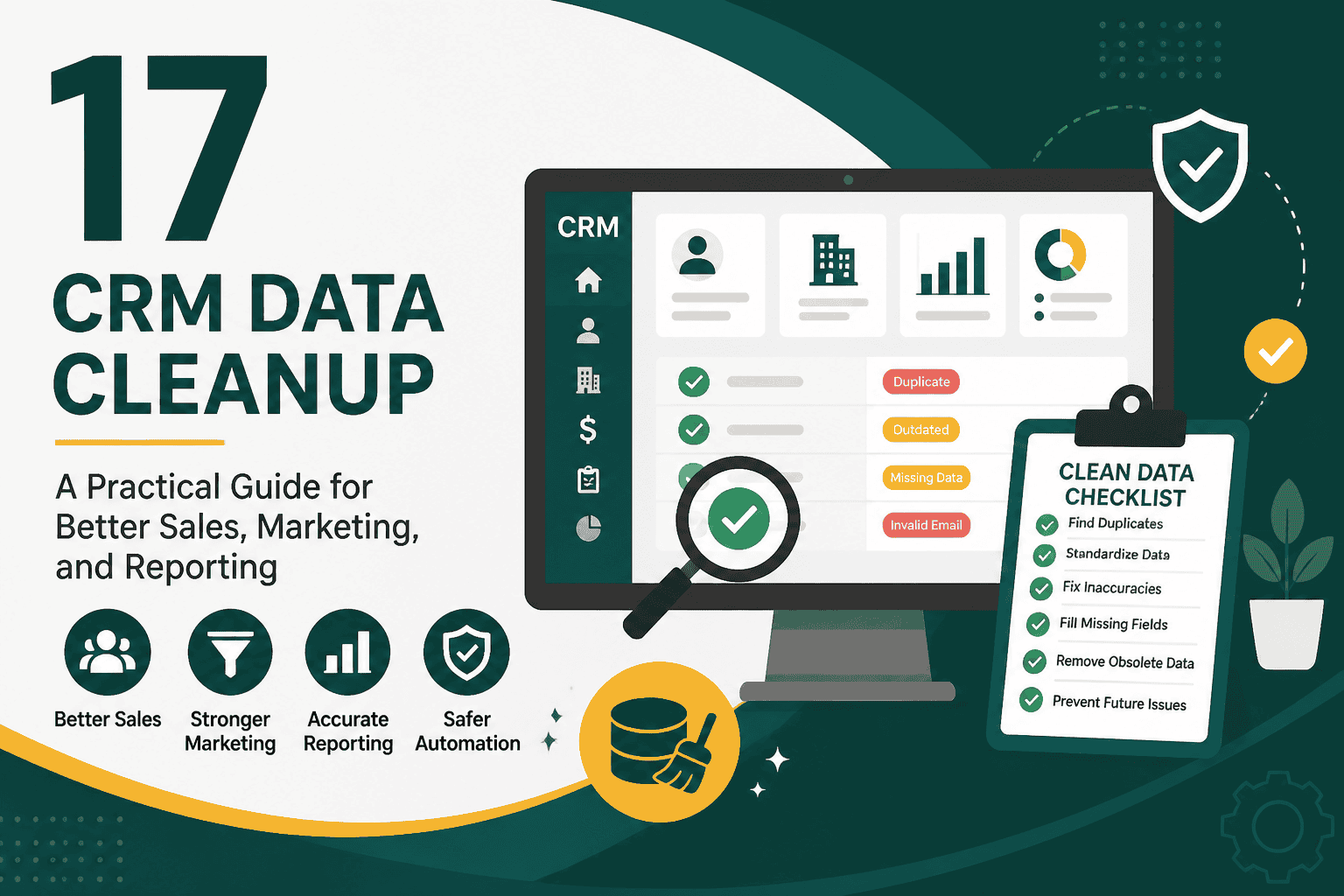
CRM data cleanup is the process of finding, correcting, standardizing, enriching, merging, archiving, and preventing bad data inside your customer relationship management system. It helps your team trust the CRM, follow up with the right people, report accurately, and automate work without creating mistakes at scale.
A CRM is only as useful as the data inside it. If your contact records are duplicated, outdated, incomplete, inconsistent, or assigned to the wrong owner, your sales team wastes time, your marketing campaigns become less effective, and your reports become unreliable. Clean CRM data makes every customer-facing process stronger.
This guide explains why CRM data cleanup matters, what data problems to look for, how to clean your CRM step by step, which fields to prioritize, and how to keep your database healthy over time.
CRM data cleanup is the structured process of improving the quality of records in your CRM system. This can include contacts, leads, accounts, companies, deals, opportunities, activities, service cases, tasks, notes, custom objects, and marketing subscription data.
The goal is not simply to delete old records. The goal is to make CRM data accurate, complete, consistent, usable, and aligned with how your business actually works. A clean CRM gives sales, marketing, customer service, finance, and leadership a more reliable view of prospects and customers.
Common CRM data cleanup tasks include:
Bad CRM data creates hidden costs across the business. It slows down sales teams, confuses marketing segmentation, weakens reporting, damages customer experience, and makes automation risky. If your CRM data is unreliable, your team will eventually stop trusting the system and return to spreadsheets, inboxes, and manual workarounds.
Salespeople need accurate names, contact details, company information, lead sources, activity history, and deal stages. If records are duplicated or incomplete, reps waste time searching for the right contact, checking whether someone has already been contacted, or manually updating fields that should already be correct.
Clean CRM data helps sales teams prioritize the right leads, avoid duplicate outreach, understand account history, and follow up at the right time.
CRM reports depend on reliable data. If lead sources are inconsistent, deal stages are outdated, close dates are wrong, or revenue fields are missing, leadership cannot trust the numbers. This affects forecasting, hiring, marketing budget, sales targets, and strategic planning.
If reporting is a major priority, it is worth pairing cleanup with better dashboard design. A well-structured reporting setup, such as the practices covered in this CRM dashboards guide, becomes far more valuable when the underlying data is clean.
Marketing teams use CRM data to segment audiences, personalize emails, suppress existing customers from prospecting campaigns, score leads, and measure campaign ROI. Dirty data can cause the wrong people to receive the wrong message, duplicate contacts to get repeated emails, or valuable leads to be excluded from campaigns.
Clean data gives marketing teams better targeting, more accurate attribution, and stronger personalization.
Customers notice when your internal data is messy. They may receive duplicate emails, be asked the same questions repeatedly, get contacted by multiple sales reps, or receive irrelevant offers. A clean CRM helps your team maintain a consistent view of each customer relationship.
CRM automation is powerful, but it can multiply data problems if the source data is poor. For example, an automation might assign leads to the wrong rep, send onboarding emails to the wrong lifecycle stage, or create duplicate tasks for the same person.
Before building advanced automation, businesses should make sure their database is structured and trustworthy. For ideas on what to automate after improving data quality, review these CRM automation ideas.
Most businesses know their CRM data has issues, but they do not always know when cleanup has become urgent. Here are common signs that your CRM needs attention:
If several of these problems sound familiar, CRM data cleanup should become a priority before adding more custom fields, automations, integrations, or reports.
CRM data issues usually fall into a few predictable categories. Understanding these categories makes cleanup easier to plan and execute.
Duplicate records are one of the most common CRM problems. They happen when the same person or company is entered more than once. This can occur through manual entry, imports, form submissions, integrations, email sync tools, or inconsistent matching rules.
Duplicates cause problems such as incomplete activity history, inaccurate lead counts, duplicate outreach, and conflicting owner assignments.
Incomplete records are missing important information such as email address, phone number, company name, industry, lead source, deal value, lifecycle stage, or location. Missing data reduces segmentation quality and makes reporting less useful.
People change jobs, companies rebrand, phone numbers change, email addresses expire, and deals become stale. Outdated CRM data can make your team waste time pursuing contacts that are no longer relevant.
Inconsistent formatting happens when the same type of data is entered in different ways. For example, one user may enter “United States,” another may enter “USA,” and another may enter “U.S.” Similar problems happen with job titles, industries, company names, date formats, phone numbers, and lifecycle stages.
Invalid email addresses and phone numbers damage outreach performance. Email bounces can harm sender reputation, while wrong phone numbers waste sales time.
If records are assigned to the wrong sales rep, account manager, support owner, or territory, follow-up suffers. Ownership issues often appear after team changes, employee departures, territory redesigns, or mass imports.
Sometimes data quality problems are caused by how the CRM was configured. Too many optional fields, unclear field names, duplicate fields, poor picklist values, or irrelevant required fields can all encourage inconsistent data entry.
If your CRM structure itself needs improvement, these CRM customization tips can help you design a cleaner system that supports how your team actually works.
A structured checklist helps prevent cleanup from becoming random or overwhelming. Use the following steps to plan and execute a CRM data cleanup project.
Start by clarifying why you are cleaning the CRM. Different goals require different priorities. For example, a sales reporting cleanup may focus heavily on opportunities and pipeline stages, while an email marketing cleanup may focus on contact records, subscription status, bounce data, and segmentation fields.
Common cleanup goals include:
Before making changes, audit the current state of your CRM. Look at record volume, duplicate rates, missing fields, outdated records, field usage, inconsistent values, inactive owners, and integration sources.
Your audit should answer questions such as:
Always create a backup before making mass changes. CRM cleanup often involves merging records, deleting fields, updating thousands of rows, or changing ownership. If something goes wrong, you need a way to restore or verify the previous state.
Depending on your CRM, this may involve exporting data, using a sandbox, creating a full backup, or working with a system administrator. For Salesforce environments, testing major changes outside production is especially important. A resource like this Salesforce sandbox guide explains how separate testing environments can reduce risk before changes affect live users.
Duplicates should be handled carefully. Do not automatically delete every record that looks similar. Some people share names, companies may have multiple branches, and different records may contain different valuable activity history.
Use matching rules such as:
When merging duplicates, decide which record should become the master record. Preserve important fields, activity history, notes, deal associations, marketing consent, and ownership information.
Standardization makes CRM data easier to report on and segment. For example, if industry values include “SaaS,” “Software,” “Software as a Service,” and “Tech,” reports may become fragmented. Standard picklists and naming rules solve this problem.
Fields that often need standardization include:
Not every blank field needs to be filled. Focus on fields that directly affect reporting, segmentation, routing, compliance, or customer experience.
Examples of critical fields may include:
Missing information can sometimes be filled through form history, email signatures, enrichment tools, website activity, sales notes, customer support data, billing systems, or manual research.
Some records no longer belong in your active CRM workflows. These may include old test records, invalid contacts, unqualified leads, competitors, vendors, former employees, obsolete opportunities, or contacts with no engagement for many years.
Before deleting records, consider whether they should be archived instead. Deletion can affect historical reporting, compliance, and activity records. Create clear rules for what should be deleted, archived, suppressed, or retained.
Lead source data is often messy because it comes from forms, imports, ads, events, manual entry, and integrations. If every team uses different labels, you may end up with values like “Google,” “Google Ads,” “PPC,” “Paid Search,” and “AdWords” all meaning similar things.
Standard lead source categories make marketing analytics more reliable. If your business depends on campaign performance measurement, connect your CRM cleanup work with a broader marketing analytics strategy so lead source, campaign, and revenue data can be interpreted correctly.
CRM cleanup should include record ownership. Reassign records from inactive users, former employees, incorrect territories, or outdated teams. Make sure ownership rules match your current sales and service structure.
Also review permissions. If too many users can freely create fields, edit picklist values, import records, or override key data, quality problems will return quickly.
Many CRM data problems come from integrations. Website forms, marketing automation platforms, ecommerce systems, support tools, accounting systems, and third-party enrichment tools may all create or update records.
Review each integration and ask:
Integration cleanup is especially important for businesses with multiple platforms in their technology stack. A well-planned business technology stack should define how systems share data instead of allowing every tool to push inconsistent records into the CRM.
For a practical cleanup project, follow this sequence:
Trying to clean every field at once can delay progress. Prioritize the fields that affect revenue, reporting, routing, segmentation, and customer experience.
CRM cleanup is not just a one-time technical task. It is an operational discipline. These best practices can help keep your data healthy after the initial cleanup.
Document how important fields should be used. Define required fields, naming conventions, picklist values, lifecycle stages, lead sources, owner assignment rules, and duplicate handling procedures.
Your standards should be easy for users to understand. If the documentation is too complex, users will not follow it.
Required fields can improve data quality, but too many required fields can frustrate users and encourage fake entries. Make fields required only when they are truly necessary for routing, reporting, compliance, or customer experience.
Free-text fields are useful for notes and context, but they are poor for reporting. For fields such as lead source, industry, lifecycle stage, country, product interest, and deal status, use controlled picklists whenever possible.
Do not wait until duplicates become a major problem again. Use matching rules based on email, phone, company domain, and account name. Train users to search before creating new records.
CRM data quality declines naturally over time. Schedule recurring reviews monthly, quarterly, or before major reporting cycles. Review duplicates, missing fields, bounce rates, stale deals, inactive owners, and integration errors.
Many data problems come from inconsistent user behavior. Train employees on why data quality matters, how fields should be used, when to create new records, and how to update existing records.
Someone should be responsible for CRM data governance. This may be a CRM admin, revenue operations manager, sales operations specialist, marketing operations manager, or system owner.
Without ownership, data quality becomes everyone’s problem but no one’s responsibility.
Sales teams benefit from CRM cleanup when records are easier to prioritize, follow-up is clearer, and pipeline reports are more accurate.
For sales teams, cleanup should focus on:
A clean sales CRM helps managers coach more effectively and helps reps spend less time fixing records and more time selling.
Marketing teams rely on clean CRM data for segmentation, personalization, lead nurturing, attribution, and campaign reporting.
For marketing teams, cleanup should focus on:
Cleaner marketing data improves targeting and reduces wasted sends, unsubscribes, and irrelevant messaging.
Customer service teams need accurate account history, ownership, case records, and customer status. Dirty data can lead to repeated questions, slower responses, and poor customer experiences.
For service teams, cleanup should focus on:
The right cleanup frequency depends on database size, user activity, system complexity, and how many integrations feed data into your CRM. In general, businesses should treat CRM data cleanup as an ongoing process rather than an annual emergency project.
A practical schedule may look like this:
High-growth businesses, ecommerce companies, large sales teams, and organizations with many integrations may need more frequent cleanup.
To know whether cleanup is working, track data quality metrics before and after the project. Useful metrics include:
These metrics can also become part of your broader CRM performance measurement. If you want to connect data quality to business outcomes, the metrics in this guide to CRM KPIs every business should track can help you choose the right indicators.
CRM cleanup can create problems if it is rushed or poorly planned. Avoid these common mistakes:
The best CRM data cleanup strategy is prevention. Once your CRM is clean, put systems in place to keep it that way.
Validation rules help prevent users from saving records with missing, inconsistent, or invalid information. For example, you can require a lost reason when a deal is marked closed-lost or require a lead source before a lead becomes sales-qualified.
Mass imports are a common source of duplicates and inconsistent formatting. Limit import permissions to trained users and create import templates with required columns and approved values.
Website forms, landing pages, event forms, and lead magnets should feed clean data into the CRM. Use dropdowns where possible, map fields correctly, and avoid creating unnecessary duplicate fields.
Every integrated tool should follow the same data standards. Make sure fields from marketing, ecommerce, support, and finance systems map to the correct CRM properties.
Automation can help maintain data quality by assigning owners, updating lifecycle stages, normalizing fields, and notifying users about missing information. However, automation should be tested carefully to avoid overwriting good data with bad data.
If data quality matters to reporting and revenue, it should be part of team expectations. Sales managers, marketing managers, service leaders, and operations teams should all understand their role in maintaining accurate CRM information.
If you are moving from one CRM to another, cleanup becomes even more important. Migrating bad data into a new system can make the new CRM feel broken from day one.
Before migration, you should:
A CRM migration is a good opportunity to simplify your data model instead of carrying years of clutter into a new platform.
Automation depends on accurate triggers and conditions. If lifecycle stages, lead scores, owner fields, or customer statuses are wrong, automation may send the wrong messages or assign the wrong tasks.
Before automating key workflows, clean the fields that will control those workflows. For example, if you want to automate lead routing, verify lead source, region, company size, product interest, and owner assignment rules. If you want to automate retention campaigns, verify customer status, purchase history, subscription status, and renewal dates.
If reports are unreliable, the issue may not be the dashboard itself. It may be the data feeding the dashboard. Before redesigning CRM reports, clean the fields used in those reports.
For example:
Clean data turns dashboards from decorative charts into decision-making tools.
CRM data cleanup is one of the highest-value improvements a business can make to its sales, marketing, service, and reporting systems. Clean data helps teams work faster, communicate better, trust reports, personalize outreach, and automate processes with confidence.
The most effective approach is to start with a clear goal, audit the current state of your data, back up your records, clean the highest-impact fields first, fix duplicates carefully, standardize values, review integrations, and create rules that prevent the same problems from returning.
A clean CRM is not just a better database. It is a stronger foundation for customer relationships, revenue growth, operational efficiency, and smarter decision-making.