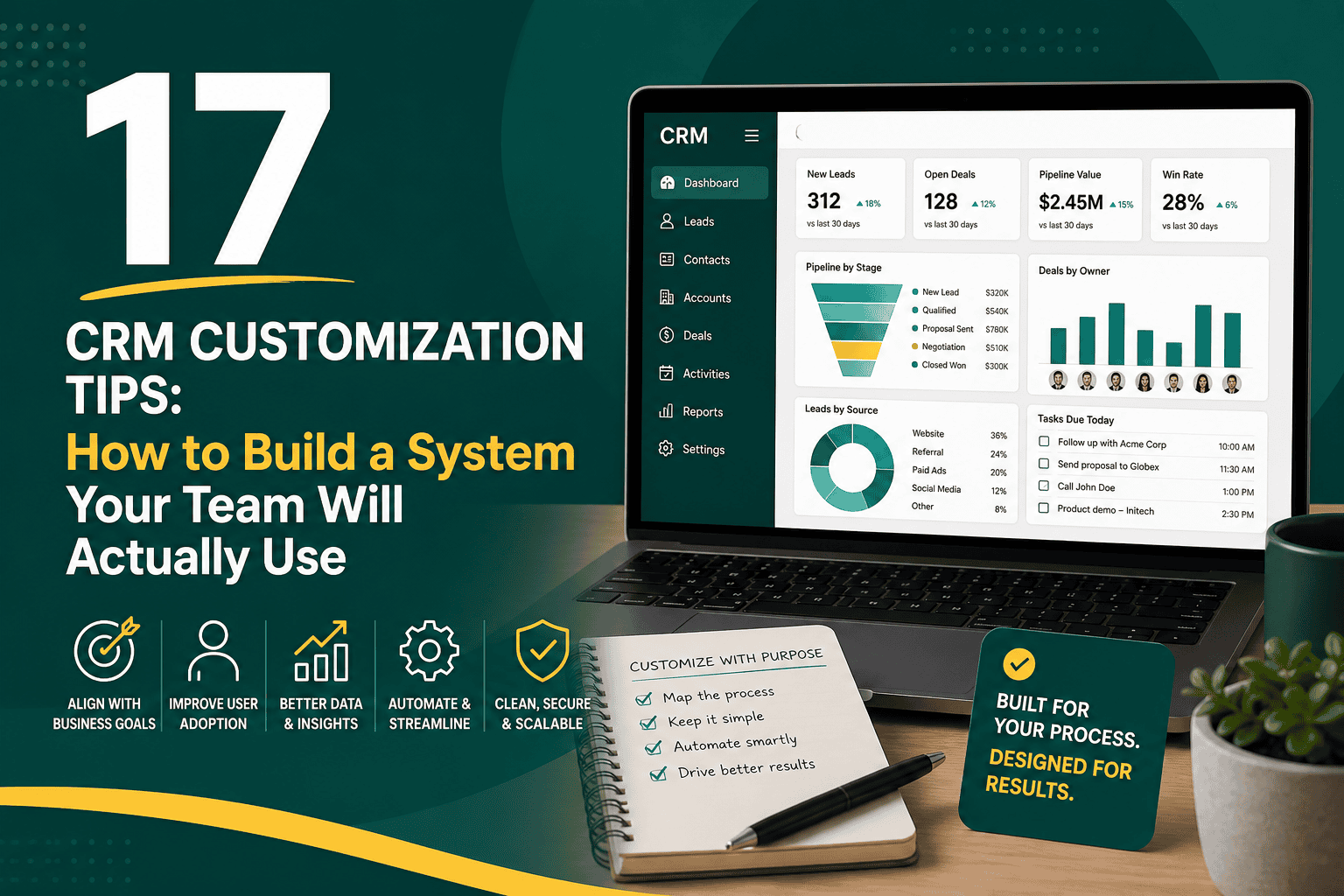
CRM Customization Tips: How to Build a System Your Team Will Actually Use
CRM customization tips are essential for turning customer relationship management software from a generic database into a practical business system that supports sales, marketing, service, operations, reporting, and customer experience. A CRM should not simply store names, emails, and phone numbers. When customized correctly, it helps your team follow consistent processes, capture the right data, automate repetitive work, and make better decisions.
The challenge is that many businesses either under-customize or over-customize their CRM. Under-customization leaves teams working around the system with spreadsheets, manual reminders, and disconnected tools. Over-customization creates unnecessary fields, confusing layouts, slow performance, and complex processes that users avoid. The best approach is to customize with purpose: every field, workflow, dashboard, permission, and integration should support a real business need.
This guide covers practical CRM customization tips for building a cleaner, more useful, and more scalable CRM environment. Whether you use Salesforce, HubSpot, Zoho, Microsoft Dynamics, Pipedrive, or another platform, the same principles apply: start with business goals, simplify the user experience, protect data quality, automate carefully, and keep improving over time.
What Is CRM Customization?
CRM customization is the process of adapting your CRM system to match the way your business manages leads, customers, deals, service requests, marketing campaigns, reports, and internal workflows. It can include changing field names, creating custom objects, adjusting page layouts, setting up automation, building dashboards, integrating third-party tools, defining user permissions, and designing customer lifecycle stages.
If you are still defining your CRM foundation, it helps to understand what CRM is and how it works before making major customization decisions. A clear understanding of CRM strategy prevents your team from treating customization as a collection of random software tweaks.
Good customization makes the CRM easier to use, not harder. It should reduce friction, guide users through the right process, and make important information easier to find. The goal is not to customize everything possible. The goal is to customize what matters.
Why CRM Customization Matters
A CRM is most valuable when it reflects your actual business model. A real estate agency, SaaS company, ecommerce brand, consulting firm, healthcare provider, and manufacturing business may all use CRM software, but their pipelines, customer records, communication requirements, approval steps, and reporting needs are very different.
Effective CRM customization can help your business:
- Improve user adoption by making the system easier for teams to use.
- Standardize sales, marketing, and service processes.
- Capture cleaner and more relevant customer data.
- Reduce duplicate work and manual follow-up.
- Improve lead tracking, opportunity management, and customer retention.
- Create more accurate dashboards and forecasts.
- Support better automation and integrations.
- Scale operations as teams, products, and customer segments grow.
Customization can also support broader operational improvement. If your company is modernizing systems, processes, and data flows, CRM customization should fit into a larger digital transformation strategy rather than being handled as an isolated technical project.
1. Start With Business Goals Before Changing the CRM
One of the most important CRM customization tips is to avoid starting inside the software. Before changing fields, layouts, pipelines, or automation, define what the CRM needs to help the business achieve.
Ask questions such as:
- What business problems are we trying to solve?
- Which teams will use the CRM every day?
- What information do sales, marketing, and service teams need to do their jobs?
- Where do leads come from?
- How do opportunities move from first contact to closed deal?
- What reports do managers need weekly, monthly, and quarterly?
- What manual tasks are slowing the team down?
- Which customer data must be accurate for operations, finance, or support?
When goals are clear, customization becomes much easier. For example, if the main goal is improving lead response time, you may need lead source tracking, assignment rules, notifications, and follow-up automation. If the goal is better forecasting, you may need cleaner opportunity stages, required close dates, probability rules, and pipeline dashboards.
2. Map Your Customer Journey
Your CRM should support the full customer journey, not just the sales pipeline. Before customizing, map how someone moves from stranger to lead, prospect, customer, repeat buyer, or long-term account.
A simple customer journey may include:
- Website visit or ad interaction
- Form submission, call, message, or meeting request
- Lead qualification
- Sales consultation or product demo
- Proposal or quote
- Negotiation
- Closed won or closed lost
- Onboarding
- Customer support
- Renewal, upsell, or referral
Once the journey is mapped, you can customize CRM stages, lifecycle statuses, fields, tasks, automations, and dashboards around real customer movement. This helps prevent disconnected processes where marketing, sales, and support each use different definitions for the same customer.
3. Keep the CRM Data Model Simple
A common CRM customization mistake is creating too many custom fields, objects, categories, and statuses. While customization can be powerful, complexity can quickly reduce adoption and data quality.
Before adding a new field, ask:
- Who will use this data?
- How often will it be used?
- Will it appear in reports, automation, segmentation, or compliance processes?
- Is the field required, optional, or only useful in rare cases?
- Can this information be captured using an existing field?
- Will users understand how to complete it correctly?
If a field does not support action, reporting, segmentation, compliance, or customer experience, it may not belong in the CRM. A smaller number of high-quality fields is usually better than a large number of rarely used fields.
4. Standardize Naming Conventions
Consistent naming conventions make a CRM easier to search, report on, automate, and maintain. Without standards, teams may create duplicate fields, inconsistent pipeline stages, unclear reports, and confusing automation names.
Create naming standards for:
- Custom fields
- Objects or modules
- Pipeline stages
- Lead sources
- Campaign names
- Reports and dashboards
- Automations and workflows
- Email templates
- Products, plans, or service categories
For example, instead of using separate lead sources such as “Website,” “web,” “Website Form,” and “site lead,” define one standard value. This small detail can make reporting much more accurate.
5. Customize Page Layouts by Role
Different users need different CRM views. A sales representative may need quick access to contact details, deal stage, next task, last activity, and notes. A sales manager may care more about deal amount, probability, expected close date, and forecast category. A support agent may need case history, customer status, product ownership, and service level information.
Role-based page layouts help users focus on what matters. Instead of showing every available field to every person, customize record layouts based on job function.
Effective page layout customization may include:
- Grouping related fields into clear sections.
- Moving the most important fields near the top.
- Hiding fields that are not relevant to a specific role.
- Using conditional visibility where supported.
- Highlighting next steps, recent activity, and key customer details.
- Removing duplicate or outdated information.
A clean layout improves productivity because users can understand the record quickly without scrolling through unnecessary information.
6. Define Clear Pipeline Stages
Your sales pipeline should reflect meaningful progress, not vague labels. Poorly defined stages lead to inaccurate forecasting, inconsistent sales behavior, and management confusion.
Each pipeline stage should have a clear entry requirement, exit requirement, and expected activity. For example, “Proposal Sent” should mean an actual proposal has been delivered to the prospect, not that the salesperson is thinking about preparing one.
Example Sales Pipeline Stages
- New Lead: A new inquiry has entered the CRM.
- Qualified: The lead matches your basic fit criteria.
- Discovery Scheduled: A meeting or call is booked.
- Needs Assessed: The team understands goals, budget, timeline, and decision process.
- Proposal Sent: A quote, proposal, or offer has been delivered.
- Negotiation: Terms, pricing, or scope are being discussed.
- Closed Won: The customer has agreed to proceed.
- Closed Lost: The opportunity did not convert.
Customize stages only as much as necessary. Too few stages can hide important sales movement, while too many stages can make pipeline updates slow and inconsistent.
7. Use Required Fields Carefully
Required fields can improve data quality, but they can also frustrate users if applied too aggressively. A field should be required only when it is truly necessary for the next process step.
For example, requiring a close date before an opportunity can be created may make sense. Requiring detailed budget, competitor, purchase timeline, and decision-maker information at the first lead entry may discourage users from adding records at all.
A better approach is to require information progressively. Early-stage records need basic details. Later-stage records can require deeper qualification, proposal, or contract information.
8. Automate Repetitive Workflows
Automation is one of the most valuable parts of CRM customization. It can reduce manual work, improve follow-up consistency, and help teams avoid missed opportunities. However, automation should support a clear process rather than create unnecessary complexity.
Common CRM automations include:
- Assigning new leads to the right sales representative.
- Sending notifications when high-value leads are created.
- Creating follow-up tasks after calls, demos, or form submissions.
- Updating lifecycle stages based on customer actions.
- Sending internal alerts when deals are inactive.
- Triggering onboarding tasks after a deal closes.
- Routing support cases based on priority or product type.
- Sending renewal reminders before contract expiration.
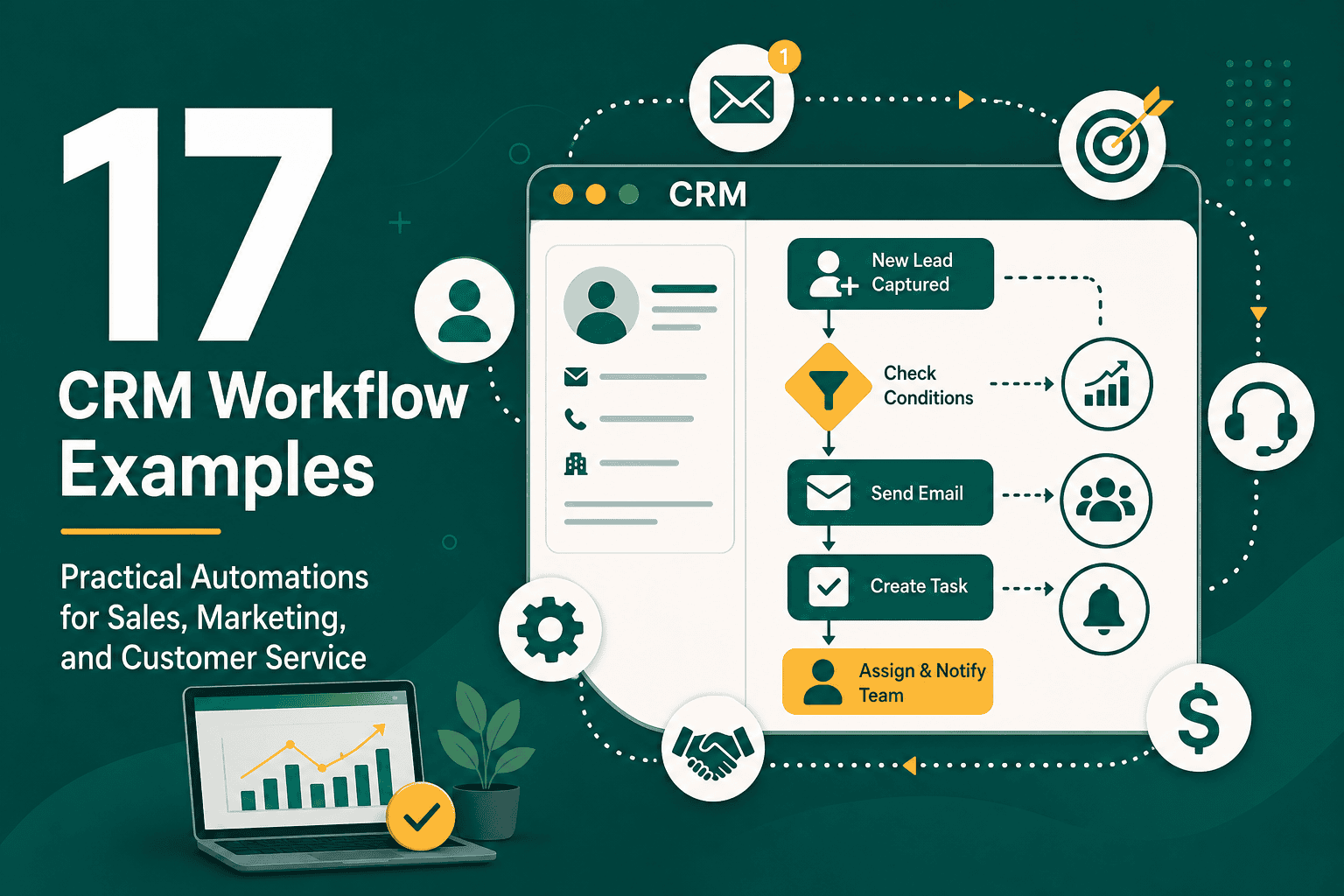
If you need practical inspiration, these CRM workflow examples for sales, marketing, and customer service show how automations can support different teams without overwhelming users.
9. Avoid Automating Broken Processes
Automation cannot fix a poorly designed process. If your lead qualification criteria are unclear, automating lead assignment may only move bad data faster. If your sales stages are vague, automated reporting will still produce unreliable forecasts.
Before automating, document the process manually:
- What triggers the workflow?
- Who is responsible?
- What data is required?
- What should happen next?
- What exception cases exist?
- How will success be measured?
Once the manual process is clear and proven, automation can make it faster and more consistent.
10. Customize Dashboards for Decision-Making
CRM dashboards should help users make decisions, not simply display charts. Different roles need different dashboards, so avoid building one universal dashboard for everyone.
Useful Sales Dashboard Metrics
- New leads by source
- Lead response time
- Open opportunities by stage
- Pipeline value by owner
- Win rate
- Average deal size
- Sales cycle length
- Forecasted revenue
- Lost deal reasons
Useful Customer Service Dashboard Metrics
- Open cases by priority
- Average response time
- Case resolution time
- Customer satisfaction score
- Escalated cases
- Cases by product or service type
- Repeat support issues
The best dashboards are simple, role-specific, and tied to action. If a metric does not help someone decide what to do next, it may not belong on the dashboard.
11. Build Reports Around Real Questions
Reports are more useful when they answer specific business questions. Instead of asking, “What reports can the CRM generate?” ask, “What decisions do we need to make?”
Examples of useful CRM reporting questions include:
- Which lead sources create the highest-quality opportunities?
- Where are deals getting stuck in the pipeline?
- Which sales activities are most connected to closed revenue?
- Which customer segments have the highest retention rate?
- Which products or services create the most support requests?
- Which campaigns generate customers, not just leads?
- Which representatives need coaching or process support?
When CRM customization is aligned with reporting questions, your fields, stages, sources, and activities become more intentional.
12. Integrate the CRM With the Right Tools
Your CRM should not operate in isolation. Most businesses need it to connect with websites, email marketing platforms, calendar tools, advertising platforms, ecommerce systems, customer support software, accounting platforms, data warehouses, or communication tools.
Common CRM integrations include:
- Website forms and landing pages
- Email marketing and marketing automation platforms
- Calendar scheduling tools
- Phone and call tracking systems
- Live chat and chatbot tools
- Customer support platforms
- Accounting and invoicing software
- Ecommerce platforms
- Business intelligence dashboards
- Document signing tools
Before integrating everything, define the source of truth for each type of data. For example, customer billing information may belong in accounting software, while sales opportunity data belongs in the CRM. A thoughtful business technology stack helps prevent overlapping tools and inconsistent records.
13. Protect Data Quality From the Beginning
Data quality problems become harder to fix as the CRM grows. Duplicate records, missing fields, inconsistent naming, outdated contacts, and incorrect ownership can damage reporting and reduce user trust.
To protect CRM data quality:
- Use standardized picklists instead of open text fields where possible.
- Set validation rules for important fields.
- Create duplicate detection rules.
- Limit who can create or edit sensitive fields.
- Review inactive records regularly.
- Clean lead sources and campaign naming.
- Train users on data entry standards.
- Audit reports for missing or inconsistent data.
Data quality is not just a technical responsibility. It requires process ownership, user training, and regular maintenance.
14. Customize User Permissions and Access
Not every user should see or edit every record. Proper permission customization protects sensitive information, reduces accidental changes, and helps users focus on relevant data.
CRM access planning may include:
- Defining user roles by department and responsibility.
- Controlling who can view, create, edit, delete, or export records.
- Restricting access to financial, contract, or personal data.
- Separating manager-level visibility from individual contributor access.
- Creating approval processes for sensitive changes.
- Reviewing access when employees change roles or leave the company.
If you use Salesforce, understanding Salesforce roles, profiles, and access controls is especially important because security and visibility settings can become complex as your organization grows.
15. Create Useful Email Templates and Snippets
Email templates are a simple but powerful CRM customization. They help teams communicate faster while keeping messaging consistent. However, templates should sound human and be easy to personalize.
Useful CRM email templates may include:
- New lead response
- Meeting confirmation
- Post-discovery follow-up
- Proposal delivery
- No-response follow-up
- Closed lost follow-up
- Customer onboarding welcome
- Renewal reminder
- Support case update
Keep templates short, clear, and aligned with your brand voice. Give users room to personalize details so customers do not feel like they are receiving generic automation.
16. Align Customization With Sales and Marketing Processes
CRM customization should help sales and marketing work from the same definitions. If marketing defines a qualified lead one way and sales defines it another way, reporting and handoff processes will suffer.
Align both teams on:
- Lead source definitions
- Lifecycle stages
- Marketing qualified lead criteria
- Sales qualified lead criteria
- Required handoff information
- Follow-up expectations
- Campaign attribution rules
- Closed-loop reporting
When CRM fields and workflows match the revenue process, teams can better understand which campaigns produce opportunities, which leads deserve priority, and where conversion rates can improve.
17. Test CRM Changes Before Launching
Never make major CRM changes without testing. A small configuration mistake can disrupt lead assignment, break automations, hide important fields, or affect reporting.
Before launching changes, test:
- Field visibility and permissions
- Required fields and validation rules
- Lead routing
- Task creation
- Email notifications
- Workflow conditions
- Dashboard accuracy
- Integration data syncing
- Mobile usability
- User role access
If you use Salesforce, larger configuration changes should be tested outside production when possible. A structured Salesforce sandbox environment helps teams experiment, validate, and train users without disrupting live business processes.
18. Train Users on the Customized CRM
Even the best CRM customization will fail if users do not understand why the system changed or how to use it. Training should focus on real workflows, not just software features.
Effective CRM training should cover:
- Why the CRM matters to the business.
- How each role should use the system daily.
- What data must be entered and when.
- How to move records through stages.
- How to use tasks, notes, and activities.
- How automation supports the user.
- How managers use reports and dashboards.
- Where users can ask questions or report issues.
Training should be ongoing. As processes change, new users join, and features are added, CRM education should continue.
19. Document Your CRM Customizations
Documentation is often ignored until something breaks. A clear record of CRM customizations helps administrators, managers, consultants, and future team members understand how the system is built.
Your CRM documentation should include:
- Field definitions
- Pipeline stage definitions
- Automation logic
- Lead assignment rules
- Permission structure
- Integration mappings
- Dashboard purposes
- Data quality rules
- Change history
- Known limitations or planned improvements
Good documentation reduces dependency on a single administrator and makes future customization safer.
20. Review and Improve the CRM Regularly
CRM customization is not a one-time project. Your business will change, your team will grow, customer behavior will shift, and reporting needs will evolve. Schedule regular CRM reviews to keep the system useful.
A quarterly CRM review might include:
- Removing unused fields and outdated picklist values.
- Reviewing automation performance.
- Checking dashboard relevance.
- Auditing duplicate records and missing data.
- Collecting user feedback.
- Reviewing pipeline stage accuracy.
- Testing integrations.
- Updating training materials.
- Evaluating whether new customization requests support business goals.
Continuous improvement keeps the CRM aligned with reality instead of letting it become a cluttered archive of old processes.
Common CRM Customization Mistakes to Avoid
Many CRM problems come from well-intentioned customization decisions. Avoid these common mistakes:
- Adding too many fields: More fields do not automatically mean better data.
- Customizing without process clarity: Software changes cannot replace business alignment.
- Ignoring user experience: If the CRM is hard to use, adoption will suffer.
- Overusing required fields: Too many required fields can discourage data entry.
- Automating too early: Automating an unclear process creates faster confusion.
- Skipping documentation: Undocumented customization becomes difficult to maintain.
- Failing to test changes: Untested changes can break workflows and reporting.
- Not involving end users: Daily users often understand practical workflow problems best.
- Duplicating functionality: Multiple tools or fields doing the same job create inconsistent data.
- Forgetting scalability: A setup that works for five users may not work for fifty.
CRM Customization Checklist
Use this checklist before making important CRM changes:
- Define the business goal behind the customization.
- Map the related customer or internal process.
- Confirm which teams and roles are affected.
- Review whether an existing field, workflow, or report already solves the need.
- Define field names, values, and required rules clearly.
- Check how the change affects reports and dashboards.
- Check how the change affects automation and integrations.
- Review access and permission implications.
- Test the customization with sample records.
- Document the change.
- Train affected users.
- Collect feedback after launch.
- Review performance and adoption over time.
Best Practices for CRM Customization by Team
Sales Team Customization Tips
- Create pipeline stages that match the real sales process.
- Make next steps and follow-up tasks highly visible.
- Track lead source, deal value, close date, and probability consistently.
- Use email templates for common follow-ups.
- Build dashboards for pipeline health, activity, and forecast accuracy.
Marketing Team Customization Tips
- Standardize campaign and lead source naming.
- Track lifecycle stages from lead to customer.
- Integrate website forms and campaign landing pages with the CRM.
- Segment contacts based on behavior, interest, or customer profile.
- Report on lead quality, not just lead volume.
Customer Service Team Customization Tips
- Create clear case categories and priority levels.
- Customize layouts to show customer history and product details.
- Use assignment rules for routing support requests.
- Set escalation workflows for urgent issues.
- Track resolution time, repeat issues, and customer satisfaction.
Management Customization Tips
- Build executive dashboards around key business outcomes.
- Focus on forecast accuracy, revenue trends, customer retention, and team performance.
- Avoid reports that look impressive but do not support decisions.
- Review CRM adoption and data quality regularly.
- Use CRM insights to coach teams and improve processes.
How to Know If Your CRM Is Over-Customized
Customization should make the CRM more useful. If users complain that the system is slow, confusing, or filled with irrelevant fields, it may be over-customized.
Signs of over-customization include:
- Users rely on spreadsheets instead of the CRM.
- Records contain many empty fields.
- Reports produce conflicting numbers.
- Automation triggers unexpected actions.
- Users are unsure which fields to update.
- New employee training takes too long.
- Administrators are afraid to change anything because dependencies are unclear.
- System performance has slowed due to excessive automation, data, or configuration complexity.
If these issues appear, perform a CRM audit. Identify what is used, what is ignored, what is duplicated, and what creates confusion. Simplifying the CRM can often create more value than adding new features.
Final Thoughts on CRM Customization Tips
The best CRM customization tips are not just technical. They are strategic and practical. A successful CRM should reflect your business goals, customer journey, team responsibilities, data requirements, and reporting needs. It should make work easier, improve visibility, and help the business serve customers better.
Start simple, customize intentionally, test carefully, document changes, and keep improving. When your CRM is designed around real processes and real users, it becomes more than a software tool. It becomes a central system for growth, customer relationships, and better decision-making.