July 14, 2026
Meta Ads Reporting: Measure, Analyze & Improve Campaigns
Meta Ads Reporting: How to Measure, Analyze, and Impro...
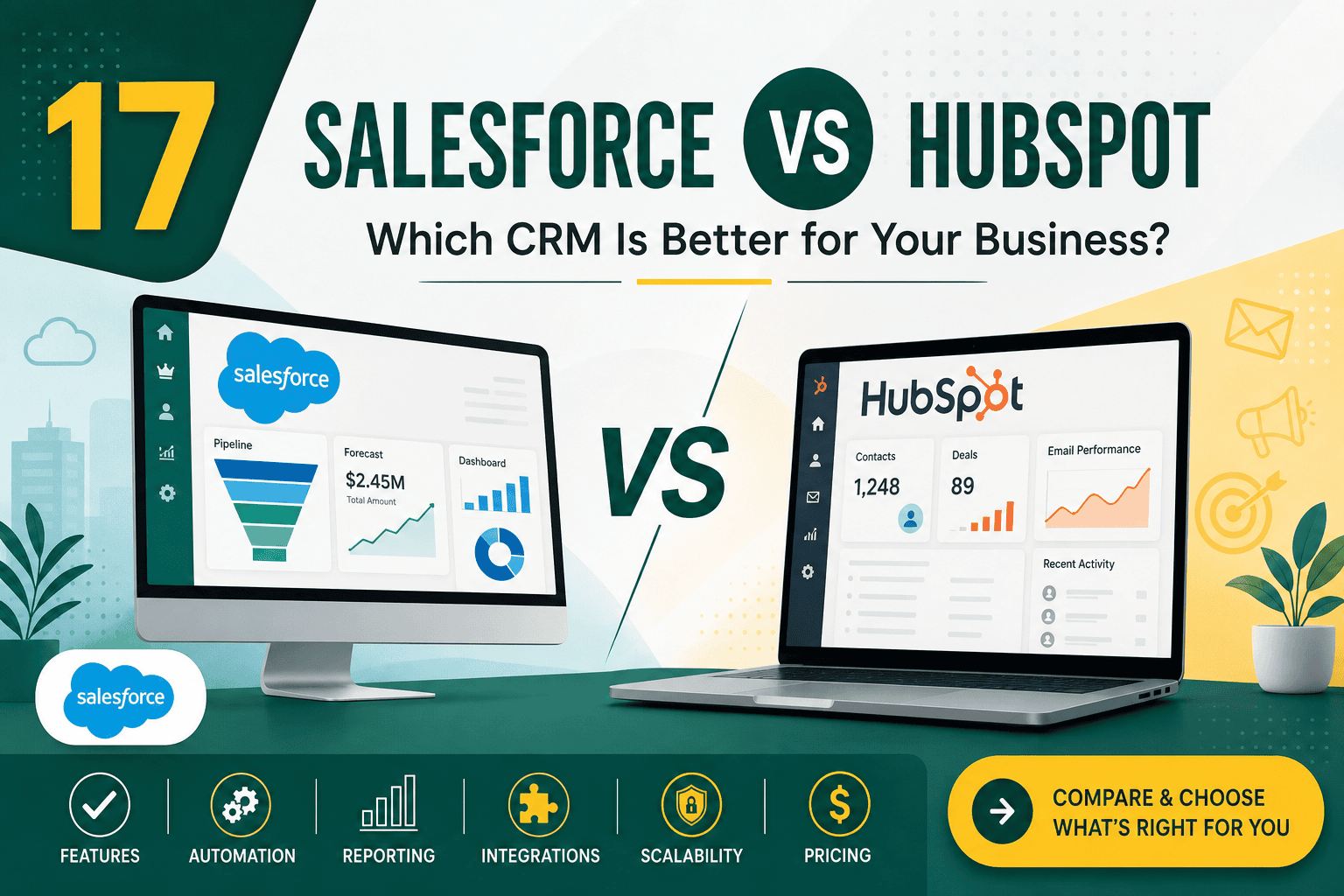
Choosing between Salesforce vs HubSpot is one of the most important CRM decisions a business can make. Both platforms help companies manage leads, customers, sales pipelines, marketing activity, service requests, reporting, and automation. However, they are built with different strengths, levels of complexity, pricing models, and ideal use cases.
Salesforce is often the stronger choice for larger teams, complex sales processes, advanced customization, enterprise reporting, and deep integrations. HubSpot is often better for small to mid-sized businesses that want an easier setup, user-friendly marketing tools, and a CRM that is simple for teams to adopt quickly.
The right choice depends on your business size, budget, sales process, marketing needs, technical resources, and long-term growth plans. This guide compares Salesforce vs HubSpot across usability, features, automation, pricing, customization, integrations, reporting, scalability, and ideal business fit.
| Category | Salesforce | HubSpot |
|---|---|---|
| Best For | Mid-market, enterprise, complex sales and service teams | Small to mid-sized businesses, inbound marketing, simpler CRM needs |
| Ease of Use | Powerful but more complex | Very user-friendly and easier to learn |
| Customization | Extremely customizable | Customizable, but less flexible than Salesforce |
| Marketing Tools | Strong with Marketing Cloud and integrations | Excellent built-in marketing tools |
| Sales Automation | Advanced and highly configurable | Strong for simpler and mid-level automation |
| Reporting | Advanced dashboards, forecasting, analytics, AI options | Easy-to-use reporting with limitations at lower tiers |
| Implementation | Usually requires planning, configuration, and expert support | Faster to launch for many teams |
| Scalability | Excellent for complex growth | Good for growing businesses, but may become limiting for complex operations |
Salesforce is a cloud-based customer relationship management platform used by businesses to manage sales, customer service, marketing, commerce, analytics, automation, and custom business processes. It is known for its flexibility, scalability, enterprise-grade features, and ability to support highly customized workflows.
Salesforce can be much more than a simple CRM. Many organizations use it as a central business platform that connects sales teams, support teams, finance, operations, marketing, ecommerce, partner management, and reporting. If you want a deeper overview of why companies choose it, this guide on why businesses choose Salesforce CRM explains its major advantages in more detail.
HubSpot is a CRM and growth platform that combines sales, marketing, service, content management, operations, and customer data tools. It is especially popular among small and medium-sized businesses because it is easy to use, quick to set up, and strong for inbound marketing.
HubSpot started with marketing automation and inbound marketing tools, then expanded into CRM, sales automation, service management, CMS, and operations features. Its interface is clean, intuitive, and generally easier for non-technical teams to understand compared with Salesforce.
HubSpot is generally easier to use than Salesforce. Its interface is designed for simplicity, and many teams can start using the CRM with minimal training. Contacts, deals, companies, email tracking, forms, lists, workflows, and reports are relatively easy to understand.
Salesforce has a steeper learning curve. It gives businesses far more control, but that control comes with complexity. Users may need training to understand objects, records, page layouts, reports, dashboards, permissions, automation, and custom processes.
If ease of adoption is your top priority, HubSpot usually wins. If your business needs advanced control and is willing to invest in proper setup and user training, Salesforce offers more long-term flexibility.
HubSpot is better for teams that want to launch quickly and avoid heavy CRM administration. Salesforce is better when power and customization matter more than simplicity.
Both Salesforce and HubSpot offer core sales CRM features, including contact management, company records, deal pipelines, task management, email tracking, call logging, meeting scheduling, sales automation, and reporting.
HubSpot is excellent for straightforward sales processes. It works well when teams need a clean pipeline, simple deal stages, basic automation, email templates, sequences, and visibility into lead activity.
Salesforce is stronger for complex sales organizations. It can support multiple sales processes, territories, account hierarchies, advanced forecasting, product catalogs, quotes, approvals, partner sales, role-based access, and complex reporting structures.
HubSpot is better for simple to moderately complex sales teams. Salesforce is better for advanced sales operations, enterprise sales processes, and companies that need deep customization.
HubSpot is widely known for its marketing tools. It offers email marketing, forms, landing pages, lead capture, lists, segmentation, campaign tools, marketing automation, ad tracking, content tools, and analytics in a relatively easy-to-use platform.
Salesforce also has strong marketing capabilities, especially when using Salesforce Marketing Cloud, Account Engagement, Data Cloud, and integrations with advertising, email, SMS, analytics, and personalization tools. However, Salesforce marketing tools can be more complex and may require more technical planning.
If your team relies heavily on inbound marketing, lead magnets, content campaigns, email nurturing, and simple marketing automation, HubSpot is often the more convenient choice. If you need enterprise-grade customer journeys, complex segmentation, multi-channel campaigns, and deep CRM-driven personalization, Salesforce can be more powerful.
HubSpot is typically better for small and mid-sized marketing teams. Salesforce is better for large organizations with sophisticated marketing operations and technical resources.
Automation is one of the most important areas to compare when choosing a CRM. Both platforms can automate repetitive work, but Salesforce provides more advanced automation capabilities for complex business logic.
HubSpot workflows are easy to build and useful for lead nurturing, internal notifications, lifecycle stage updates, deal movement, task creation, list management, and simple customer journeys. The visual workflow builder is approachable for marketers and sales operations teams.
Salesforce automation can be far more advanced. With Salesforce Flow, approval processes, assignment rules, validation rules, Apex, and integrations, teams can automate sophisticated sales, service, and operational processes. For broader inspiration, this list of CRM automation ideas shows how automation can improve follow-up, data quality, sales efficiency, and customer experience.
HubSpot is easier for common workflow automation. Salesforce wins when automation needs to support complex rules, multiple departments, custom data models, approvals, and enterprise operations.
Salesforce is one of the most customizable CRM platforms available. Businesses can create custom objects, custom fields, record types, page layouts, Lightning apps, validation rules, permissions, automation, integrations, and custom user experiences.
HubSpot also allows customization, including custom properties, custom objects on higher-tier plans, pipelines, workflows, record views, dashboards, and automation rules. However, HubSpot is generally less flexible than Salesforce for highly specialized data models and complex business processes.
The key difference is that Salesforce can be shaped around almost any business process, while HubSpot works best when your business can fit within a more standardized CRM framework. If you are planning CRM changes, these CRM customization best practices can help you avoid overcomplicating your system and improve user adoption.
Salesforce is the stronger choice for businesses that need deep customization, custom workflows, complex permission models, and highly specific reporting structures.
Both platforms provide reporting and dashboards, but Salesforce is stronger for advanced analytics and complex reporting requirements.
HubSpot reporting is easier to use and works well for common sales and marketing metrics. Teams can track contacts, deals, revenue, email performance, campaign results, website behavior, lifecycle stages, and customer interactions. However, advanced reporting may require higher-tier plans.
Salesforce reporting is more powerful for companies with complex data relationships, multiple teams, advanced forecasting, custom objects, territory structures, revenue operations, and executive dashboards. Salesforce can also connect with analytics platforms and data warehouses for deeper business intelligence.
HubSpot is easier for everyday reporting. Salesforce is better for advanced dashboards, forecasting, executive analytics, and complex CRM data models.
Integrations are critical because your CRM needs to connect with your website, email platform, advertising tools, ecommerce system, accounting software, customer support platform, analytics tools, and internal databases.
HubSpot has a strong app marketplace and integrates well with many popular business tools. It is especially convenient for connecting marketing, sales, website, and support tools without heavy development work.
Salesforce is one of the strongest CRM platforms for integrations. It has extensive API options, a large AppExchange marketplace, middleware compatibility, and enterprise integration patterns. If your CRM will connect with multiple business-critical systems, this Salesforce integration guide explains common methods, best practices, and planning considerations.
HubSpot is excellent for simple and common integrations. Salesforce is stronger for complex, enterprise-grade system integrations.
Pricing is one of the most important differences between Salesforce and HubSpot. HubSpot is attractive because it offers a free CRM and relatively easy entry point. However, costs can rise significantly as you add advanced marketing, sales, service, automation, reporting, and operations features.
Salesforce does not usually feel as simple from a pricing perspective. Costs may include licenses, add-ons, implementation, customization, integrations, administration, training, and ongoing support. While this can make Salesforce more expensive upfront, it may provide better long-term value for complex organizations that need scalability and control.
HubSpot usually has a lower barrier to entry. Salesforce can require more investment but may deliver better value for organizations with complex requirements.
HubSpot is typically faster to implement. Many small businesses can set up contacts, companies, deals, forms, email templates, simple workflows, and dashboards without a large implementation project.
Salesforce implementation usually requires more planning. Businesses need to define objects, fields, data migration rules, permissions, automation, reports, integrations, and user training. A poorly planned Salesforce setup can become difficult to manage, while a well-designed Salesforce environment can become a powerful operating system for the business.
If you choose Salesforce, it is important to follow structured setup and governance practices. These Salesforce CRM best practices can help improve adoption, data quality, automation, reporting, and long-term system performance.
HubSpot is easier to launch. Salesforce requires more implementation effort but supports more advanced business architecture.
Salesforce is generally more scalable for large and complex organizations. It can support multiple departments, regions, product lines, permission structures, sales processes, service teams, partner models, and reporting hierarchies.
HubSpot scales well for many small and mid-sized businesses, especially those focused on marketing, sales, and support alignment. However, as processes become more complex, some organizations may find HubSpot less flexible than Salesforce.
Salesforce is better suited for businesses that expect complex growth, multiple business units, advanced automation, and enterprise-level governance.
Both platforms offer customer service tools, but they approach service management differently.
HubSpot Service Hub includes ticketing, knowledge base features, live chat, shared inboxes, customer feedback tools, automation, and reporting. It is practical for businesses that want a simple support system connected to their CRM and marketing activity.
Salesforce Service Cloud is more advanced and designed for larger support operations. It can support case management, routing, knowledge management, omnichannel support, service automation, field service, entitlement management, AI-assisted service, and complex support workflows.
HubSpot works well for straightforward service teams. Salesforce is stronger for enterprise support teams with complex case routing, SLAs, roles, and service processes.
Data quality is essential for any CRM. A CRM becomes less valuable when duplicate records, incomplete fields, inconsistent lifecycle stages, outdated contacts, and unclear ownership rules are allowed to grow unchecked.
HubSpot makes basic data management relatively simple. It provides contact properties, lists, lifecycle stages, duplicate management tools, and activity tracking. For smaller teams, this may be enough.
Salesforce provides more advanced data governance capabilities, including validation rules, required fields, duplicate rules, matching rules, permission models, audit trails, data loader tools, approval processes, and advanced role hierarchies. This makes it better for organizations that need stricter data controls.
Salesforce provides more control over data structure, visibility, validation, and governance.
Both Salesforce and HubSpot are investing heavily in AI features. AI can help teams summarize records, draft emails, prioritize leads, automate tasks, generate content, improve forecasting, and surface insights from customer data.
Salesforce has strong AI potential through Einstein and broader platform intelligence, especially for sales forecasting, customer insights, service recommendations, automation, and enterprise data use cases.
HubSpot’s AI tools are often focused on usability, marketing content, sales productivity, customer communication, and helping smaller teams work faster within the platform.
HubSpot AI may feel more accessible for everyday marketing and sales tasks. Salesforce AI can be more powerful when connected to large datasets, complex workflows, and enterprise CRM operations.
Choose Salesforce if your business needs a highly customizable, scalable, and enterprise-ready CRM. It is especially strong when your sales, service, and operations processes are too complex for simpler CRM systems.
Choose HubSpot if your business wants a CRM that is easy to use, quick to launch, and strong for marketing and sales alignment. It is often ideal for smaller businesses, startups, agencies, and mid-sized teams that want practical tools without heavy technical complexity.
For many small businesses, HubSpot is the better starting point. It is easier to set up, easier to train, and provides useful CRM and marketing tools without requiring a major implementation project.
However, Salesforce can still be a good option for small businesses with complex sales cycles, heavy reporting needs, regulated industries, or ambitious scaling plans. The main question is whether the business has the budget and operational discipline to configure and maintain Salesforce properly.
HubSpot usually makes more sense for small teams that need speed, simplicity, and built-in marketing tools.
Mid-sized businesses may find either platform suitable depending on their needs. HubSpot can work very well for marketing-led organizations, B2B service companies, SaaS startups, agencies, and teams with moderate sales complexity.
Salesforce becomes more attractive when mid-sized businesses need more advanced pipeline management, multiple user roles, customer service workflows, data governance, integrations, custom objects, and executive reporting.
HubSpot is better for simplicity and marketing alignment. Salesforce is better for operational sophistication and long-term customization.
For enterprise companies, Salesforce is usually the stronger choice. It is built to support complex organizations with multiple teams, regions, departments, approval processes, data models, permission structures, and integrations.
HubSpot can support larger businesses, but it is less commonly used as the primary enterprise CRM when requirements become highly complex. Some enterprise teams may still use HubSpot for marketing while Salesforce remains the core CRM for sales and customer data.
Salesforce is better suited for large organizations that need advanced customization, governance, integrations, scalability, and reporting.
Yes, many businesses use Salesforce and HubSpot together. A common setup is to use HubSpot for marketing automation, forms, landing pages, email nurturing, and lead capture, while Salesforce manages sales pipelines, opportunities, forecasting, account management, and customer records.
This approach can work well, but it requires strong integration planning. Teams must decide which system owns specific data, how leads sync, how lifecycle stages map, how duplicates are handled, how sales activity is tracked, and how reporting will be managed.
The wrong CRM decision often happens when businesses focus only on price, brand popularity, or feature lists instead of real operational needs.
HubSpot’s simplicity is a major advantage, but it may become limiting if your company has complex sales rules, advanced reporting requirements, multiple business units, or strict data governance needs.
Salesforce is powerful, but power without proper planning can lead to complexity, poor adoption, messy data, and expensive administration. Businesses should not choose Salesforce unless they are ready to implement and manage it properly.
CRM cost includes more than licenses. You should also consider implementation, migration, training, integrations, admin time, reporting setup, automation maintenance, and future upgrades.
The best CRM is the one your team actually uses correctly. A technically superior platform can fail if users find it confusing, time-consuming, or poorly aligned with daily work.
Before comparing Salesforce vs HubSpot, document your sales process, marketing funnel, reporting needs, integration requirements, permission rules, customer service workflows, and growth plans.
Use this checklist to guide your decision:
In the Salesforce vs HubSpot comparison, there is no universal winner. HubSpot is usually better for businesses that want simplicity, fast setup, strong marketing tools, and an easy user experience. Salesforce is usually better for businesses that need advanced customization, complex sales and service processes, enterprise reporting, deep integrations, and long-term scalability.
Choose HubSpot if you want a CRM your team can adopt quickly and your processes are relatively straightforward. Choose Salesforce if your CRM needs to support complex operations, multiple departments, strict data governance, and advanced automation.
The best decision is not based on which platform has the most features. It is based on which platform best matches your business model, team maturity, budget, growth plans, and customer journey.