August 19, 2026
WooCommerce Conversion Optimization: 20 Ways to Boost Sales
WooCommerce Conversion Optimization: Practical Ways to...
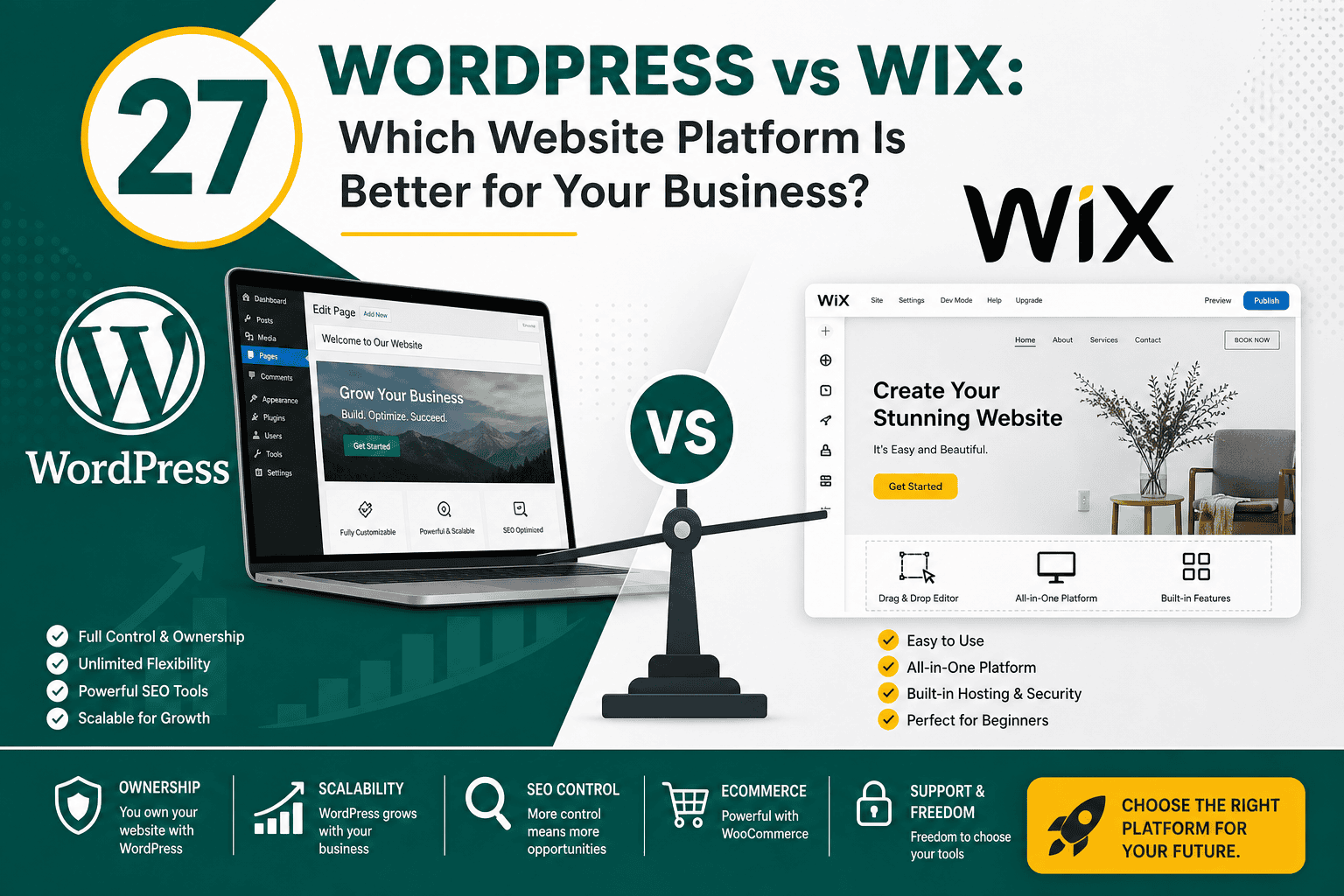
Choosing between WordPress and Wix is one of the most important decisions you can make before building a website. Both platforms can help you create a professional online presence, but they are designed for different types of users, budgets, goals, and levels of control. This WordPress vs Wix comparison explains the key differences in ease of use, design flexibility, SEO, ecommerce, performance, ownership, scalability, maintenance, and long-term value.
The short answer is this: Wix is easier for beginners who want a simple website quickly, while WordPress is more flexible, scalable, and powerful for businesses that want long-term control. The right choice depends on how serious your website is as a business asset, how much customization you need, and whether you want convenience or ownership.
| Category | WordPress | Wix |
|---|---|---|
| Ease of use | Moderate learning curve | Very beginner-friendly |
| Design flexibility | Very high | Good, but more limited |
| SEO control | Advanced control | Good basic SEO tools |
| Ownership | You control hosting, files, and database | Hosted inside Wix ecosystem |
| Scalability | Excellent for growing businesses | Best for small to medium websites |
| Ecommerce | Powerful with WooCommerce | Simpler built-in ecommerce options |
| Maintenance | Requires updates, backups, and security | Handled mostly by Wix |
| Best for | Businesses, blogs, SEO sites, ecommerce, custom websites | Beginners, small businesses, portfolios, simple websites |
WordPress is an open-source content management system used to build websites, blogs, ecommerce stores, membership platforms, directories, learning portals, and custom web applications. When people compare WordPress vs Wix, they usually mean self-hosted WordPress from WordPress.org, not WordPress.com.
With self-hosted WordPress, you choose your own hosting provider, install WordPress, select a theme or custom design, and extend the website using plugins or custom development. This gives you a high level of control over your website’s structure, performance, SEO, integrations, and future direction.
WordPress can be simple or complex depending on how it is built. A small brochure website may only need a few pages and basic plugins, while a large ecommerce or content-driven website may require custom development, advanced hosting, security tools, and ongoing optimization.
Wix is a hosted website builder that allows users to create websites using templates, drag-and-drop editing, built-in apps, and an all-in-one platform. Hosting, security, updates, and much of the technical setup are managed by Wix, which makes it appealing to beginners and small business owners who want a simple website without managing technical details.
Wix includes design templates, SEO settings, ecommerce features, booking tools, forms, marketing features, and integrations through its app marketplace. You do not need to install software or manage hosting separately. This convenience is one of Wix’s biggest strengths.
However, because Wix is a closed hosted platform, you have less control over the underlying code, hosting environment, database, and advanced customization options compared with WordPress.
Wix is generally easier to use if you have no website experience. You can create an account, choose a template, edit text and images visually, connect a domain, and publish the site without touching hosting, databases, FTP, or server settings.
For small business owners who need a simple website fast, Wix can be attractive because many features are built into one dashboard. You do not need to compare hosting companies, install plugins, or worry about software updates.
WordPress takes more time to learn because it separates the website into several parts: hosting, themes, plugins, settings, media, pages, posts, menus, users, backups, and security. For beginners, this can feel overwhelming at first.
However, the learning curve comes with greater control. Once set up properly, WordPress gives you far more flexibility than Wix. You can choose different builders, create custom content structures, optimize technical SEO, connect advanced tools, and move your website between hosting providers if needed.
Wix offers many templates for industries such as restaurants, consultants, local services, portfolios, online stores, fitness businesses, events, and agencies. The visual editor makes it easy to adjust layouts, colors, images, fonts, and sections.
For simple designs, Wix works well. The downside is that advanced customization can become limited if you need highly specific layouts, custom functionality, unique content relationships, or deep control over performance and code output.
WordPress offers significantly more design flexibility. You can use themes, block editing, page builders, custom templates, custom post types, custom fields, or fully custom development. This makes WordPress suitable for everything from a simple company website to a complex ecommerce store or content platform.
For businesses that care about speed and clean code, WordPress also allows more control over the tools used to build the site. For example, developers may choose lightweight builders or custom-coded layouts to reduce unnecessary bloat. If performance is a priority, it is worth understanding why Oxygen Builder is faster than many traditional visual builders when implemented correctly.
SEO is one of the most important areas in the WordPress vs Wix debate. Both platforms can rank in Google, but they offer different levels of control.
Wix has improved its SEO features significantly over the years. It allows you to edit title tags, meta descriptions, URL slugs, alt text, canonical tags, redirects, structured data in some cases, and sitemap settings. For many small business websites, Wix SEO tools are enough to cover the basics.
Wix is suitable for local businesses, portfolios, and small websites that need basic search visibility. However, advanced SEO teams may find Wix limiting when they need deeper technical control, custom templates, complex schema, large-scale content structures, log-level optimization, or highly customized performance improvements.
WordPress is widely used for SEO because it gives you more control over the technical and content structure of your website. You can customize URLs, metadata, schema, internal linking, navigation, page templates, indexation rules, redirects, image optimization, caching, sitemaps, and structured content.
WordPress also supports powerful SEO plugins and custom development options. For businesses that rely heavily on organic search traffic, WordPress is usually the stronger long-term choice because it gives marketers and developers more room to optimize.
That said, WordPress SEO depends on how the site is built. A poorly built WordPress website with bloated themes, too many plugins, weak hosting, and slow pages can perform worse than a clean Wix website. Platform choice matters, but implementation matters more.
Website speed affects user experience, conversion rates, and SEO. Both WordPress and Wix can produce fast or slow websites depending on design, media, scripts, apps, hosting, and optimization.
Wix manages hosting and much of the technical infrastructure for you. This means you do not need to configure caching, server settings, SSL, or CDN features yourself. For many users, this is convenient.
However, you have limited control over the underlying platform. If you want to fine-tune server behavior, remove unnecessary code, implement custom performance workflows, or deeply optimize front-end output, Wix gives you less freedom than WordPress.
WordPress performance depends heavily on your hosting, theme, plugins, images, scripts, database, caching, and development quality. A well-built WordPress site can be extremely fast, but a poorly maintained one can become slow.
If you choose WordPress, performance should be part of the project from the beginning. This includes selecting a reliable host, using a lightweight theme or builder, compressing images, limiting unnecessary plugins, using caching, and monitoring real user experience metrics. For a deeper explanation of speed metrics, review this Core Web Vitals guide to understand LCP, INP, and CLS.
Wix includes hosting as part of its platform. This makes setup simple because you do not need to choose a hosting provider or manage server settings. Wix handles infrastructure, updates, security patches, and uptime responsibilities at the platform level.
The tradeoff is reduced ownership and portability. Your website is built inside Wix’s ecosystem. You can connect your own domain, but you cannot move the full Wix website to another hosting provider in the same way you can migrate a WordPress website.
With WordPress, you choose your own hosting provider. This gives you more control over speed, security, backups, staging environments, server resources, email configuration, and scalability. You can start with shared hosting and later move to managed WordPress hosting, VPS, cloud hosting, or dedicated infrastructure as your website grows.
Choosing the right hosting is critical. A strong WordPress website needs a hosting environment that supports performance, security, backups, SSL, caching, and reliable uptime. If you are planning a WordPress site, this WordPress hosting guide explains how to choose the right hosting setup for your needs.
Wix has an app marketplace where you can add features such as forms, bookings, chat, events, ecommerce tools, analytics, reviews, and marketing integrations. This is useful for small websites that need common features without custom development.
However, Wix apps are limited to what the platform and marketplace support. If your business needs a highly specific workflow, custom database structure, advanced integration, or unique user experience, Wix may become restrictive.
WordPress has a massive plugin ecosystem. You can add SEO tools, forms, ecommerce, analytics, memberships, learning management systems, caching, security, multilingual features, booking systems, CRM integrations, and more.
The advantage is flexibility. The risk is plugin overload. Installing too many plugins or choosing low-quality plugins can slow your website, create conflicts, and increase security risks. A professional WordPress build should use only the plugins that are truly necessary. For practical guidance, see this article on WordPress plugins you actually need.
Wix includes built-in ecommerce features for selling products, accepting payments, managing inventory, offering coupons, and creating basic online stores. It works well for small shops, service providers, creators, and businesses with straightforward ecommerce needs.
If your store is simple and you want an all-in-one system with minimal setup, Wix can be a practical choice. However, as ecommerce requirements become more complex, Wix can feel limiting.
WordPress usually uses WooCommerce for ecommerce. WooCommerce is a flexible ecommerce plugin that can support physical products, digital downloads, subscriptions, memberships, bookings, custom checkout flows, complex shipping, tax rules, and integrations with many payment gateways and business systems.
WooCommerce is better suited for businesses that need control and scalability. You can customize product pages, checkout experiences, pricing rules, integrations, analytics, and automation. But this flexibility also means more responsibility for hosting, security, updates, testing, and performance.
If you are considering building an online store with WordPress, a structured launch process is important. This WooCommerce store checklist covers many of the practical areas needed for launch and optimization.
Wix manages security at the platform level. This includes hosting security, SSL, infrastructure updates, and many technical protections. For non-technical users, this is a major benefit because there is less to maintain manually.
You are still responsible for account security, strong passwords, user permissions, and safe use of third-party apps, but Wix reduces the technical maintenance burden.
WordPress security depends on proper setup and maintenance. Because WordPress is open-source and widely used, it is also a common target for attackers. This does not mean WordPress is insecure, but it does mean you must manage it responsibly.
A secure WordPress website should use reliable hosting, regular updates, strong passwords, limited admin access, backups, SSL, security monitoring, spam protection, and carefully selected plugins. Security becomes even more important for ecommerce, membership sites, and websites that collect customer data.
Wix usually has predictable monthly or annual pricing. Plans may include hosting, templates, basic features, SSL, and platform maintenance. Additional apps, ecommerce features, email marketing tools, or premium features may increase the total cost.
For a simple site, Wix can be affordable and easy to budget. The main consideration is that monthly platform fees continue for as long as you use Wix, and your ability to change infrastructure is limited.
WordPress itself is free open-source software, but a professional WordPress website has costs such as hosting, domain registration, premium themes, plugins, development, maintenance, security, backups, and optimization.
A basic WordPress website can be inexpensive if you build it yourself, but a high-quality business website usually requires professional planning and development. WordPress may cost more upfront than Wix, but it often provides better long-term flexibility and ownership.
Scalability is one of WordPress’s strongest advantages. If your website is expected to grow in content, traffic, functionality, ecommerce volume, integrations, or custom workflows, WordPress is usually the better platform.
WordPress can support large blogs, high-traffic publications, multilingual websites, advanced ecommerce stores, membership communities, custom dashboards, directories, and complex integrations. You can improve hosting, refactor code, add custom features, and redesign the site without leaving the platform.
Wix is more suitable for simpler growth paths. It can support many small and medium business needs, but businesses with complex operations may eventually outgrow it.
Wix includes blogging features that are good enough for basic content publishing. You can create posts, categories, images, and basic SEO settings. For businesses that publish occasional updates or simple articles, Wix blogging can work well.
WordPress started as a blogging platform and remains one of the best content management systems for publishing. It offers strong control over categories, tags, authors, custom post types, editorial workflows, SEO plugins, internal linking, templates, and structured content.
If content marketing and SEO are central to your business growth, WordPress is usually the better choice. It gives you more control over how content is organized, optimized, and scaled over time.
Modern websites rarely operate alone. They often connect with analytics, CRM systems, email marketing platforms, payment gateways, booking tools, ad platforms, live chat, automation tools, accounting systems, and customer support software.
Wix supports many popular integrations, especially for small business use cases. WordPress supports a wider range of integrations through plugins, APIs, custom code, and third-party services.
If your website is part of a broader digital ecosystem, platform choice should align with your long-term technology plan. A website is often a key part of your business technology stack, so it should connect cleanly with the tools your company uses for marketing, sales, operations, and reporting.
Wix websites are not fully portable in the same way as WordPress websites. If you decide to leave Wix, you may need to rebuild much of the website elsewhere. You can move some content manually, but you cannot simply export the full site and host it on another server.
This may not matter for a small website, but it can become a serious issue if your business grows and needs more control later.
WordPress gives you much more portability. You can migrate your files, database, theme, plugins, media, and content to another hosting provider. This gives you freedom if your hosting needs change or if you want to work with a different development team.
This ownership is one of the main reasons many businesses prefer WordPress for long-term projects.
Wix may be the better choice if you:
For many small businesses, Wix is a practical starting point. It reduces complexity and allows business owners to publish a presentable website without hiring a developer.
WordPress may be the better choice if you:
WordPress is often the better option for serious business websites, content-driven brands, ecommerce stores, agencies, publishers, and companies that need flexibility beyond standard website builder features.
The cheapest option today is not always the best long-term choice. Wix may be cheaper and faster for simple projects, but WordPress may offer better value if you need growth, ownership, and custom features. On the other hand, WordPress can become expensive if you overbuild a simple site that only needed basic functionality.
WordPress requires ongoing care. If you do not want to update plugins, manage backups, monitor security, or maintain hosting, Wix may be easier. If you choose WordPress, budget for maintenance from the beginning.
WordPress can be extremely fast, but only when built properly. A slow theme, cheap hosting, oversized images, too many plugins, and unnecessary scripts can create poor performance. Wix may outperform a poorly built WordPress site.
Wix websites can rank in search engines. The real question is how much SEO control and scalability you need. For basic local SEO, Wix may be enough. For advanced SEO and large-scale content strategies, WordPress usually has the advantage.
A platform that works today may not fit your business in two or three years. Before choosing, consider whether you will need ecommerce, courses, memberships, multilingual content, CRM integrations, booking systems, advanced analytics, or custom workflows later.
Wix can work well for a simple local business website with a homepage, services page, contact form, map, testimonials, and basic SEO. WordPress is better if the business plans to invest in blogging, local SEO landing pages, advanced tracking, or custom integrations.
Wix is a strong option for designers, photographers, artists, freelancers, and creators who need a visual portfolio quickly. WordPress is better if the portfolio needs custom filtering, case study templates, SEO content, or integration with other business systems.
WordPress is usually the better choice for serious blogging and content marketing. It offers better content organization, editorial flexibility, SEO control, and long-term scalability.
Wix works for simple online stores with basic product and payment needs. WordPress with WooCommerce is better for stores that need custom checkout logic, complex product types, advanced shipping, subscriptions, integrations, or scalable ecommerce SEO.
WordPress is usually the better choice for websites that need custom functionality, advanced integrations, user roles, dashboards, directories, gated content, or complex forms.
In the WordPress vs Wix comparison, there is no single winner for every situation. Wix wins on simplicity, convenience, and beginner-friendly website creation. WordPress wins on flexibility, ownership, scalability, SEO control, ecommerce power, and long-term customization.
Choose Wix if you need a simple website quickly and want the platform to handle most technical responsibilities. Choose WordPress if your website is central to your business growth and you want deeper control over design, SEO, performance, integrations, and future expansion.
For small, straightforward websites, Wix can be the easier path. For businesses that want a serious digital foundation, WordPress is usually the stronger long-term investment.