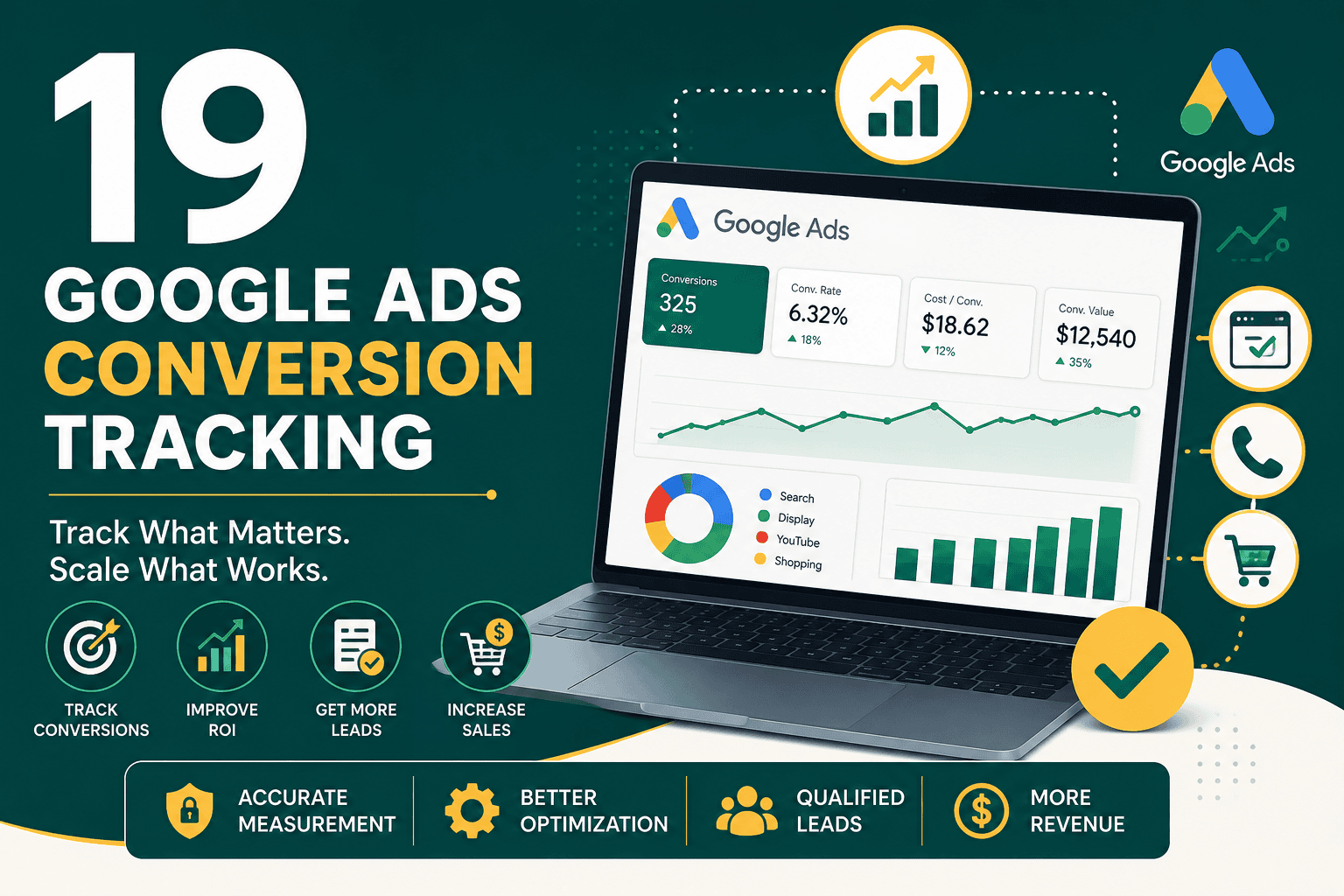
Google Ads Conversion Tracking
Google Ads conversion tracking is the process of measuring the valuable actions people take after interacting with your ads. These actions can include purchases, lead form submissions, phone calls, quote requests, newsletter signups, app installs, downloads, booked appointments, or offline sales. Without accurate conversion tracking, Google Ads becomes guesswork. You may know how many clicks you received, but you will not know which campaigns, keywords, ads, audiences, and landing pages actually generated business results.
For most businesses, conversion tracking is one of the most important parts of a profitable advertising system. It helps you understand return on ad spend, reduce wasted budget, improve bidding decisions, and optimize campaigns based on real outcomes instead of surface-level metrics. Whether you run lead generation campaigns, ecommerce ads, local service campaigns, or B2B campaigns, properly configured google ads conversion tracking gives you the data needed to scale with confidence.
What Is Google Ads Conversion Tracking?
Google Ads conversion tracking is a measurement feature that records when a user completes a defined action after clicking or viewing your ad. A conversion action is created inside Google Ads, then installed or connected through a tracking method such as the Google tag, Google Tag Manager, Google Analytics 4, phone call tracking, app tracking, or offline conversion imports.
For example, if someone searches for your service, clicks your Google ad, visits your landing page, and submits a contact form, conversion tracking can attribute that lead back to the campaign, keyword, ad, device, location, and audience that produced it. This information helps you identify what is working and what needs improvement.
Conversion tracking is also essential for automated bidding strategies such as Maximize Conversions, Target CPA, Maximize Conversion Value, and Target ROAS. Google’s bidding algorithm needs reliable conversion data to learn which users are more likely to take valuable actions. If tracking is incomplete, duplicated, or inaccurate, your campaigns may optimize toward the wrong signals.
Why Google Ads Conversion Tracking Matters
Conversion tracking turns advertising data into business intelligence. Clicks, impressions, and cost are useful, but they do not tell the full story. A campaign with a low cost per click may still be unprofitable if visitors do not convert. A campaign with a higher cost per click may be extremely profitable if it generates qualified leads or high-value purchases.
Accurate conversion tracking helps you:
- Measure which campaigns generate leads, sales, or revenue.
- Calculate cost per conversion and return on ad spend.
- Improve keyword, audience, and ad optimization decisions.
- Use automated bidding strategies more effectively.
- Identify wasted spend from campaigns that drive clicks but not results.
- Compare performance across devices, locations, networks, and landing pages.
- Improve reporting for stakeholders, clients, or internal teams.
- Connect online ad interactions to offline sales outcomes.
If your account is already spending money but results are unclear, a structured Google Ads audit checklist can help uncover tracking issues, wasted spend, and optimization opportunities before scaling your campaigns further.
Common Types of Google Ads Conversions
The right conversion actions depend on your business model. An ecommerce store, service business, SaaS company, and local contractor may all define success differently. The key is to track actions that indicate real business value, not every minor interaction.
Website Form Submissions
Lead generation businesses often track contact forms, quote requests, demo requests, consultation bookings, and application submissions. These conversions are usually tracked through a thank-you page visit or a form submission event.
Purchases and Ecommerce Revenue
Ecommerce businesses should track purchases, transaction value, product data, order IDs, and revenue. This allows Google Ads to measure return on ad spend and optimize campaigns toward higher-value customers, not just more transactions.
Phone Calls
Businesses that depend on calls can track calls from ads, calls from website phone numbers, and mobile click-to-call actions. Google forwarding numbers can help measure call duration, caller area code, and campaign source.
Bookings and Appointments
Appointment-based businesses can track completed bookings, calendar submissions, or scheduling confirmations. This is more valuable than tracking page visits because it shows actual intent.
Downloads and Signups
For SaaS, education, and content-driven businesses, conversions may include free trial signups, account registrations, whitepaper downloads, webinar registrations, or email subscriptions.
Offline Sales
Many businesses generate leads online but close sales offline through phone calls, sales teams, consultations, or CRM pipelines. In these cases, offline conversion tracking can import qualified leads, closed deals, or revenue back into Google Ads.
Primary and Secondary Conversion Actions
Google Ads allows you to define conversion actions as primary or secondary. This distinction is important because primary conversions are used for bidding optimization, while secondary conversions are included for observation and reporting only.
Primary Conversions
Primary conversions should represent the actions you want Google Ads to optimize for. Examples include purchases, qualified leads, booked calls, demo requests, and high-intent form submissions. These should be business-critical actions that indicate meaningful value.
Secondary Conversions
Secondary conversions can include softer actions such as newsletter signups, button clicks, page views, video views, or PDF downloads. These actions may help you understand user behavior, but they should not always guide automated bidding unless they strongly correlate with revenue.
A common mistake is making too many actions primary conversions. If Google optimizes toward low-value micro-conversions, your campaigns may generate more reported conversions but fewer real customers.
How Google Ads Conversion Tracking Works
Google Ads conversion tracking works by placing tracking code or event signals on your website, app, phone system, or CRM process. When a user interacts with an ad and later completes a tracked action, Google Ads attributes that action to the relevant ad interaction based on your conversion settings.
The basic process usually looks like this:
- A user searches on Google or sees an ad across Google’s network.
- The user clicks the ad or, in some cases, views the ad.
- Google stores attribution information through tags, cookies, consent-aware signals, or click identifiers.
- The user completes a conversion action on your website, app, phone call, or offline sales process.
- The conversion is recorded in Google Ads.
- Your reports and bidding strategies use the conversion data for measurement and optimization.
Tracking accuracy depends on correct setup, tag placement, consent configuration, attribution settings, and data quality. With increasing browser privacy restrictions, businesses should also consider enhanced conversions and server-side or CRM-based measurement where appropriate.
Main Ways to Set Up Google Ads Conversion Tracking
There are several ways to configure Google Ads conversion tracking. The best method depends on your website platform, technical resources, business model, and reporting needs.
1. Google Tag Installed Directly on the Website
The Google tag can be installed directly on your website to track conversion actions. This approach may work for simple websites, but it can become difficult to manage when you have several marketing tags, analytics events, and advertising platforms.
2. Google Tag Manager
Google Tag Manager is often the preferred method for managing conversion tracking. It lets you add, edit, and organize tracking tags without changing website code every time. You can configure triggers for thank-you pages, button clicks, forms, ecommerce events, and custom user actions.
3. Google Analytics 4 Imported Conversions
You can mark key events as conversions in Google Analytics 4 and import them into Google Ads. This can provide consistent cross-channel reporting, but advertisers should understand differences between Google Ads reporting and GA4 attribution. In many cases, direct Google Ads conversion tags are still preferred for bidding accuracy.
4. Ecommerce Platform Integrations
Platforms such as WooCommerce, Shopify, and custom ecommerce systems can send transaction data to Google Ads. Ecommerce tracking should include purchase value, currency, transaction ID, and ideally product-level data. If you run a WooCommerce store, improving tracking works best alongside broader WooCommerce conversion optimization so your ads and store experience support the same revenue goals.
5. Phone Call Conversion Tracking
Google Ads can track phone calls from call assets, call ads, and phone numbers displayed on your website. This is especially useful for local services, healthcare, legal, home services, real estate, and other businesses where calls are a major source of leads.
6. Offline Conversion Imports
Offline conversion imports allow businesses to send sales outcomes back into Google Ads after a lead progresses through a CRM or sales process. For example, you can import when a lead becomes qualified, when a proposal is sent, or when a deal closes. This helps Google Ads optimize for quality instead of only form submissions.
Google Ads Conversion Tracking for Lead Generation
Lead generation tracking should focus on lead quality, not only lead volume. Many advertisers make the mistake of tracking every form submission as equal, even when some leads are spam, unqualified, duplicated, or low value. This can mislead campaign optimization.
For better lead tracking, consider tracking multiple stages:
- Initial form submission
- Phone call lead
- Qualified lead
- Booked consultation
- Sales opportunity
- Closed customer
- Revenue amount
If your business uses a CRM, connecting Google Ads data to pipeline performance can dramatically improve decision-making. Tracking lead quality and sales outcomes becomes easier when your sales process is structured around clear metrics. For deeper measurement planning, review these CRM KPIs every business should track to understand which post-click outcomes matter beyond the initial conversion.
Google Ads Conversion Tracking for Ecommerce
Ecommerce conversion tracking should capture both the number of purchases and the value of each order. Revenue tracking is essential because not all conversions are equal. One campaign may generate many low-value orders, while another may generate fewer purchases but higher profit.
Important ecommerce tracking elements include:
- Purchase event
- Transaction value
- Currency
- Transaction ID
- Product IDs
- Shipping and tax handling
- Refund and cancellation considerations
Using transaction IDs helps prevent duplicate conversion reporting. This is especially important when users refresh thank-you pages or when multiple tags fire for the same purchase. Clean ecommerce tracking improves ROAS reporting and gives automated bidding strategies better value signals.
Enhanced Conversions in Google Ads
Enhanced conversions improve measurement accuracy by sending hashed first-party customer data to Google in a privacy-conscious way. This may include information such as email address, phone number, name, or address, depending on what the user provides during a conversion. Google uses this hashed data to match conversions more accurately to signed-in Google users.
Enhanced conversions are especially useful when browser restrictions, cookie limitations, or cross-device journeys make standard tracking less reliable. They can improve reported conversions and help automated bidding learn from more complete data. For a deeper setup walkthrough, use this enhanced conversions guide to understand configuration options and best practices.
Conversion Value Tracking
Conversion value tracking assigns monetary value to conversion actions. For ecommerce, this is usually the actual transaction amount. For lead generation, value can be estimated based on average deal size, close rate, or lead quality stage.
For example, if 10% of consultation requests become customers and the average customer is worth $2,000, then an average consultation request may be worth $200. This value can be used to help Google Ads optimize toward higher-value conversions instead of simply maximizing lead count.
Conversion value can be set in several ways:
- Use the same value for every conversion.
- Use different static values for different conversion actions.
- Use dynamic values based on purchase amount or lead value.
- Import actual revenue from a CRM or sales system.
Whenever possible, use values that reflect real business outcomes. This allows your reports to show more than cost per lead or cost per sale. It helps you evaluate profitability and budget allocation more intelligently.
Attribution Settings in Google Ads
Attribution determines how credit is assigned to ad interactions that contribute to a conversion. A user may click several ads before converting, and attribution settings influence how that conversion appears in your reports.
Data-Driven Attribution
Data-driven attribution uses account data to estimate how different touchpoints contribute to conversions. It is the default attribution model for many conversion actions and is often useful for accounts with enough conversion volume.
Last Click Attribution
Last click attribution gives all credit to the final clicked ad before conversion. It is simple, but it may undervalue earlier research-stage keywords, campaigns, or ads.
Conversion Window
The conversion window defines how long after an ad interaction a conversion can be counted. Short buying cycles may need a shorter window, while B2B or high-ticket purchases may require a longer window.
View-Through Conversions
View-through conversions occur when someone sees an ad but does not click it, then later converts. These can be useful for display and video campaigns, but they should be analyzed carefully because they do not represent direct clicks.
How to Set Up Google Ads Conversion Tracking
The exact setup depends on your website and tracking method, but the general process follows a clear structure.
Step 1: Define Meaningful Conversion Actions
Before installing any tags, decide which actions matter to your business. Avoid tracking too many low-value actions as primary conversions. Focus on actions that indicate genuine buying intent or revenue impact.
Step 2: Create Conversion Actions in Google Ads
In Google Ads, go to the conversions section and create a new conversion action. Choose the appropriate source, such as website, phone calls, app, or import. Configure the name, category, value, count setting, attribution model, and conversion window.
Step 3: Install the Google Tag or Use Google Tag Manager
Install the Google tag directly on your website or use Google Tag Manager to deploy your conversion tags. For most growing businesses, Google Tag Manager provides better control and flexibility.
Step 4: Configure Triggers
Set triggers that fire only when a real conversion happens. Common triggers include thank-you page views, form submission events, purchase events, phone number clicks, or custom data layer events.
Step 5: Test the Setup
Use tools such as Tag Assistant, Google Tag Manager Preview Mode, Google Ads diagnostics, and real test submissions to confirm that tags fire correctly. Testing is essential before relying on the data for optimization.
Step 6: Check for Duplicates
Make sure each conversion is counted once. Duplicate tracking often happens when both GA4 imports and Google Ads tags count the same action as primary conversions, or when thank-you pages can be refreshed repeatedly.
Step 7: Monitor Conversion Data
After launch, review your data regularly. Check conversion status, conversion volume, cost per conversion, conversion rate, conversion value, and search term quality. Tracking is not a one-time task; it needs maintenance as websites, forms, campaigns, and privacy settings change.
Common Google Ads Conversion Tracking Mistakes
Many advertisers have conversion tracking installed but still collect misleading data. Small setup errors can lead to poor bidding decisions and wasted budget.
Tracking Page Views Instead of Real Conversions
Tracking visits to a contact page is not the same as tracking completed form submissions. A user may visit the page without becoming a lead. Track the final confirmation action whenever possible.
Counting the Same Conversion Multiple Times
Duplicate conversions can inflate performance and cause Google Ads to optimize incorrectly. Use transaction IDs for purchases and configure form tracking carefully.
Using Every Conversion as a Primary Goal
If newsletter signups, button clicks, and page views are primary conversions, Google may optimize toward actions that do not produce revenue. Keep primary conversions focused on business outcomes.
Ignoring Phone Calls
If customers often call before buying, failing to track calls can make campaigns look less effective than they really are. This is especially common for local service businesses.
Not Tracking Lead Quality
A campaign with cheap leads is not always the best campaign. If those leads do not become customers, your cost per lead is misleading. Importing qualified leads or closed deals can solve this problem.
Forgetting Consent and Privacy Requirements
Privacy laws and consent requirements vary by region. Businesses should configure consent mode, cookie notices, and data collection practices according to applicable regulations and legal guidance.
Not Testing After Website Changes
Website redesigns, plugin updates, form changes, checkout changes, and new landing pages can break tracking. Always retest conversion actions after important website updates.
How Conversion Tracking Improves Campaign Optimization
Once conversion tracking is accurate, it becomes the foundation for campaign optimization. Instead of optimizing only for clicks or traffic, you can make decisions based on conversion performance and revenue impact.
Conversion data can help you improve:
- Keywords: Increase bids or budgets for keywords that generate profitable conversions.
- Search terms: Add irrelevant queries as negative keywords and expand high-performing terms.
- Ads: Compare messaging based on conversion rate, not just click-through rate.
- Landing pages: Identify pages with strong traffic but weak conversion rates.
- Devices: Adjust strategy based on desktop, mobile, and tablet performance.
- Locations: Focus budget on regions that generate better leads or sales.
- Audiences: Use customer segments and remarketing lists more effectively.
- Bidding: Use automated bidding with reliable conversion signals.
If you are still building your campaigns, tracking should be planned before launch. A strong search campaign guide can help align keywords, ads, landing pages, and conversion goals from the beginning.
Google Ads Conversion Tracking and Landing Pages
Conversion tracking tells you what happened, but landing page optimization helps improve the result. If a campaign receives qualified clicks but has a low conversion rate, the issue may be the page experience, offer, form, load speed, trust signals, or message match.
Important landing page elements to evaluate include:
- Clear headline aligned with the ad promise
- Fast page loading speed
- Mobile-friendly design
- Strong call to action
- Simple forms with only necessary fields
- Trust signals such as testimonials, reviews, certifications, or guarantees
- Relevant content that answers buyer questions
- Minimal distractions from the main conversion goal
Tracking and landing page optimization should work together. Better tracking identifies weak points, and better pages improve the percentage of visitors who become leads or customers.
Troubleshooting Google Ads Conversion Tracking
If conversions are not showing correctly in Google Ads, start with a structured troubleshooting process. Tracking issues are often caused by tag placement errors, incorrect triggers, redirects, consent settings, or duplicate events.
No Conversions Are Recording
Check whether the tag is installed, whether the trigger fires, whether the conversion action is active, and whether your test conversion meets the defined conditions. Also confirm that ad clicks are actually reaching the page where tracking is installed.
Conversions Are Too High
Inflated conversions often come from duplicate tags, repeat thank-you page visits, multiple imported goals, or micro-conversions being counted as primary actions. Review your conversion action list and check whether the same event is being counted from multiple sources.
Conversions Are Too Low
Low reported conversions may be caused by missing tags, blocked scripts, cookie consent behavior, cross-domain issues, form tracking errors, or users converting by phone instead of form. Enhanced conversions and offline imports may help improve visibility.
Conversion Value Looks Wrong
For ecommerce, confirm that transaction values are passed dynamically and that currency settings are correct. For lead generation, check whether static values reflect realistic sales outcomes.
Best Practices for Google Ads Conversion Tracking
Follow these best practices to keep your tracking accurate and useful:
- Define conversion actions before launching campaigns.
- Use primary conversions only for meaningful business outcomes.
- Track phone calls if calls contribute to sales.
- Use transaction IDs for ecommerce purchases.
- Assign realistic conversion values whenever possible.
- Set up enhanced conversions to improve measurement accuracy.
- Import offline conversions for lead quality and sales outcomes.
- Test tracking before and after website changes.
- Separate primary and secondary conversion actions.
- Review conversion data regularly for unusual spikes or drops.
- Document your tracking setup so future changes do not break measurement.
- Use CRM data to validate whether conversions turn into revenue.
How Often Should You Review Conversion Tracking?
Conversion tracking should be reviewed at least monthly, and more often for high-spend accounts or websites that change frequently. Tracking should also be tested after any major update, including new landing pages, checkout changes, plugin updates, form changes, CRM integrations, analytics changes, or consent banner changes.
A practical review should include:
- Checking conversion action status in Google Ads.
- Comparing Google Ads data against CRM, ecommerce, or analytics records.
- Testing form submissions and purchase events.
- Reviewing primary versus secondary conversion settings.
- Looking for duplicate conversions or sudden data changes.
- Confirming phone call tracking still works.
- Reviewing imported offline conversions for accuracy.
Google Ads Conversion Tracking Checklist
Use this checklist to evaluate your setup:
- Have you defined the most important business conversion actions?
- Are primary conversions limited to meaningful outcomes?
- Are secondary conversions used for observation only?
- Is the Google tag or Google Tag Manager installed correctly?
- Do tags fire only when the conversion is completed?
- Are ecommerce values, currency, and transaction IDs passing correctly?
- Are phone calls tracked where relevant?
- Are enhanced conversions configured?
- Are offline qualified leads or sales imported when possible?
- Have duplicate conversion sources been removed or adjusted?
- Are attribution settings appropriate for your sales cycle?
- Is conversion data compared against CRM or sales records?
- Is tracking retested after website changes?
Final Thoughts
Google Ads conversion tracking is not just a technical setup task. It is the foundation of profitable campaign management. When tracking is accurate, you can understand which ads generate real value, improve your bidding strategy, reduce wasted spend, and make better decisions across campaigns, landing pages, and sales processes.
The best setups go beyond basic form submissions or purchases. They measure lead quality, revenue, phone calls, offline sales, and customer value. They also use enhanced conversions and clean attribution settings to improve accuracy in a privacy-focused digital environment.
If you want better results from Google Ads, start by making sure your conversion tracking is correct. Strong measurement gives every optimization decision a clearer purpose and helps turn your ad budget into measurable business growth.