
September 23, 2026
Benefits of CRM: 20 Ways CRM Helps Businesses Grow
Benefits of CRM The benefits of CRM go far beyond stor...
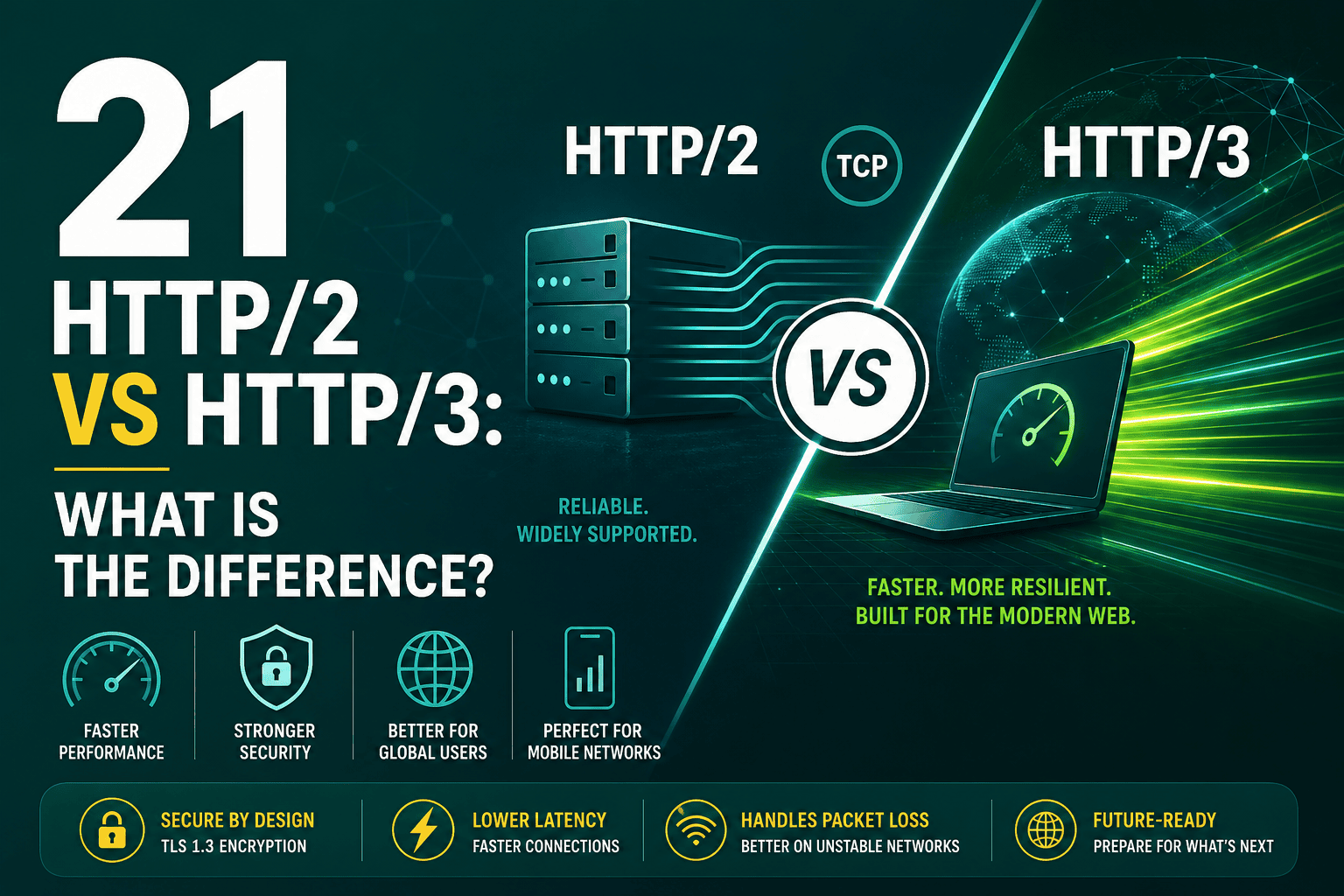
HTTP/2 vs HTTP/3 is an important comparison for anyone who cares about website speed, reliability, security, SEO, and user experience. Both HTTP/2 and HTTP/3 are modern versions of the Hypertext Transfer Protocol, the system browsers and servers use to transfer web pages, images, scripts, stylesheets, videos, and API responses across the internet.
The short version is this: HTTP/2 made websites faster by improving how many files can be transferred over a single connection, while HTTP/3 goes further by using a newer transport protocol called QUIC instead of traditional TCP. HTTP/3 can improve performance especially on mobile networks, unstable connections, and high-latency environments.
For most business owners and website managers, the question is not whether HTTP/2 or HTTP/3 is “better” in theory. The real question is whether your hosting, CDN, SSL setup, browser support, and website performance strategy are ready to take advantage of them.
HTTP stands for Hypertext Transfer Protocol. It is the communication system used when a browser requests content from a web server. When someone visits a website, the browser sends requests for HTML, CSS, JavaScript, images, fonts, videos, and other files. The server responds with those files, and the browser assembles them into the page the user sees.
Early versions of HTTP were simple but not optimized for modern websites. Today’s websites often load dozens or even hundreds of files. Without newer protocol improvements, those requests can create delays, especially on slow networks or mobile connections.
To understand HTTP/2 vs HTTP/3, it helps to quickly look at how web protocols evolved.
HTTP/2 and HTTP/3 both aim to make websites faster and more efficient, but they solve performance problems in different ways.
HTTP/2 is a modern web protocol introduced to improve performance compared with HTTP/1.1. Its biggest advantage is multiplexing, which allows multiple requests and responses to happen at the same time over a single connection.
In HTTP/1.1, browsers often needed to open several connections to load many files. This created extra overhead and delays. HTTP/2 reduces that inefficiency by allowing many assets to move through one connection more efficiently.
HTTP/2 helped solve many performance problems caused by traditional request handling. Websites no longer needed as many old optimization tricks, such as domain sharding or combining every file into one large bundle. It became easier to deliver many small assets efficiently.
However, HTTP/2 still relies on TCP, the traditional transport protocol. TCP is reliable, but it has limitations. One important issue is head-of-line blocking at the transport layer. If one packet is lost, TCP may delay other data while it waits for the missing packet to be retransmitted. This can cause performance problems on unreliable networks.
HTTP/3 is the latest major version of HTTP. Unlike HTTP/2, which runs over TCP, HTTP/3 runs over QUIC. QUIC was originally developed by Google and is built on UDP, a different transport method that allows faster and more flexible communication.
HTTP/3 is designed for the modern internet, where users move between Wi-Fi and mobile data, browse from different regions, and often connect through networks with packet loss, latency, or instability.
HTTP/3 matters because user experience increasingly depends on real-world network conditions. A website may perform well on a fast office connection but feel slow on mobile data or in regions far from the origin server. HTTP/3 helps reduce some of those delays by improving how connections are established and maintained.
The biggest difference between HTTP/2 and HTTP/3 is the transport layer. HTTP/2 uses TCP, while HTTP/3 uses QUIC over UDP. That technical difference affects connection speed, reliability, packet loss recovery, and performance under real-world conditions.
| Feature | HTTP/2 | HTTP/3 |
|---|---|---|
| Transport protocol | TCP | QUIC over UDP |
| Encryption | Usually used with TLS | Encryption built into QUIC using TLS 1.3 |
| Multiplexing | Yes | Yes, with improved handling of packet loss |
| Head-of-line blocking | Can still happen at the TCP layer | Reduced because streams are handled independently |
| Connection setup | Requires TCP and TLS handshakes | Can establish secure connections faster |
| Best use case | Fast, stable connections and broad compatibility | Mobile, high-latency, unstable, or global traffic |
HTTP/3 can be faster than HTTP/2, but the difference depends on the website, hosting environment, CDN, visitor location, network quality, and browser support. It is not a magic switch that automatically fixes every performance problem.
On stable, low-latency connections, the difference between HTTP/2 and HTTP/3 may be small. On mobile networks, international traffic, or connections with packet loss, HTTP/3 can provide a better experience because QUIC handles connection interruptions and packet loss more efficiently.
Performance also depends on fundamentals such as image optimization, caching, server response time, JavaScript weight, CSS delivery, font loading, and page structure. If you are improving site speed, protocol upgrades should be part of a broader optimization plan that also includes the metrics covered in this Core Web Vitals guide.
HTTP/2 improves website speed mainly by making asset delivery more efficient. Modern websites often require many separate files. Under HTTP/1.1, too many files could create bottlenecks because browsers were limited in how they handled simultaneous connections to the same domain.
HTTP/2 allows many files to be transferred through a single connection. This can reduce overhead and improve loading speed, especially for websites with many small assets such as icons, scripts, style files, and interface components.
HTTP/3 improves performance by changing how data is transported. Instead of relying on TCP, HTTP/3 uses QUIC, which can establish secure connections faster and handle packet loss more gracefully.
This matters because real users do not always browse from perfect network conditions. They may be on public Wi-Fi, mobile data, congested networks, or long-distance connections. HTTP/3 is designed to perform better in those situations.
QUIC is the transport protocol used by HTTP/3. It runs over UDP and includes built-in encryption and modern connection management. QUIC was designed to overcome limitations of TCP, especially for performance-sensitive web traffic.
With TCP, if a packet is lost, other data may be delayed while the missing packet is recovered. QUIC handles streams more independently, so packet loss in one stream does not necessarily stop everything else from moving forward.
QUIC also supports faster reconnections. For example, if a mobile user switches from Wi-Fi to cellular data, QUIC can help maintain the connection more smoothly than traditional TCP-based connections.
Both HTTP/2 and HTTP/3 are strongly associated with HTTPS. In practice, major browsers require secure HTTPS connections for HTTP/2, and HTTP/3 is encrypted by design through QUIC and TLS 1.3.
This means SSL/TLS is not optional for modern web performance. If your site still does not use HTTPS correctly, upgrading protocols should not be your first concern. You should first make sure your SSL certificate is valid, properly installed, and renewed on time. For a practical overview, see this guide with SSL certificates explained.
HTTP/3 is not simply “secure because it is newer,” but it does benefit from modern encryption being built into QUIC. HTTP/2 is also secure when implemented over HTTPS with current TLS standards. The security difference is less about one being safe and the other unsafe, and more about HTTP/3 being designed around modern encrypted transport from the start.
Google does not rank a page higher just because it uses HTTP/3 instead of HTTP/2. However, faster and more reliable websites can indirectly support SEO by improving user experience, crawl efficiency, conversion rates, and Core Web Vitals.
Search engines care about whether users can access and interact with your site efficiently. If HTTP/3 improves real-world load times for your audience, especially mobile users, it may contribute to better engagement and stronger performance signals.
HTTP/3 will not compensate for poor content, unoptimized images, render-blocking JavaScript, slow hosting, or weak site architecture. It should be viewed as one technical layer within a broader performance strategy.
For many websites, improving hosting quality, caching, image compression, and CDN delivery will have a bigger impact than protocol changes alone. A strong foundation starts with reliable infrastructure, which is why choosing the right environment is covered in this WordPress hosting guide.
A CDN, or content delivery network, can make HTTP/2 and HTTP/3 more effective by serving website files from locations closer to users. Many modern CDNs support HTTP/2 and HTTP/3 at the edge, even if your origin server has a more basic setup.
This means a visitor may connect to the CDN using HTTP/3, while the CDN communicates with your origin server separately. That setup can still improve user-facing performance because the browser’s connection to the CDN edge is often the most important part of the experience.
If your audience is spread across multiple cities, countries, or regions, combining HTTP/3 with a well-configured CDN can be especially valuable. For a deeper explanation of how edge delivery works, this CDN explained guide covers the practical role CDNs play in speed and reliability.
HTTP/2 is widely supported by modern browsers, web servers, hosting providers, and CDNs. It is now a standard feature in many hosting environments.
HTTP/3 support is also strong and continues to grow, especially across major browsers and CDN providers. Chrome, Edge, Firefox, and Safari support HTTP/3 in modern versions. Many large platforms and CDNs already use it in production.
However, HTTP/3 may not be available on every hosting account or server configuration. Firewalls, older systems, and network policies may also affect UDP traffic, which HTTP/3 requires.
In most cases, you do not need to manually choose one and reject the other. Modern servers and CDNs can support both HTTP/2 and HTTP/3. Browsers will usually negotiate the best available protocol automatically.
If HTTP/3 is available and supported by the browser and network, the connection may use HTTP/3. If not, it can fall back to HTTP/2 or another supported version. This fallback behavior is important because it allows websites to adopt HTTP/3 without abandoning compatibility.
You can check whether a website uses HTTP/2 or HTTP/3 in several ways:
In Chrome or Edge, you can open DevTools, go to the Network panel, right-click the table header, enable the Protocol column, and reload the page. You may see values such as h2 for HTTP/2 or h3 for HTTP/3.
HTTP/2 is usually easy to enable if your website already uses HTTPS and your hosting provider supports it. Many managed hosting platforms enable HTTP/2 automatically.
If your host does not support HTTP/2, it may be a sign that your hosting environment is outdated. In that case, upgrading hosting can improve performance, security, and scalability.
HTTP/3 may require support from your CDN, hosting provider, or web server. For many websites, the simplest way to enable HTTP/3 is through a CDN that supports it.
Some platforms allow HTTP/3 to be enabled with a simple dashboard setting. Others require server-level configuration. If you are not technical, ask your hosting provider or CDN vendor whether HTTP/3 is available and whether it is already active for your domain.
For WordPress websites, HTTP/2 and HTTP/3 can both improve delivery speed, but they do not replace good WordPress optimization. A slow theme, too many plugins, large images, bloated page builder output, poor caching, and slow database queries can still hurt performance.
HTTP/2 is already common in modern WordPress hosting. HTTP/3 is often available through premium hosting platforms or CDNs. For many WordPress sites, the best setup is HTTPS, HTTP/2 or HTTP/3 support, full-page caching, object caching where appropriate, optimized images, reduced JavaScript, and a CDN.
Ecommerce websites can benefit from HTTP/2 and HTTP/3 because speed directly affects conversion rates. Product pages, category pages, cart pages, checkout flows, tracking scripts, reviews, recommendations, and payment integrations can all add network requests.
HTTP/2 helps by handling many requests efficiently. HTTP/3 can help further when shoppers are on mobile devices or less stable networks. However, ecommerce performance also depends heavily on hosting, caching strategy, payment gateway speed, theme quality, database performance, and third-party scripts.
HTTP/3 can improve performance, but not always dramatically. If your website is already fast, your users are near your server, and connections are stable, the improvement may be modest.
HTTP/2 is still widely used and effective. It remains a strong modern protocol and will continue serving many websites for years. HTTP/3 is an upgrade path, not an instant replacement everywhere.
HTTP/3 cannot fix an overloaded server, poor hosting, slow backend code, or unoptimized databases. It improves transport efficiency, but your infrastructure still matters.
Most websites do not need a redesign to use HTTP/3. The change usually happens at the hosting, CDN, or server configuration level.
HTTP/2 may be enough if your website already loads quickly, your traffic is mostly local, your users have stable connections, and your hosting setup does not easily support HTTP/3.
HTTP/2 is also a major improvement over HTTP/1.1, so if you are already using HTTP/2 with strong caching, optimized assets, and good hosting, your next performance gains may come from other areas before HTTP/3.
HTTP/3 is worth enabling when your platform supports it and you want better performance for mobile users, global users, or visitors on unstable networks. It is especially useful when combined with a CDN and strong HTTPS configuration.
Protocol upgrades are part of a larger technology strategy. Website speed depends on hosting, DNS, CDN, CMS, frontend code, analytics scripts, advertising pixels, security tools, and monitoring systems. HTTP/3 can be valuable, but it should fit into a broader plan for performance and scalability.
If you are reviewing your overall digital infrastructure, this guide to building a business technology stack explains how different platforms and systems work together to support growth.
Whether you use HTTP/2, HTTP/3, or both, the following best practices can help you get better real-world performance:
If your website supports HTTP/3 through your hosting provider or CDN, it is usually worth enabling because browsers can fall back to HTTP/2 when needed. You do not need to choose HTTP/3 at the expense of HTTP/2. The best setup is often to support both.
If HTTP/3 is not available, HTTP/2 is still a strong modern protocol and should be considered a baseline requirement for a performance-focused website. If your site is still using HTTP/1.1, upgrading your hosting, SSL, or CDN setup should be a priority.
HTTP/2 vs HTTP/3 is not about one protocol being good and the other being bad. HTTP/2 was a major leap forward from HTTP/1.1 and remains widely used. HTTP/3 builds on that progress by using QUIC to improve connection setup, reduce transport-level blocking, and perform better on mobile or unstable networks.
For most websites, the practical recommendation is simple: use HTTPS, make sure HTTP/2 is enabled, and enable HTTP/3 if your hosting provider or CDN supports it. Then focus on the bigger performance picture: better hosting, optimized assets, caching, CDN delivery, clean code, and continuous monitoring.
HTTP/3 is an important step forward for the web, but it works best when it is part of a complete speed, security, and infrastructure strategy.