July 30, 2026
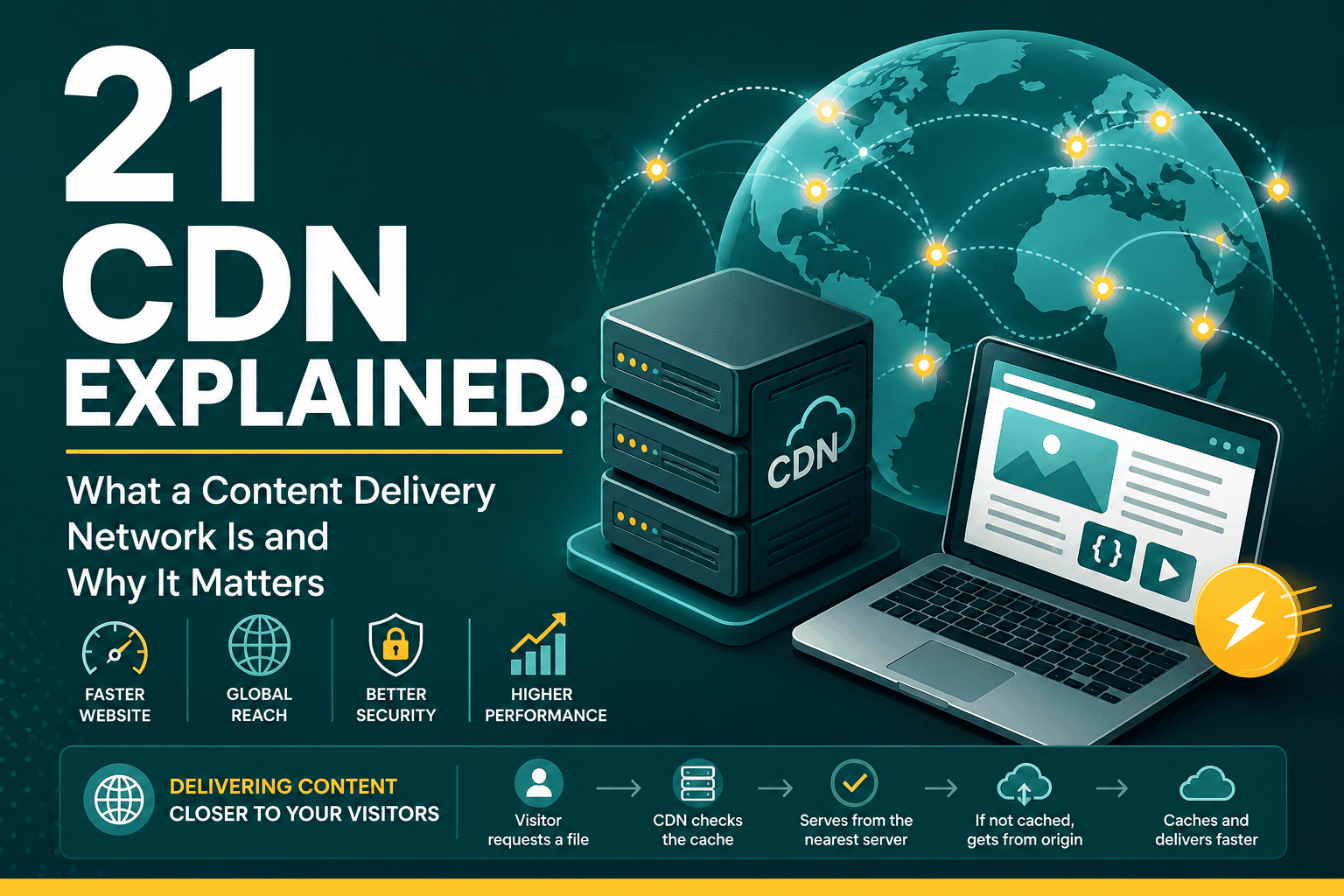
CDN Explained: What It Is, How It Works & Why It Matters
CDN Explained: What a Content Delivery Network Is and ...
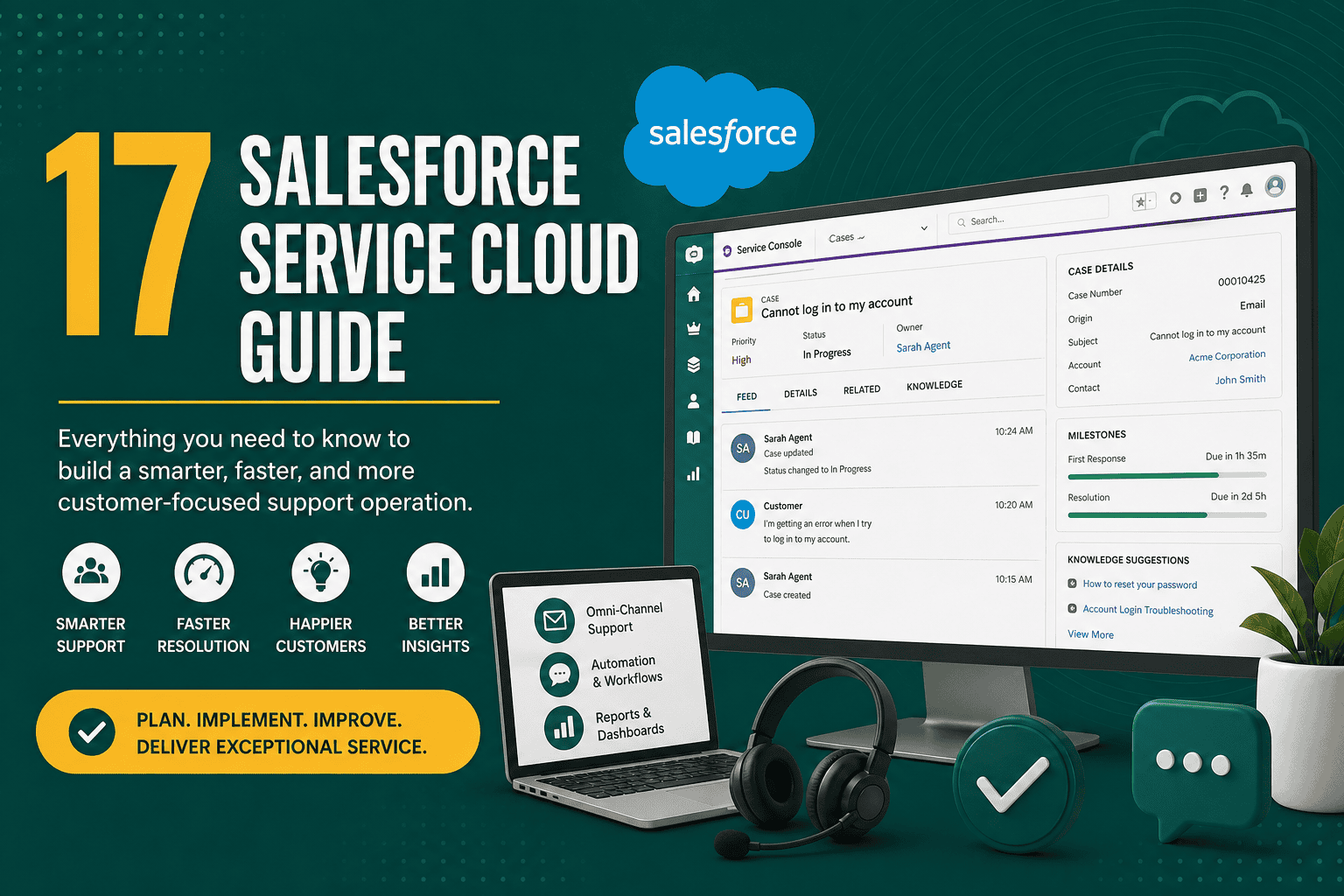
This Salesforce Service Cloud guide explains what Service Cloud is, how it works, who should use it, and how to implement it successfully. Salesforce Service Cloud is a customer service and support platform built on the Salesforce CRM ecosystem. It helps businesses manage customer cases, support tickets, knowledge articles, service channels, automation, field service processes, reporting, and customer experience from one centralized system.
For many companies, customer service has become just as important as sales and marketing. Customers expect fast responses, personalized support, consistent communication, and easy access to help through email, phone, chat, social media, self-service portals, and messaging apps. Service Cloud gives support teams the tools they need to manage these expectations while giving managers visibility into performance, workload, service quality, and customer satisfaction.
Whether you are moving from spreadsheets, shared inboxes, legacy help desk software, or another CRM, Service Cloud can help your business create a more organized and scalable service operation. However, success depends on clear planning, clean data, practical automation, user adoption, and ongoing optimization.
Salesforce Service Cloud is a cloud-based customer service platform that helps businesses manage support requests, customer interactions, service workflows, and support team performance. It is part of the broader Salesforce platform and connects naturally with Sales Cloud, Marketing Cloud, Experience Cloud, Field Service, Data Cloud, Slack, and many third-party applications.
At its core, Service Cloud is designed around the concept of cases. A case represents a customer issue, question, request, complaint, or service need. Cases can be created manually by agents or automatically from email, web forms, chat, phone calls, social channels, customer portals, integrations, or automation.
Once a case is created, Service Cloud helps teams assign it, prioritize it, track it, respond to the customer, escalate it when needed, and close it with a clear resolution. This creates a structured support process instead of relying on scattered emails, undocumented conversations, or disconnected tools.
Businesses use Salesforce Service Cloud because it provides a centralized system for managing customer service at scale. Instead of agents switching between inboxes, spreadsheets, chat tools, phone systems, and customer databases, they can work from a unified service console with customer history, case details, knowledge articles, automation, and collaboration tools in one place.
Service Cloud is especially valuable for businesses that need to improve response times, reduce support backlog, standardize service processes, measure agent productivity, automate repetitive work, or provide multichannel customer support.
It also becomes more powerful when connected with the rest of your CRM. If your business is still evaluating CRM as a broader strategy, this guide on what CRM is and how it works provides useful background before implementing a service platform.
Service Cloud brings customer information, support history, communication records, case activity, account data, and service workflows into one system. This helps agents understand the customer context before responding and reduces the need to ask customers to repeat information.
With case assignment rules, queues, macros, knowledge articles, templates, and automation, support teams can resolve issues faster. Agents spend less time searching for information and more time helping customers.
Customers benefit from quicker responses, more consistent answers, fewer handoffs, and better visibility into their requests. When Service Cloud is configured well, support feels more professional and personalized.
The Service Console gives agents a focused workspace for managing multiple cases and customer records. Features like quick text, macros, knowledge suggestions, and automated workflows reduce repetitive manual work.
Service managers can track case volume, response time, resolution time, SLA performance, backlog, escalation rates, customer satisfaction, agent workload, and support trends. These insights help leaders make better staffing, process, and training decisions.
Service Cloud can support small teams and large enterprise service operations. As your business grows, you can add new channels, approval processes, automation, integrations, self-service portals, AI features, and advanced reporting.
Case management is the foundation of Salesforce Service Cloud. A case stores information about a customer issue or request, including subject, description, status, priority, owner, account, contact, origin, related activities, attachments, comments, and resolution details.
Strong case management helps teams answer important questions:
The Service Console is the agent workspace inside Service Cloud. It allows agents to view customer records, cases, activities, knowledge articles, related records, and communication tools in a streamlined interface. Console navigation helps agents work across multiple cases without losing context.
A well-designed console layout can significantly improve productivity. It should show the most important fields, actions, related records, and guidance agents need without overwhelming them with unnecessary information.
Omni-Channel routes work items to the right agents based on availability, capacity, skills, priority, and routing rules. It can assign cases, chats, leads, messaging sessions, and other work items automatically.
This helps service teams balance workload and avoid manual assignment bottlenecks. For example, a high-priority technical case can be routed to an available senior support agent with the right product expertise.
Salesforce Knowledge allows businesses to create, manage, and publish articles that help agents and customers find answers. Knowledge articles can include troubleshooting steps, FAQs, policies, product documentation, how-to guides, and internal support procedures.
A strong knowledge base reduces repeated questions, improves answer consistency, helps train new agents, and supports customer self-service.
Email-to-Case automatically converts customer emails into Salesforce cases. Instead of managing support through a shared inbox, teams can track each request as a structured case with ownership, priority, status, and reporting.
This is often one of the first Service Cloud features businesses implement because it quickly improves visibility and accountability.
Web-to-Case allows customers to submit support requests through website forms. Submitted forms can automatically create cases in Salesforce with predefined routing, categories, and priority logic.
This is useful for contact forms, support request forms, warranty requests, technical help forms, or product issue submissions.
Service Cloud can support real-time conversations through chat and messaging channels. Customers can contact support through a website chat window or supported messaging platforms, while agents manage conversations from the Salesforce console.
Chat and messaging are valuable for businesses that want faster engagement, especially for ecommerce, SaaS, financial services, healthcare, education, and high-volume customer support teams.
Entitlements define the level of support a customer should receive, while milestones track specific service commitments such as first response time or resolution time. These features are useful for businesses that manage service-level agreements, premium support packages, warranties, or contractual support obligations.
Macros help agents perform multiple repetitive actions with one click, such as updating fields, sending an email, and changing a case status. Quick text allows agents to insert approved response snippets into emails, chats, tasks, and case comments.
These tools improve speed and consistency while reducing manual typing.
Salesforce Flow can automate many Service Cloud processes, including case assignment, escalation, notifications, approvals, field updates, guided scripts, customer follow-ups, and internal reminders. When used carefully, automation can reduce bottlenecks and create a more consistent service process.
For broader ideas on how automation can support sales, marketing, and service operations, review these practical CRM automation ideas.
Service Cloud reporting helps managers monitor team performance and customer support health. Reports can show case volume, open cases, aging cases, average response time, case origin, agent productivity, SLA performance, customer satisfaction, escalation rates, and issue trends.
Dashboards turn this data into visual summaries that leaders can use to make better decisions. If you need help planning metrics and dashboard structure, this CRM dashboards guide explains reporting best practices in more detail.
Service Cloud helps customer support teams manage inquiries, complaints, requests, troubleshooting, account questions, and general service needs. It provides structure for support teams that previously relied on shared inboxes or disconnected help desk tools.
Technical teams can use Service Cloud to track product issues, software bugs, support tiers, escalations, troubleshooting steps, and engineering handoffs. Cases can be categorized by product, issue type, severity, environment, and resolution path.
When combined with Salesforce Field Service, Service Cloud can support dispatching, work orders, technician scheduling, asset service history, mobile workforce management, and on-site customer service.
Service Cloud can also be used for internal support teams, such as IT, HR, operations, facilities, and finance. Employees can submit requests that route to the right internal team with tracking and accountability.
Using Experience Cloud with Service Cloud, businesses can create self-service portals where customers or partners can submit cases, view case status, search knowledge articles, update information, and access support resources.
Businesses that handle warranties, claims, returns, or service requests can use Service Cloud to track eligibility, documentation, approvals, customer communication, and resolution outcomes.
Sales Cloud and Service Cloud are both part of Salesforce, but they are designed for different business functions. Sales Cloud focuses on lead management, opportunities, pipelines, forecasting, sales activity, and revenue generation. Service Cloud focuses on customer support, case management, service workflows, knowledge, SLAs, and customer satisfaction.
Many businesses use both together. For example, a sales team may close a deal in Sales Cloud, while the support team manages onboarding and customer service in Service Cloud. Account and contact data can be shared across both, giving teams a complete view of the customer relationship.
Cases represent customer issues, support requests, questions, complaints, or service needs. They are the main object used in Service Cloud.
Accounts represent companies, organizations, households, or customers. Cases are often related to accounts so teams can see service history at the customer or company level.
Contacts represent individual people associated with accounts. A case is usually connected to the customer contact who submitted the request.
Knowledge articles store approved answers, documentation, FAQs, troubleshooting instructions, and internal procedures.
Entitlements define what level of support a customer is eligible to receive based on contract, product, warranty, subscription, or service agreement.
Milestones track time-based service commitments, such as first response or resolution deadlines.
Assets represent products or equipment owned by customers. They are useful for product support, warranties, repairs, and service history.
Start by clarifying why you are implementing Service Cloud. Common goals include reducing response time, improving customer satisfaction, replacing shared inboxes, increasing agent productivity, tracking SLAs, improving reporting, or creating a self-service portal.
Clear goals help guide configuration decisions and prevent unnecessary complexity.
Document how customer requests are currently received, assigned, handled, escalated, resolved, and reported. Identify gaps, bottlenecks, duplicate work, and manual steps that can be improved.
Create a practical case categorization structure. Categories may include billing, technical support, account management, product issue, warranty, cancellation, onboarding, complaint, or general inquiry.
Avoid creating too many categories at the beginning. Start with a structure that helps reporting and routing without making it difficult for agents to classify cases.
Case statuses should reflect your real support process. Common statuses include New, Open, In Progress, Waiting on Customer, Escalated, Pending Internal Review, Resolved, and Closed.
Each status should have a clear definition so agents use them consistently.
Decide how cases should be assigned. They may be routed by product, language, region, customer tier, case type, priority, skills, or workload. Escalation rules should define when and how unresolved cases move to higher support levels.
Design console layouts around agent productivity. Show the most important information first, reduce clutter, and make common actions easy to access. Include related customer records, recent activity, knowledge search, case history, and communication tools.
Before launching, create a starter knowledge base with the most common questions and support procedures. Over time, expand the knowledge base based on case trends and agent feedback.
Define the metrics leadership needs to monitor. At minimum, most teams should track open cases, new cases, closed cases, average first response time, average resolution time, case backlog, SLA performance, escalation rate, and case volume by type or channel.
Agent training is critical. Teach users how to create, update, assign, escalate, search, resolve, and close cases. Also train managers on dashboards, queues, workload visibility, and quality control.
A phased launch is often safer than trying to implement every feature at once. Start with core case management and email-to-case, then add advanced automation, knowledge, chat, portals, entitlements, and integrations as the team matures.
A complicated case process can slow agents down and reduce adoption. Use only the fields, statuses, categories, and automation that support real business needs. Make the system easy for agents to use during live customer conversations.
Required fields can improve data quality, but too many required fields create friction. Require only the information needed to route, prioritize, resolve, or report on cases.
Every case should have a clear owner or queue. Unowned cases create confusion and delays. Use queues, assignment rules, and Omni-Channel routing to ensure cases are handled consistently.
Define what High, Medium, and Low priority mean. Without clear definitions, agents may apply priorities inconsistently. Priority should reflect customer impact, urgency, contractual obligations, and business risk.
Automation should remove repetitive work, improve routing, and reduce errors. However, over-automation can create confusion if rules conflict or trigger unexpected changes. Test all automation carefully before launch.
Service reporting is only useful if data is accurate. Standardize account names, contact records, case categories, status usage, and resolution codes. Good data quality helps leadership understand service trends and make better decisions.
Many Service Cloud data quality principles overlap with broader CRM management. These Salesforce CRM best practices can help teams improve adoption, structure, reporting, and long-term platform value.
Do not treat reporting as a one-time setup task. Review dashboards weekly or monthly to identify trends, bottlenecks, training needs, automation opportunities, and customer experience issues.
Support agents use Service Cloud every day. Their feedback can reveal confusing layouts, unnecessary fields, missing quick actions, repetitive tasks, knowledge gaps, and automation problems.
A knowledge base becomes less useful if it is outdated. Assign article owners, review content regularly, archive obsolete articles, and use case trends to identify new content opportunities.
Service Cloud automation can save time, standardize processes, and improve customer experience. Common automation examples include:
The best automation strategy starts with the most repetitive and error-prone tasks. Avoid automating a broken process before improving the process itself.
Service Cloud reporting should measure both efficiency and customer experience. Useful metrics include:
For a broader measurement framework across sales, service, and customer management, this article on CRM KPIs every business should track can help you choose meaningful performance indicators.
Service Cloud becomes more powerful when connected with other business systems. Common integrations include phone systems, live chat tools, ecommerce platforms, billing software, ERP systems, marketing platforms, data warehouses, customer portals, product databases, and survey tools.
For example, an ecommerce company may connect Service Cloud with its online store so agents can see order history, shipping status, refunds, and customer details directly inside Salesforce. A SaaS company may connect product usage data so support agents can troubleshoot customer issues faster.
Integration planning should include data ownership, sync frequency, error handling, security, API limits, field mapping, duplicate prevention, and long-term maintenance. If your Service Cloud project requires integration with multiple systems, this Salesforce integration guide explains methods, planning steps, and best practices.
Salesforce offers AI capabilities that can support service teams through features such as case classification, reply recommendations, article suggestions, conversation summaries, chatbots, predictive analytics, and intelligent routing. These tools can help agents work faster and help customers find answers with less waiting.
However, AI works best when the underlying CRM data, case processes, knowledge base, and service categories are well structured. If your data is messy or your support process is unclear, AI may produce inconsistent results. Before investing heavily in AI, make sure your case data, knowledge content, and service workflows are reliable.
Some businesses try to launch every Service Cloud feature at once. This can overwhelm users and delay adoption. It is usually better to launch core functionality first, then improve in phases.
If the interface is cluttered or difficult to use, agents may avoid updating cases properly. Design the console around real agent workflows, not only management reporting needs.
Too many categories create confusion. Too few categories limit reporting. Build a practical classification structure that supports routing, reporting, and process improvement.
A knowledge base without ownership, review cycles, or quality control becomes outdated. Treat knowledge management as an ongoing service function, not a one-time content project.
Escalation should be based on defined criteria such as priority, customer tier, SLA risk, case age, technical complexity, or business impact. Without clear rules, escalations become inconsistent and reactive.
Dashboards are only useful if leaders review them and take action. Schedule regular performance reviews to identify service issues, staffing needs, and process improvements.
Salesforce Service Cloud cost depends on license edition, number of users, add-ons, implementation complexity, integrations, data migration, customization, automation, portals, AI features, and ongoing administration. License pricing is only one part of the total investment.
Businesses should also budget for discovery, process design, configuration, data cleanup, migration, training, testing, documentation, support, and future improvements. A simple implementation for a small support team may be relatively straightforward, while a complex enterprise deployment with multiple service channels, integrations, SLAs, and custom workflows can require significant planning and professional support.
If you need a deeper breakdown of CRM setup expenses, this guide to Salesforce implementation cost explains the pricing factors that affect Salesforce projects.
Salesforce Service Cloud is a strong fit for businesses that need a scalable customer support platform and want to connect service activity with broader customer data. It is especially useful for companies that have growing support volume, multiple service channels, complex customer relationships, service-level commitments, or a need for advanced reporting.
It may be a good choice if your business:
Service Cloud is powerful, but it is not always the right fit for every business. A very small team with low support volume and simple needs may not require the depth of Salesforce. If your team only needs a lightweight shared inbox or basic ticketing system, a simpler support tool may be easier and less expensive.
Service Cloud works best when a business is ready to invest in process design, user training, data quality, and ongoing administration. Without proper setup and ownership, the platform can become overly complex or underused.
Salesforce Service Cloud is a powerful platform for managing customer support, service operations, case workflows, knowledge, automation, and reporting. It can help businesses improve response times, increase agent productivity, deliver more consistent customer experiences, and gain better visibility into support performance.
The key to success is not simply enabling features. A strong Service Cloud implementation starts with clear service goals, practical workflows, clean data, thoughtful automation, useful reporting, and ongoing improvement. When configured around real business needs, Service Cloud can become the central operating system for customer service and long-term customer satisfaction.