July 14, 2026
Meta Ads Reporting: Measure, Analyze & Improve Campaigns
Meta Ads Reporting: How to Measure, Analyze, and Impro...
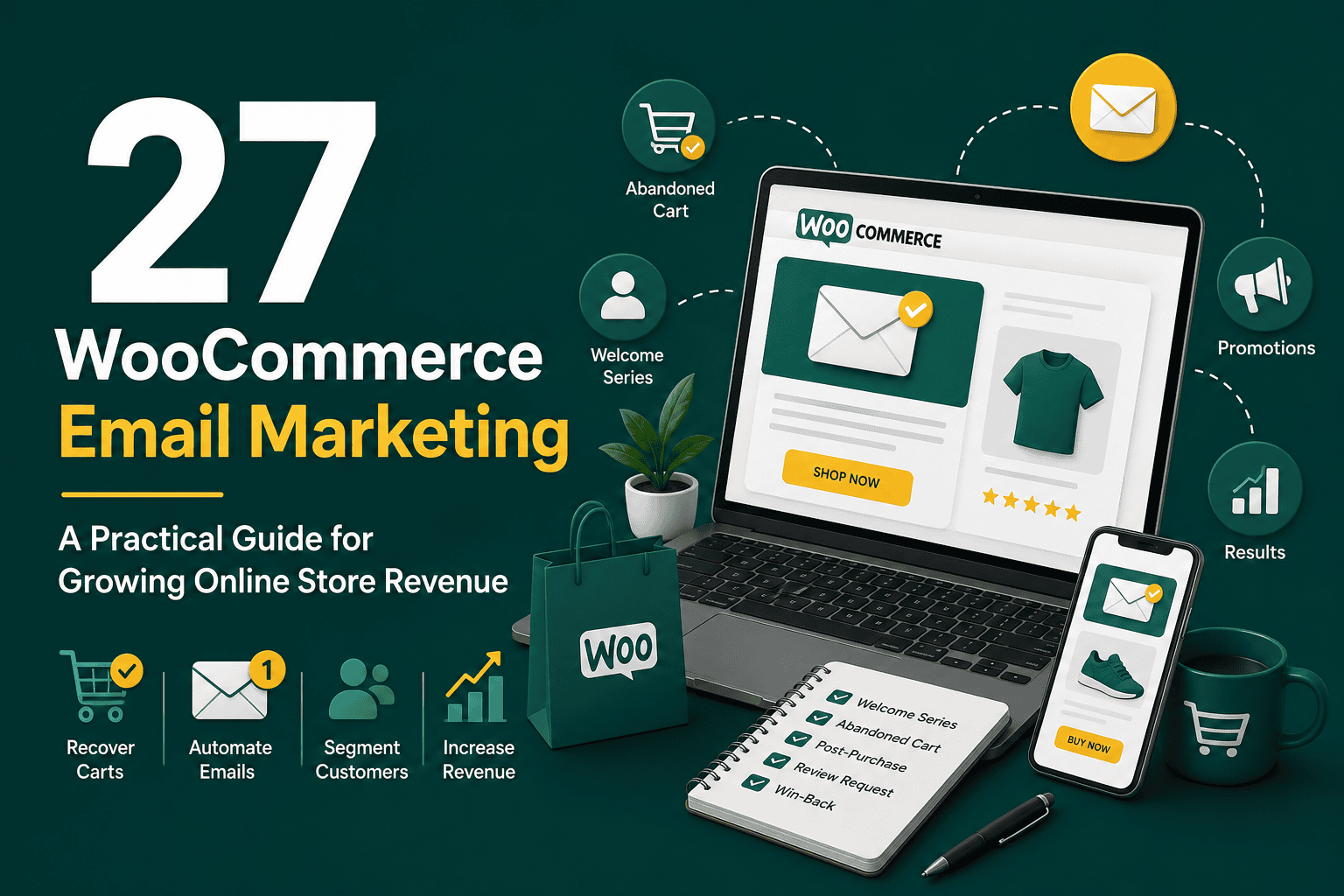
WooCommerce email marketing is one of the most effective ways to turn store visitors, customers, and past buyers into repeat revenue. While paid ads can drive traffic and SEO can attract long-term visibility, email gives your store a direct communication channel with people who have already shown interest in your products.
A strong WooCommerce email marketing system helps you recover abandoned carts, welcome new subscribers, promote products, increase repeat purchases, collect reviews, announce offers, and build long-term customer relationships. The key is to move beyond basic order confirmation emails and create automated, segmented, and measurable campaigns that support the full customer journey.
This guide explains how WooCommerce email marketing works, which emails your store should send, how to segment customers, what tools to consider, and how to measure performance without overwhelming your audience.
WooCommerce email marketing is the process of using email campaigns and automations to communicate with shoppers and customers from your WooCommerce store. These emails can be transactional, promotional, educational, or lifecycle-based.
Examples include order confirmation emails, shipping updates, abandoned cart reminders, welcome sequences, product recommendations, win-back campaigns, review requests, and seasonal promotions.
WooCommerce includes basic transactional email functionality by default, but a complete email marketing strategy usually requires an email marketing platform, automation workflows, customer segmentation, tracking, and consistent optimization.
Email marketing remains powerful because it reaches people who already have a relationship with your brand. Instead of constantly paying to reacquire attention, you can use email to nurture leads, encourage purchases, and increase customer lifetime value.
For WooCommerce stores, email marketing can help with:
Email should be part of a broader growth plan, not an isolated tactic. If you are building a full customer acquisition and retention system, it helps to align your store emails with your wider digital marketing strategy so your messaging, offers, audiences, and analytics work together.
Before building campaigns, it is important to understand the difference between transactional emails and marketing emails.
Transactional emails are triggered by a customer action or store event. They usually provide essential information about an order, account, payment, or shipment.
Common WooCommerce transactional emails include:
These emails should be clear, reliable, and easy to understand. They are not only operational messages; they are also important trust-building moments after a customer takes action.
Marketing emails are used to promote products, nurture subscribers, encourage engagement, or drive future purchases. They often require consent depending on the customer’s location and applicable privacy regulations.
Examples include:
The best WooCommerce email marketing systems use both types well: transactional emails create reliability, while marketing emails create repeat engagement and revenue.
Email automation allows your store to send the right message at the right time based on customer behavior. Instead of manually emailing every shopper, automated workflows respond to actions such as subscribing, abandoning a cart, placing an order, or becoming inactive.
A welcome sequence is sent when someone joins your email list, creates an account, or signs up for a discount. This is one of the most important automations because new subscribers are usually highly engaged.
A simple welcome sequence can include:
The goal is to help new subscribers understand why they should buy from you and what to do next.
Abandoned cart emails target shoppers who added products to their cart but did not complete checkout. This is one of the highest-impact WooCommerce email marketing automations because it focuses on people with strong purchase intent.
A common abandoned cart structure is:
Not every store should discount immediately. Sometimes customers need reassurance about shipping, returns, payment security, or product quality rather than a coupon.
The customer journey does not end after checkout. A post-purchase sequence improves customer experience and creates opportunities for future sales.
Post-purchase emails can include:
This sequence should feel helpful, not pushy. If a customer has just purchased, your first priority is to confirm they made a good decision.
Product reviews can increase trust and improve conversion rates. A review request email should be timed based on when the customer is likely to have received and used the product.
For simple products, you might send a review request a few days after delivery. For products that require time to experience, waiting longer may produce better reviews.
Effective review request emails are short, polite, and direct. They should include the product name and make the review process easy.
Cross-sell emails recommend complementary products based on what a customer purchased. Upsell emails promote a higher-value version, bundle, refill, subscription, or related service.
Examples include:
These emails work best when recommendations are relevant. Generic promotions are less effective than behavior-based suggestions.
A win-back campaign targets customers who have not purchased for a set period of time. The timing depends on your product cycle. A coffee brand may define inactivity as 45 days, while a furniture store may use several months or longer.
Win-back emails can include:
These campaigns can recover revenue, but they also help clean your email list by identifying people who are no longer engaged.
Segmentation is the practice of dividing your email list into smaller groups based on behavior, customer data, preferences, or purchase history. Segmented emails usually perform better because they feel more relevant.
Useful WooCommerce email segments include:
Good segmentation helps you avoid sending the same email to everyone. For example, a loyal repeat customer may deserve early access to a product launch, while a new subscriber may need education and trust-building before buying.
WooCommerce can send basic emails, but most growing stores need a dedicated email marketing platform. The right tool depends on your store size, budget, technical needs, automation complexity, and reporting requirements.
When evaluating tools, consider:
Be careful not to install too many overlapping tools inside WordPress. Extra plugins can create performance and maintenance issues. If you are deciding which tools belong in your store setup, review this guide to WordPress plugins you actually need before adding unnecessary extensions.
There are several categories of tools you can use for WooCommerce email marketing.
These platforms are designed specifically for online stores. They usually offer strong WooCommerce integrations, abandoned cart workflows, product blocks, segmentation, and revenue reporting.
General platforms can work well for newsletters, basic automation, and audience management. They may be suitable for smaller stores or businesses that do not need advanced ecommerce features.
Some businesses prefer connecting WooCommerce to a CRM and running marketing automation from there. This can be useful when ecommerce is only one part of a larger sales process, such as B2B, wholesale, memberships, or service-based sales.
Some plugins allow you to manage email campaigns directly from WordPress. This can be convenient, but you should consider deliverability, server load, scalability, and reporting limitations before relying on WordPress alone for large campaigns.
A successful WooCommerce email strategy starts with your customer journey. Instead of sending random campaigns, map the stages customers move through and create emails that support each stage.
Start by identifying what you want email marketing to improve. Common goals include:
Each goal should connect to a specific email workflow or campaign type.
Your email list growth depends on how and where you invite people to subscribe. Common signup placements include:
Give people a clear reason to subscribe. This could be a discount, early access, useful product advice, exclusive content, or loyalty benefits.
If you are starting from scratch, prioritize automations with the highest revenue and customer experience impact.
A practical order of implementation is:
If your store is still preparing for launch or going through improvements, email marketing should be part of your broader ecommerce setup. A structured WooCommerce store checklist can help you confirm that payments, shipping, analytics, performance, and customer communications are ready before you scale traffic.
Automations run in the background, but campaigns are one-time or scheduled emails sent to specific segments. A campaign calendar helps you plan promotions without overwhelming subscribers.
Your calendar can include:
Consistency matters, but quality matters more. Sending fewer relevant emails is usually better than sending frequent low-value promotions.
Email marketing improves over time when you analyze performance and test changes. Track both engagement metrics and revenue metrics so you understand not only who opened an email, but also who purchased.
To understand performance, monitor the right metrics for each campaign and automation.
Open rate shows the percentage of recipients who opened your email. It can be affected by subject lines, sender name, timing, list quality, and privacy changes in email clients. Treat it as a directional metric, not a perfect measurement.
Click-through rate shows how many recipients clicked a link inside your email. This is usually a better engagement signal than opens because it reflects action.
Conversion rate shows how many recipients completed a desired action, such as placing an order. For WooCommerce email marketing, this is one of the most important metrics.
Revenue per recipient helps you compare campaign quality. A smaller, highly targeted campaign can generate more revenue per recipient than a large generic blast.
A high unsubscribe rate may mean your emails are too frequent, irrelevant, misleading, or poorly targeted.
Spam complaints are serious because they can damage deliverability. Always use permission-based email marketing and make unsubscribing easy.
List growth rate shows whether your email audience is expanding. A healthy store should attract new subscribers while removing inactive or invalid contacts.
Accurate tracking helps you understand which emails produce sales. Most email platforms provide revenue attribution when properly connected to WooCommerce, but you should still verify that tracking is set up correctly.
Use UTM parameters on campaign links so analytics tools can identify traffic from email. Also compare email platform revenue against WooCommerce reports and analytics data to avoid relying on one source blindly.
If you also run paid advertising, better conversion tracking can improve campaign decisions across channels. For stores using Google Ads, this enhanced conversions guide explains how improved conversion measurement can help reduce tracking gaps and improve advertising data quality.
Email design should support clarity, trust, and action. Overly complex designs can distract from the message or display poorly on mobile devices.
Follow these best practices:
Most ecommerce emails should be easy to scan. Customers often read emails quickly, so your headline, offer, product image, and button should communicate the value immediately.
Strong email copy is specific, customer-focused, and action-oriented. Instead of only saying what you sell, explain why it matters to the customer.
Your subject line should create interest without misleading the reader. Good subject lines are clear, relevant, and aligned with the email content.
Examples include:
The body should quickly answer why the email matters. For promotional emails, explain the offer and the benefit. For educational emails, give useful guidance. For lifecycle emails, make the next step simple.
Each email should have a clear call to action. Examples include:
Avoid placing too many competing calls to action in one email. If the purpose is cart recovery, keep the focus on returning to the cart.
Deliverability is the ability of your emails to reach the inbox instead of spam folders. Even excellent campaigns fail if customers never see them.
To improve deliverability:
For transactional WooCommerce emails, consider using a dedicated SMTP service or transactional email provider instead of relying only on default WordPress mail functions.
Email marketing must respect privacy and consent laws. Requirements vary by region, but common principles include transparency, permission, and easy opt-out.
Important compliance practices include:
If you sell internationally, review the requirements for GDPR, CAN-SPAM, CASL, and other relevant regulations. When in doubt, consult a qualified legal professional.
Email marketing becomes even more powerful when combined with paid advertising. For example, customer segments from WooCommerce can help inform remarketing, lookalike audiences, and retention campaigns.
You can use email insights to identify:
If you advertise on Facebook or Instagram, understanding Meta audience targeting can help you connect customer data, website behavior, and campaign audiences more effectively.
Many stores underuse email or use it in ways that reduce trust. Avoid these common mistakes:
Good WooCommerce email marketing is not about sending more emails. It is about sending more relevant emails at better moments.
Use this checklist to audit your current setup:
There is no perfect frequency for every store. The right sending frequency depends on your product type, audience expectations, buying cycle, and content quality.
A fashion store with frequent new arrivals may send multiple campaigns per week. A store selling expensive equipment may send fewer emails focused on education, product comparison, and support. A consumable goods store may rely heavily on replenishment reminders and repeat purchase flows.
Start with a manageable schedule, watch engagement metrics, and adjust. If open rates, click rates, and conversions decline while unsubscribes rise, you may be sending too often or sending content that is not relevant enough.
If you need campaign ideas, consider these:
The strongest ideas usually combine customer relevance with business goals. For example, a replenishment reminder helps the customer avoid running out while helping the store increase repeat purchases.
WooCommerce email marketing is a core growth channel for any serious online store. It helps you convert more visitors, recover lost sales, retain customers, and build stronger long-term relationships.
Start with the essentials: reliable transactional emails, a welcome sequence, abandoned cart recovery, post-purchase communication, and proper tracking. Then improve segmentation, personalization, campaign planning, and lifecycle automation over time.
The most successful stores do not treat email as an occasional promotional tool. They use it as a structured customer journey system that supports trust, timing, relevance, and repeat revenue.